9-19
User Authentication and Accounting (User Login, Job Accounting) > Setting User Login Administration
Group Authorization Settings
Set restrictions of the machine usage by each individual group registered in the authentication server.
Group Authorization
Use the group authorization.
1
Display the screen.
1 [System Menu/Counter] key > [User Login/Job Accounting]
2 [User Login Setting] > [Group Authorization Set.] > [Group Authorization]
2
Select [On].
To use the group authorization settings, [Network Authentication] must be selected for the authentication method in
"Enabling User Login Administration". Select "On" for "LDAP" in "Protocol Settings".
Enabling User Login Administration (page 9-3)
Protocol Settings (page 8-31)
If the login user name entry screen appears during operations, enter a login user name
and password, and select [Login]. For this, you need to login with administrator
privileges.
The factory default login user name and login password are set as shown below.
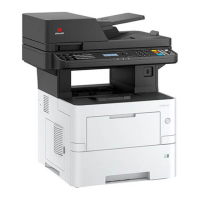
d-COPIA 4513MF plus d-COPIA 5514MF d-COPIA 6014MF
d-COPIA 4514MF plus
5500 6000
Login User Name: 4500
Login Password: 4500
5500 6000











 To Next Page