2-43
Installing and Setting up the Machine > Installing Software
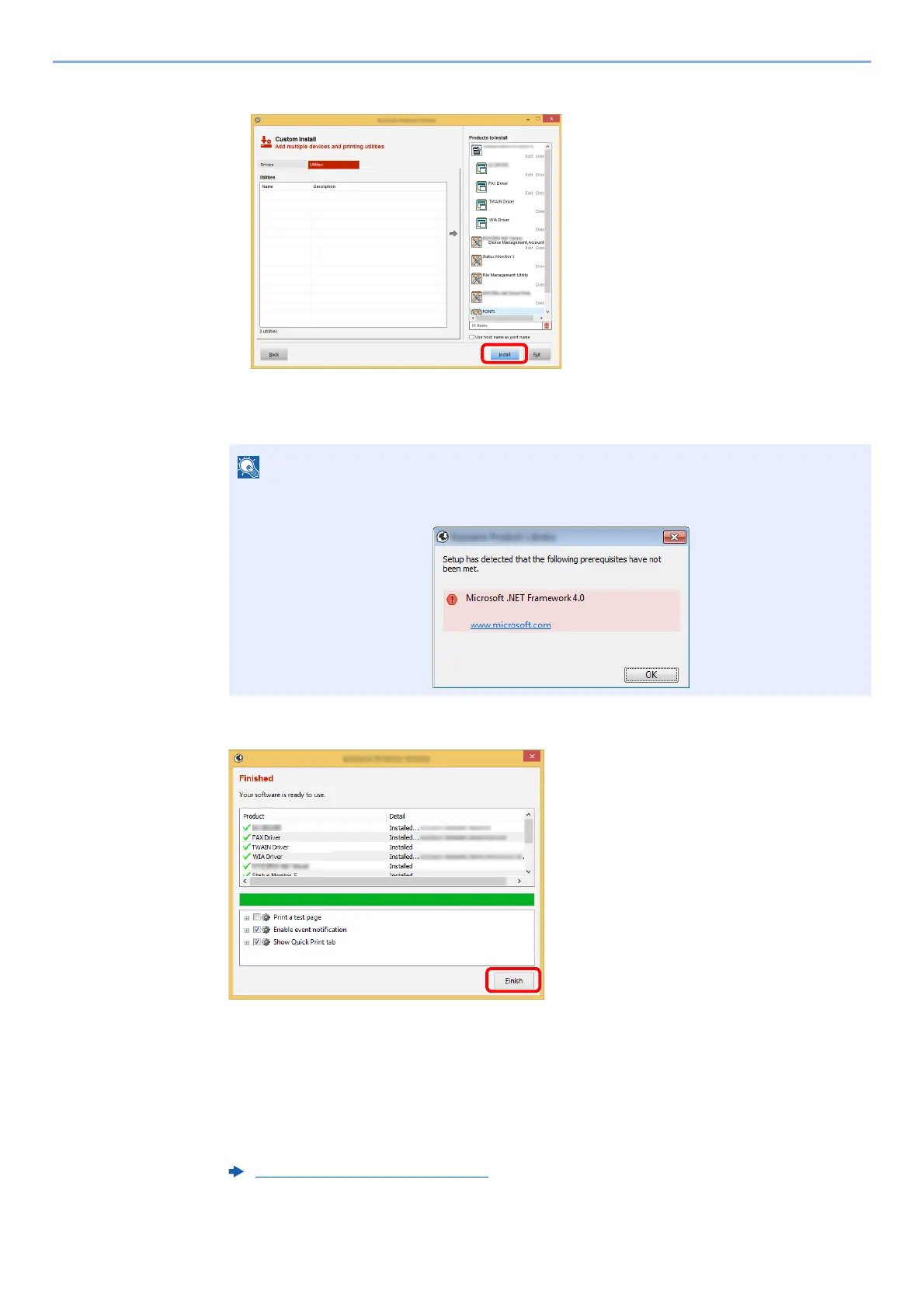
4 Click [Install].
When you click [Install], a screen asking for your cooperation with data collection will be displayed.
Select one of the answer choices and click [OK].
5
Finish the installation.
When "Your software is ready to use" appears, you can use the software. To print a test
page, click the "Print a test page" checkbox and select the machine.
Click [Finish] to exit the wizard.
If a system restart message appears, restart the computer by followin
g the screen prompts.
This completes the Printing System Driver installation procedure.
If you are installing the TWAIN driver, continue by configuring the following:
• To install Status Monitor on Windows versions preceding Windows 8, it is necessary to
install Microsoft .NET Framework 4.0 beforehand.
Setting TWAIN Driver (page 2-47)











 To Next Page