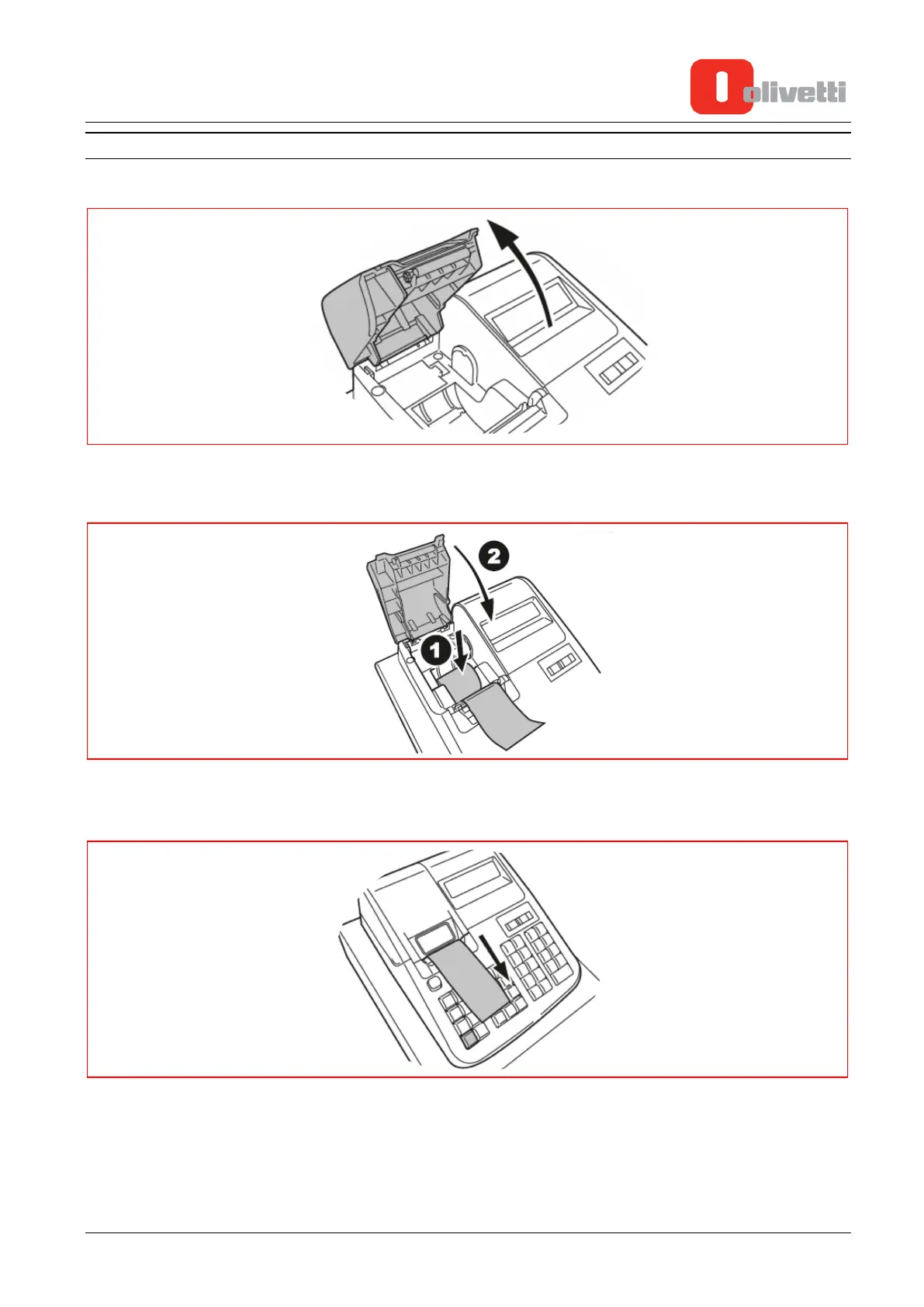
INSERTING RECEIPT ROLL
1. Open the cover of the paper roll compartment
2. Place the paper roll inside the compartment, unrolling it a few centimetres as shown in the figure (1),
then close the cover again
3. Using the manual cutter, cut away the excess paper by pulling the paper downwards as indicated in the
figure.
Y119070-7 Service Manual 2-3















 To Next Page