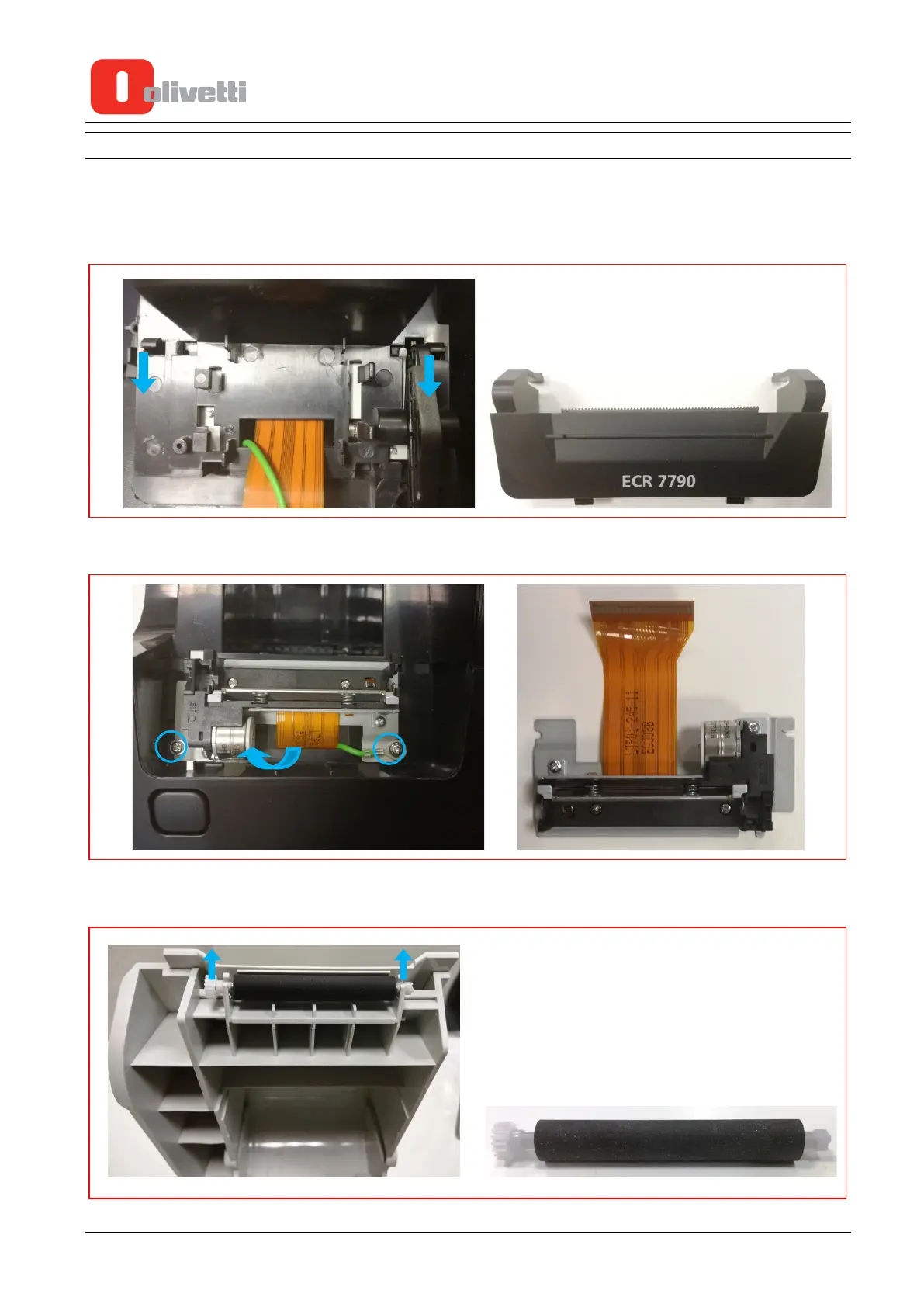
PRINTER UNIT
1. Bef
ore unmounting the printer unit first disconnect the flat cable as explained in Step 1 of the section
“Keypad Unit”.
2. On the inside release the two retainers then push them so as to separate the cover and cutter from the
m
ain unit.
3. U
nscrew the two fixing screws paying attention to the earth wire, then remove the flat cable from the
slot and extract the printer unit.
4. I
f the paper feeder roller is worn, applying slight pressure on one side and then on the other, remove it
from the housing and proceed to replace it
.
5-6 Service Manual Y119070-7















 To Next Page