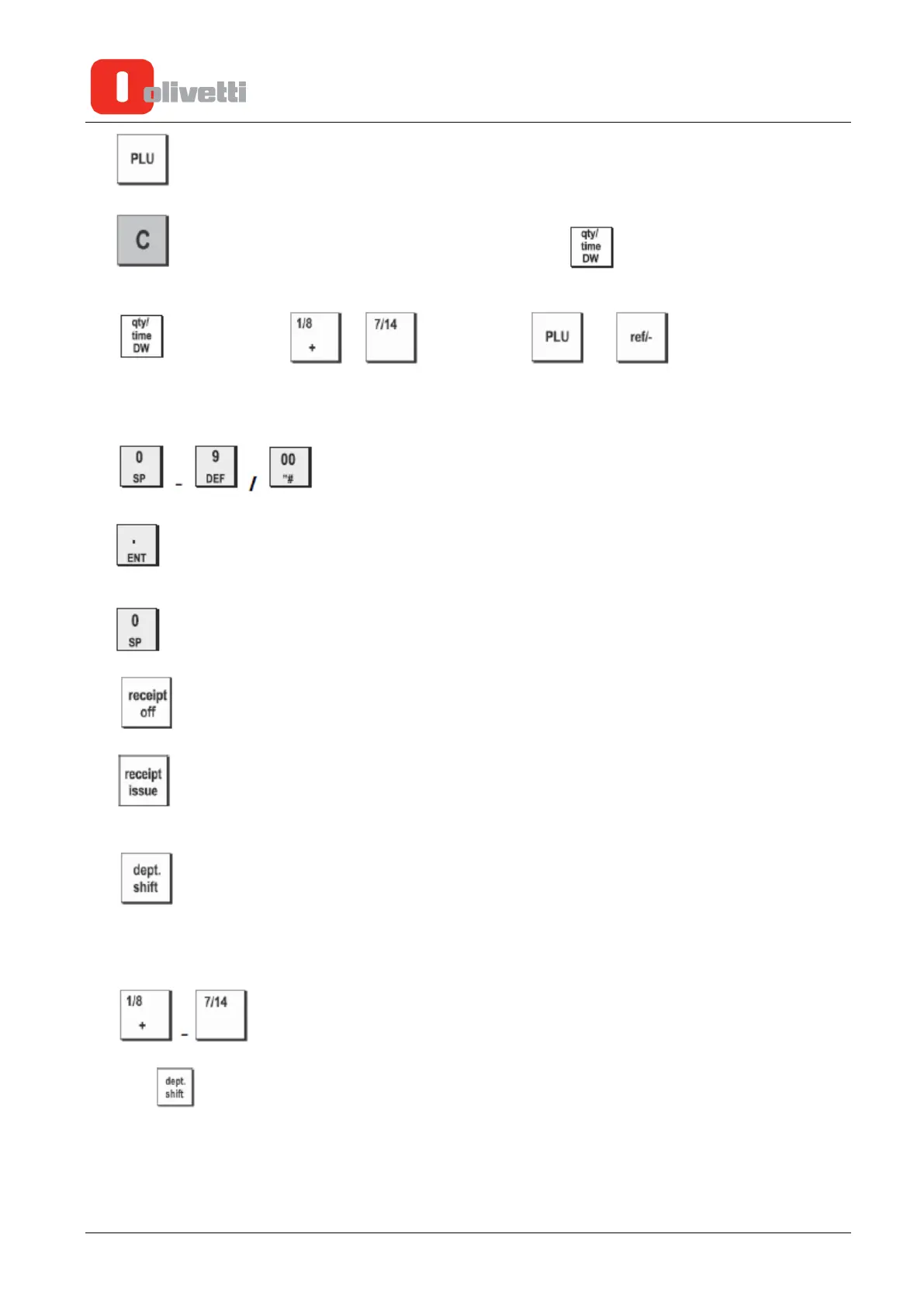
6. - Registers a preset price of an individual item to the appropriate department.
7. - Clears an entry made from the numeric keypad or with before finalizing a transaction
with a Department or function key. Also used to clear error conditions.
8. - [qty] Multiplies - (Department), or [time] displays the
current time in the REG and JRNL modes
[DW] Double width character selected.
Double width need to inputting forward to the character.
9. - Input amounts, indicate how many times a particular item repeats, add
and subtract percentage rates and input department code numbers.
[.] Enters a decimal point for defining quantities with decimals during sales transactions.
[ENT] Programmed to the caption by entered character.
[SP] Space code entry using.
10. - Toggles the cash register between printing and not printing the sales receipt.
11. - Prints one or more copies of the last sales translation recorded (overrides the Receipt Off mode
set with the related key).
12. - Allows price entries for Departments 8-14. Press this key before entering applicable
department keys.
13. 14. 15. 16. 17. 18. 19.
- Departments 1 through 7, to enter single or multiple item sales to a particular
department. Department keys 1/8, 2/9, 5/12 and 6/13 also used in the calculator mode. When pressed
after registers to Departments 8 through 14.
3-2 Service Manual Y119070-7















 To Next Page