17Service Guide: Fiery® ES IC-420
Replacing Parts
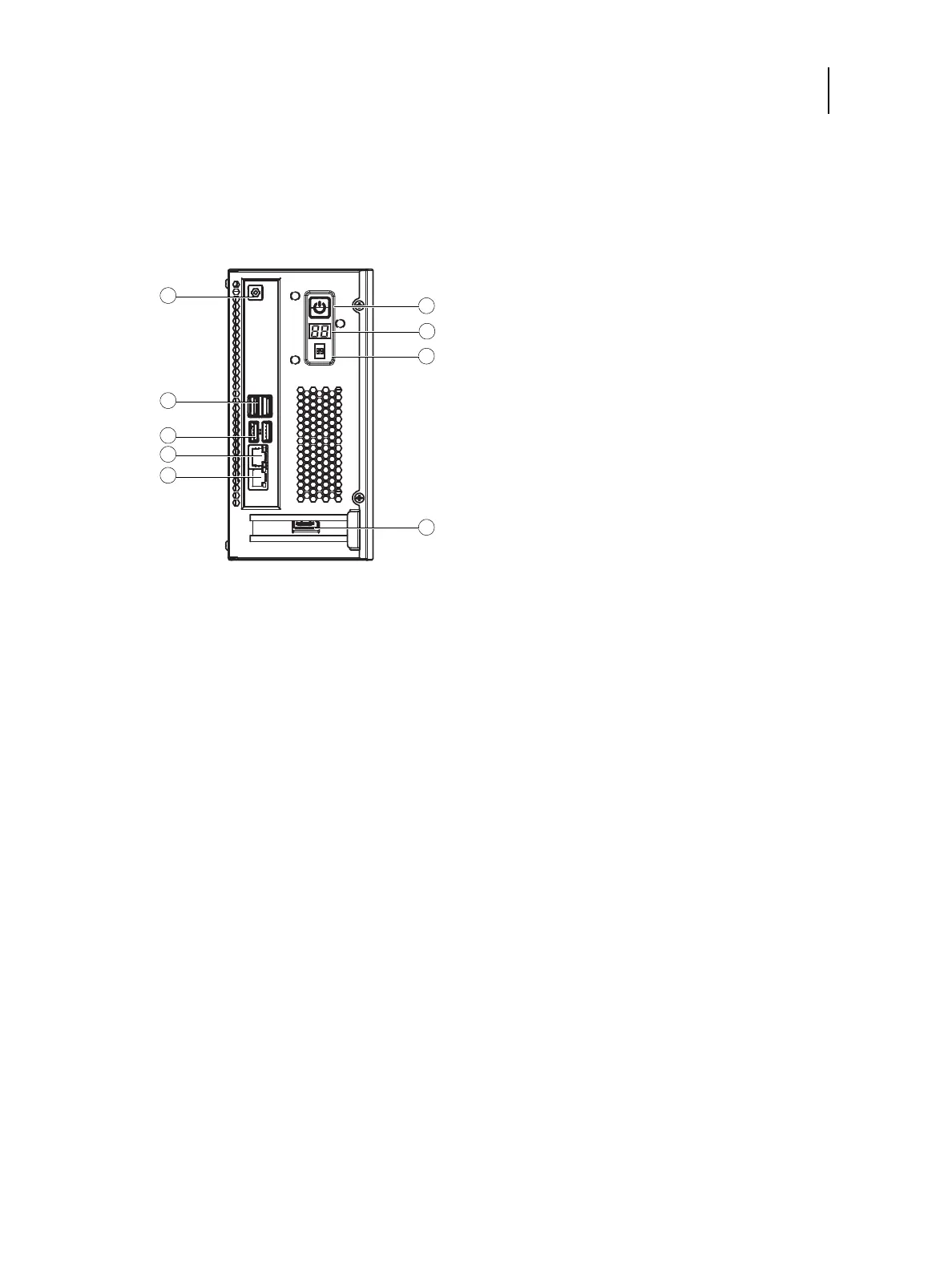
Fiery ES connector panel and LED diagnostic codes
The connector panel and the front panel of the Fiery ES have the external connectors and power button. Familiarize
yourself with the connector panel of the Fiery ES.
Figure 5: Fiery ES connector panel and front panel
During startup, the Fiery ES advances through a standard diagnostic sequence. Each diagnostic code flashes rapidly on the
LED display during this sequence, until the Fiery ES reaches Idle. At Idle, the LED display shows the 00 code.
If the LED display hangs on a code other than 00, one or more diagnostic tests may have failed. Look up the diagnostic
code in “Table 2: Causes and solutions when printer does not print” on page 54 to determine the troubleshooting actions
that you should take.
1 Power cable connector (to the power supply unit) 6 Power button
2TYPE A USB3.0 connector (x2) 7LED display
3TYPE A USB2.0 connector (x2) 8Service switch
4 RJ-45 Network connector (10/100/1000Mbps) 9 Printer interface cable connector
5 Crossover Ethernet cable connector (RJ-45 Ethernet
connector)



 To Next Page