24/02/2020 11 / 24 923650001_09_008.doc
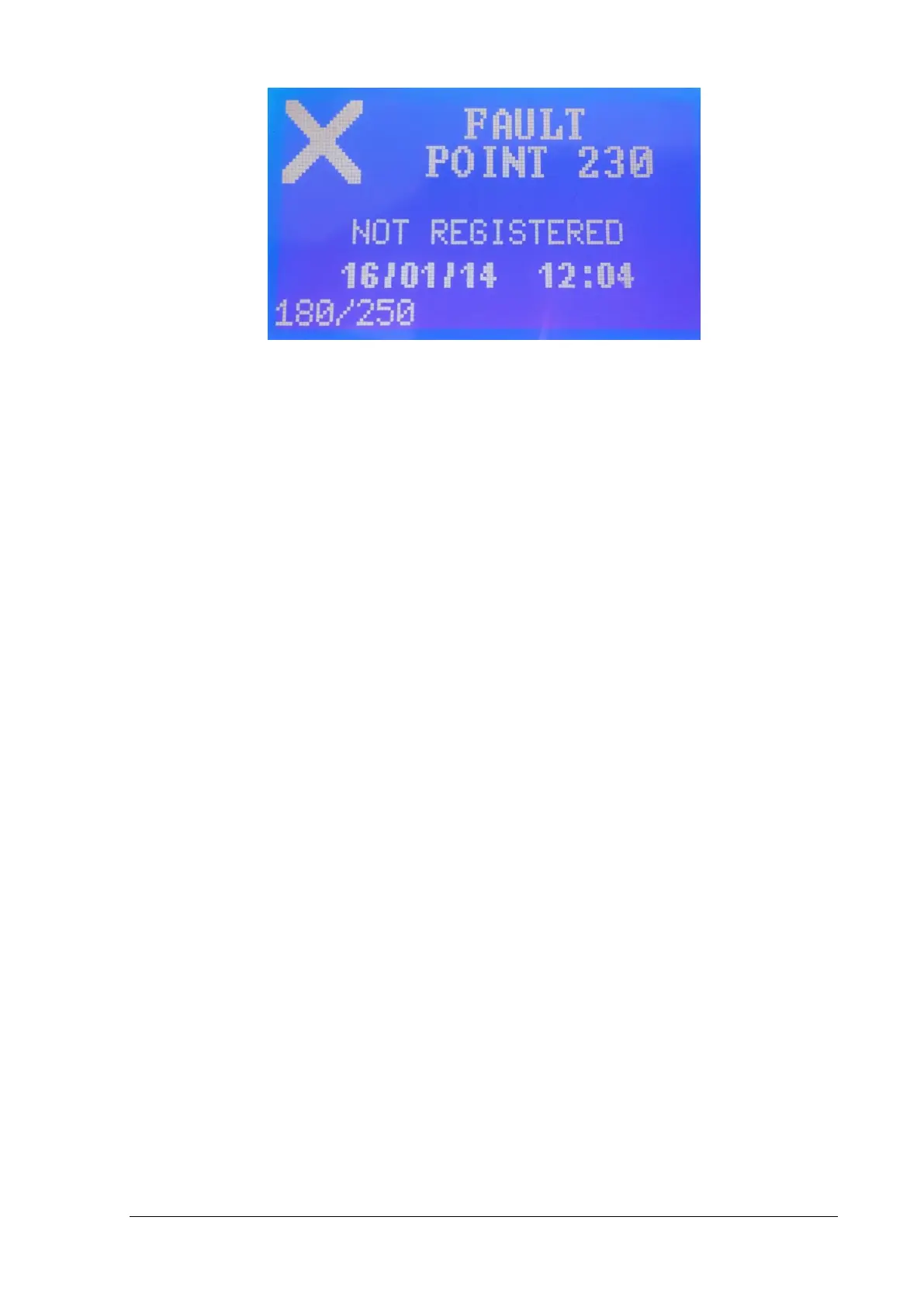
Figure 2-13
At the screen above you can see a typical event. The first line shows the type of the event FAULT, or
GENERAL (information). The second line shows the source of the event for example PANEL, POINT
230 (point at address 230). The third line shows a description of the event, for example “NOT
REGISTERED” means that the panel has detected a point at this address which is not recorded in its
memory.
The next line shows the time and the date the event occurred and the last line shows the index of the
event.
Explanation of the fault event description and the action that has to be done by a user or technician is
shown below:
• “SHORT CIRCUIT” a short-circuit occurred at the source of the event. Check for any short-
circuit at the source.
• “DISCONNECTED BATTERY” the battery is disconnected. Check the cable of the battery to
the panel.
• “DISCONNECTED” the point at this address is not communicating with the panel. Check the
communication cables and the point at this address if they have any connection problems.
• “NOT REGISTERED” the point at this address is not recorded in the memory of the panel. The
point must be registered to the panel.
• “CONFLICT DATA” the technician must check if there are two points or more with the same
address.
• “DATE-TIME NOT SET" the user must set the time and the date of the panel.
• “LAMP FAULT” the lamp of the luminaire at this address is faulty. Replace the lamp or check
the lamp cables of the luminaire for damages.
• “BATTERY CAPACITY” the battery of the luminaire at this address has low capacity. The
technician must replace the battery of the luminaire.
• “LUMINARY COMM." the adaptor at this address does not communicate with the luminaire.
The technician must check if the adaptor is not correctly placed and if the luminaire is not
working.
• “WRONG LUMINARY” the saved type of luminaire at the memory is different from the actual
type.


 To Next Page