EasyManua.ls Logo

olympia electronics GR-6500 - 4 Technician Menu

olympia electronics GR-6500
24 pages
Print Icon
To Next Page IconTo Next Page
To Previous Page IconTo Previous Page
Loading...
24/02/2020 19 / 24 923650001_09_008.doc
4. Technician menu
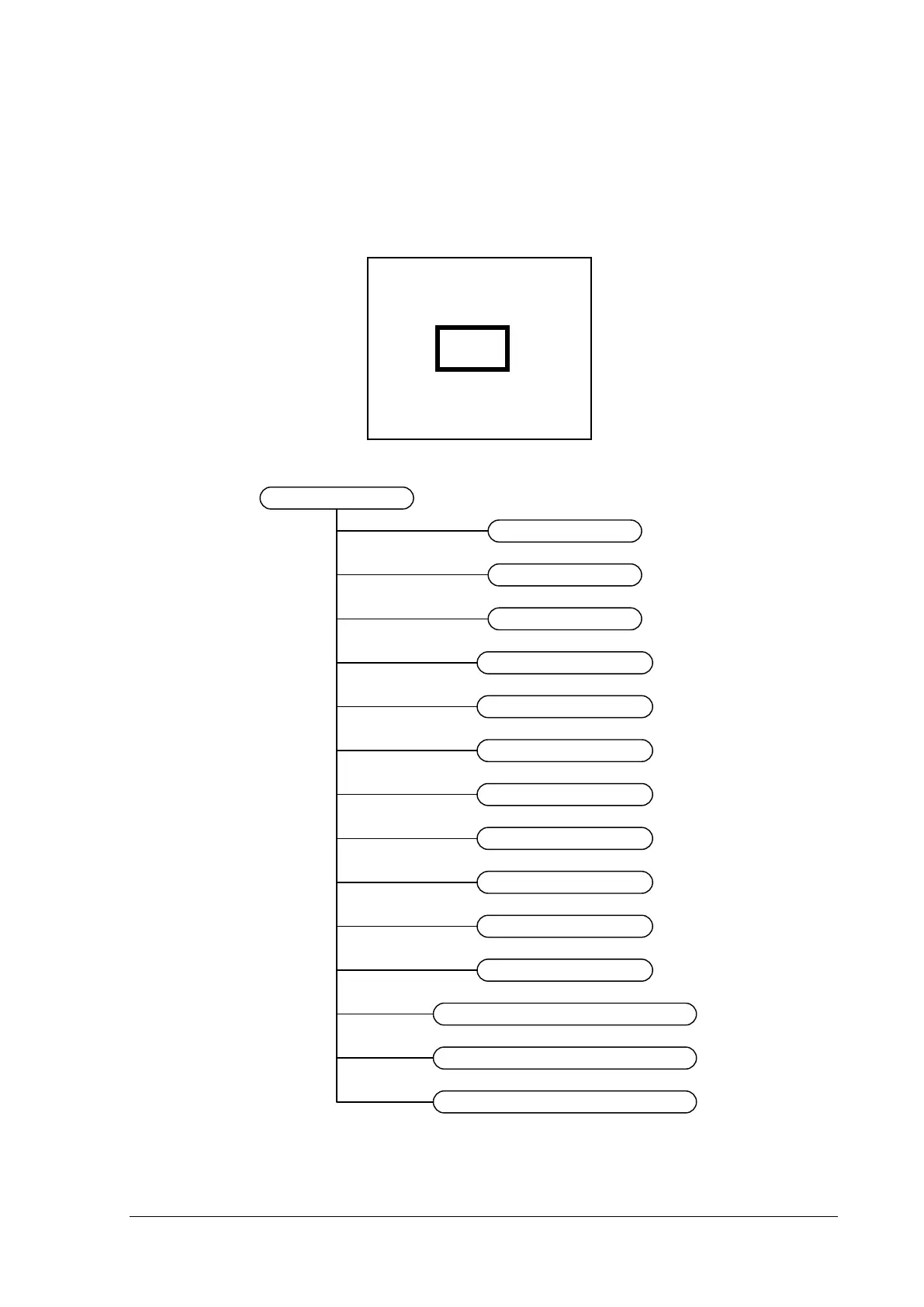
To enter the technician menu you must press “Enter from the main screen, then select the option
“TECHNICIAN MENU”. Then you must enter the technician code. The default code is 1000. You can
see a figure of the enter code screen below. With Up-Down keys you change the digit, Right-Left keys
you move to the next digit.
If the code is correct you enter the technician menu which has the following options:

TECH MENU
POINTS
SYSTEM
SETTINGS
EVENTS
CODES
MODE INHIBIT
SET FUNCTION TEST
ENABLE
DISABLE
ETHERNET
RESET DEFAULTS
ANNUAL CHECK DONE
SET CAPACITY TEST
MAKE A CAPACITY TEST
Figure 4-14
ENTER TECH CODE
- - - -

Other manuals for olympia electronics GR-6500

Related product manuals