24/02/2020 23 / 24 923650001_09_008.doc
5. PC - Visualising via web browser
You can monitor and control the panel from any device (pc, mobile etc) and from any OS with the use
of an internet browser. No special software is necessary. A connection of the system with the local
network via standard network cable with RJ45 interface is required.
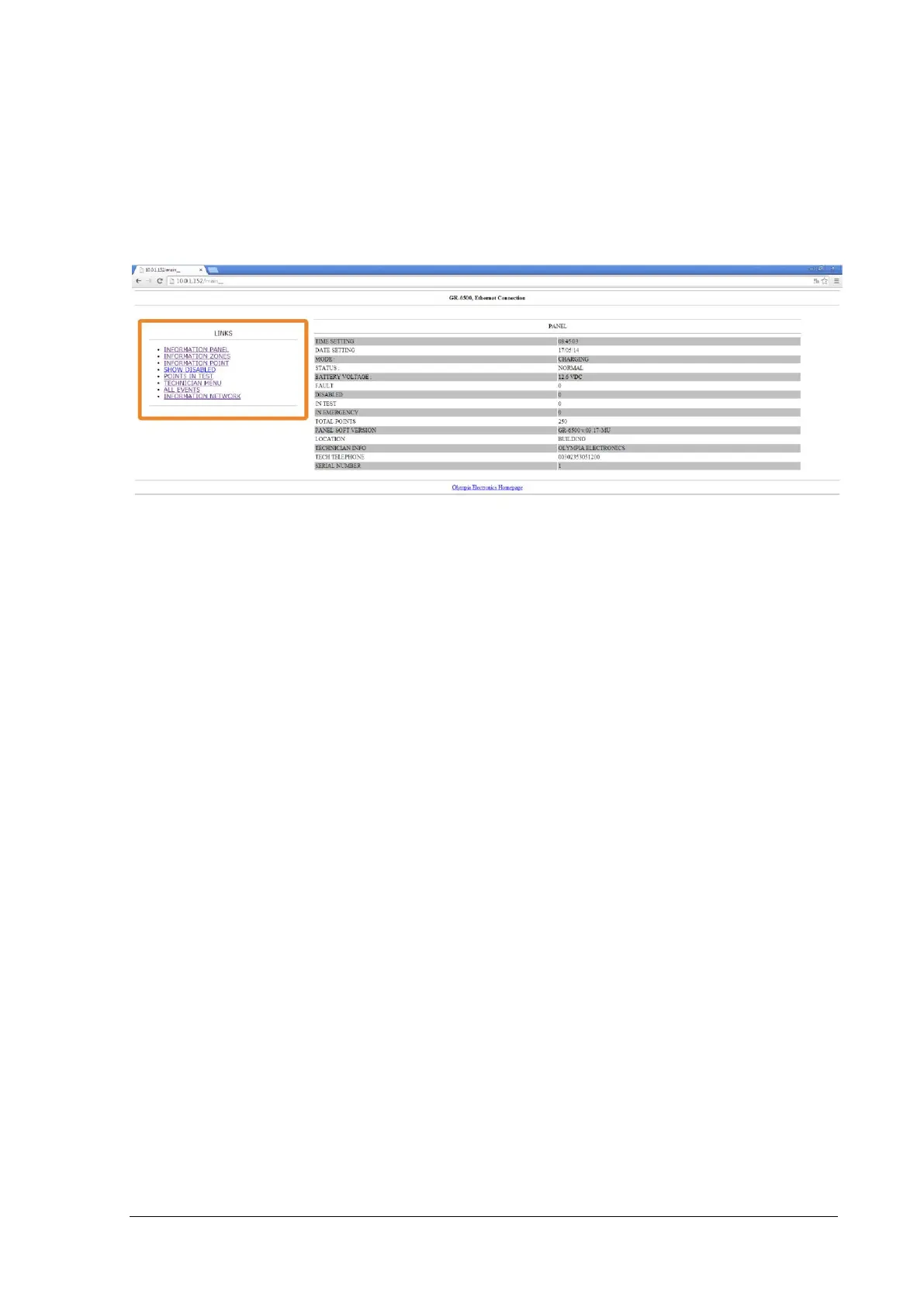
The IP address of the system is entered in the address bar of the browser (e.g.: http://10.0.1.152). The
IP address can be found at menu INFORMATION → NETWORK. See the main screen bellow.
Figure 5-20
The menu and functions are exactly the same as it is shown the panel. The interface is best displayed
via Chrome web browser.
Access to the panel can be local via local LAN/WiFi or from anywhere through the internet. To access
the panel through the internet you must setup a port-forward, from your router, of the IP panel.


 To Next Page