100
8
Using Voice Recognition Software
7
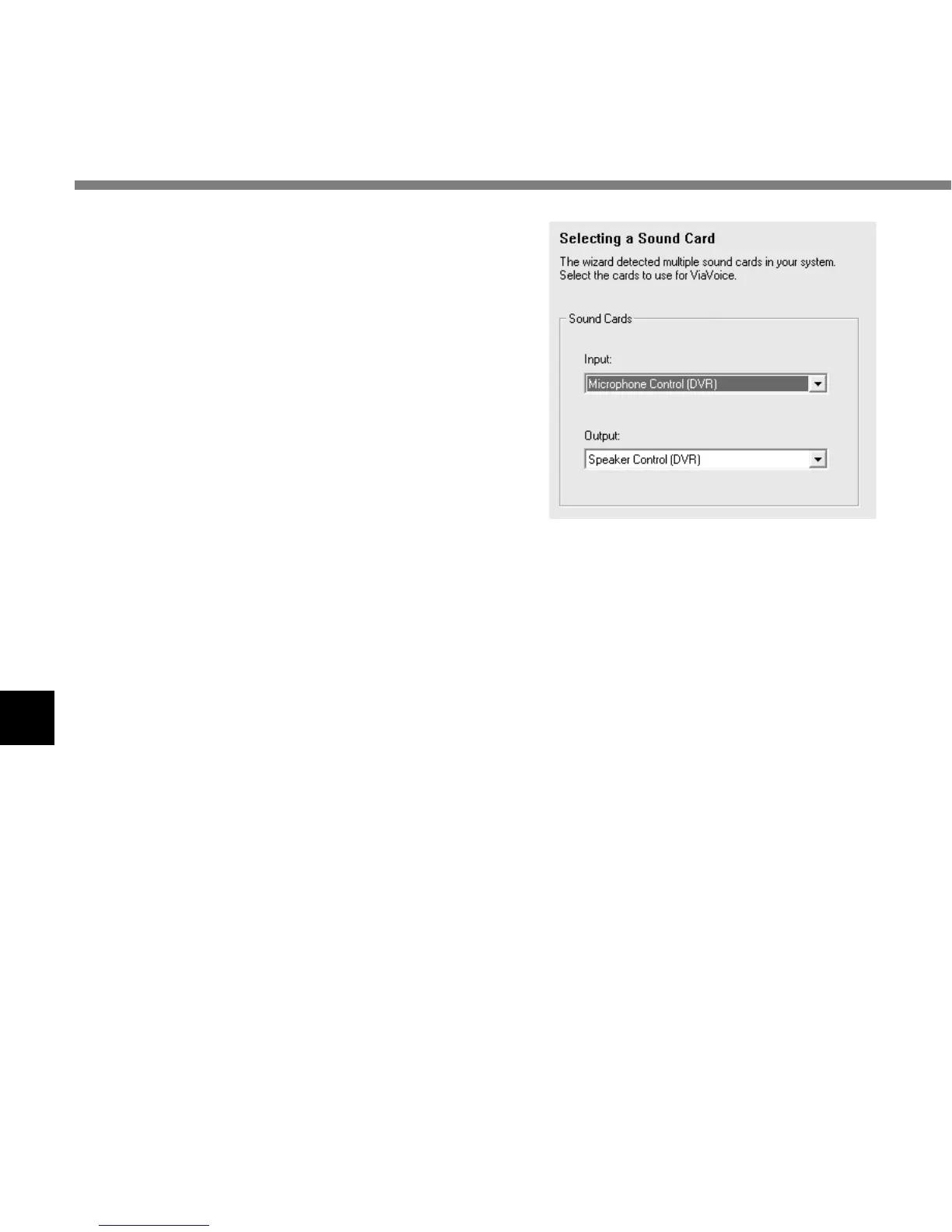
Select a sound card.
When the [Selecting a Sound Card] window
appears, select [USB Audio Device] for [Input]
and follow the instructions on screen. (Select
[Microphone Control (DVR)] for Windows XP.)
8
Proceed with the AUDIO Setup
according to the instruction on screen.
During audio setup, enrollment, please input
voice data from the recorder.
It is recommended that you enroll while in your normal surrounding environment settings.
This will help improve the voice recognition by registering your voice characteristics and your
environment.
Using Voice Recognition Software



 To Next Page