5
64
1
2
4
5
Assigning File Comments (COMMENT)
Comments of up to 100 characters can be added to each recorded file. Comments and other
file information such as date and time can help identify recordings without having to playback.
Assigning File Comments (COMMENT)
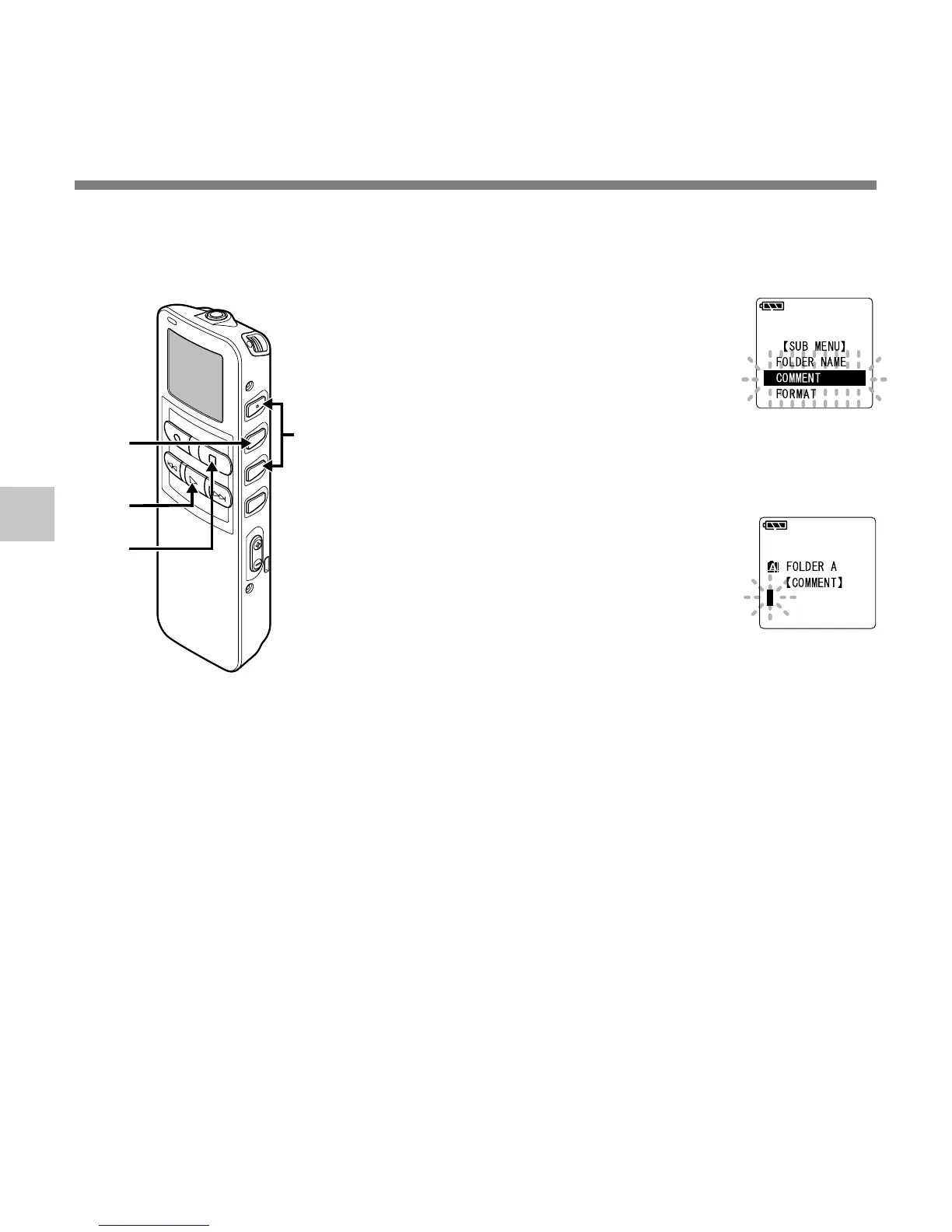
1
Press the 3 or 2 button in the
sub menu screen, and select
the “COMMENT”.
See ☞ P.17 and 19 regarding the sub
menu.
2
Press the MENU/SET button.
The file comment setup process
begins.
3
Input the character.
If you will input characters using the
recorder, see step 5 of “Assigning
Folder Names” (☞ P.61).
If you will input characters using a
computer, see “Editing File
Comments” (☞ P.92).
4
When you have finished
setting the file comments,
press and hold the PLAY
button for 1 second or longer.
This completes the file comment input
procedure.
5
Press the STOP button to close
the sub menu.
....................................................................................................................................................
Note
In case of WMA files, file comments can only be added to files recorded with Olympus recorders.



 To Next Page