103
8
DSS Player Plus can easily access ViaVoice and Dragon NaturallySpeaking 8 from the menu,
and it enables text conversion of the file in the Voice File List Box.
1
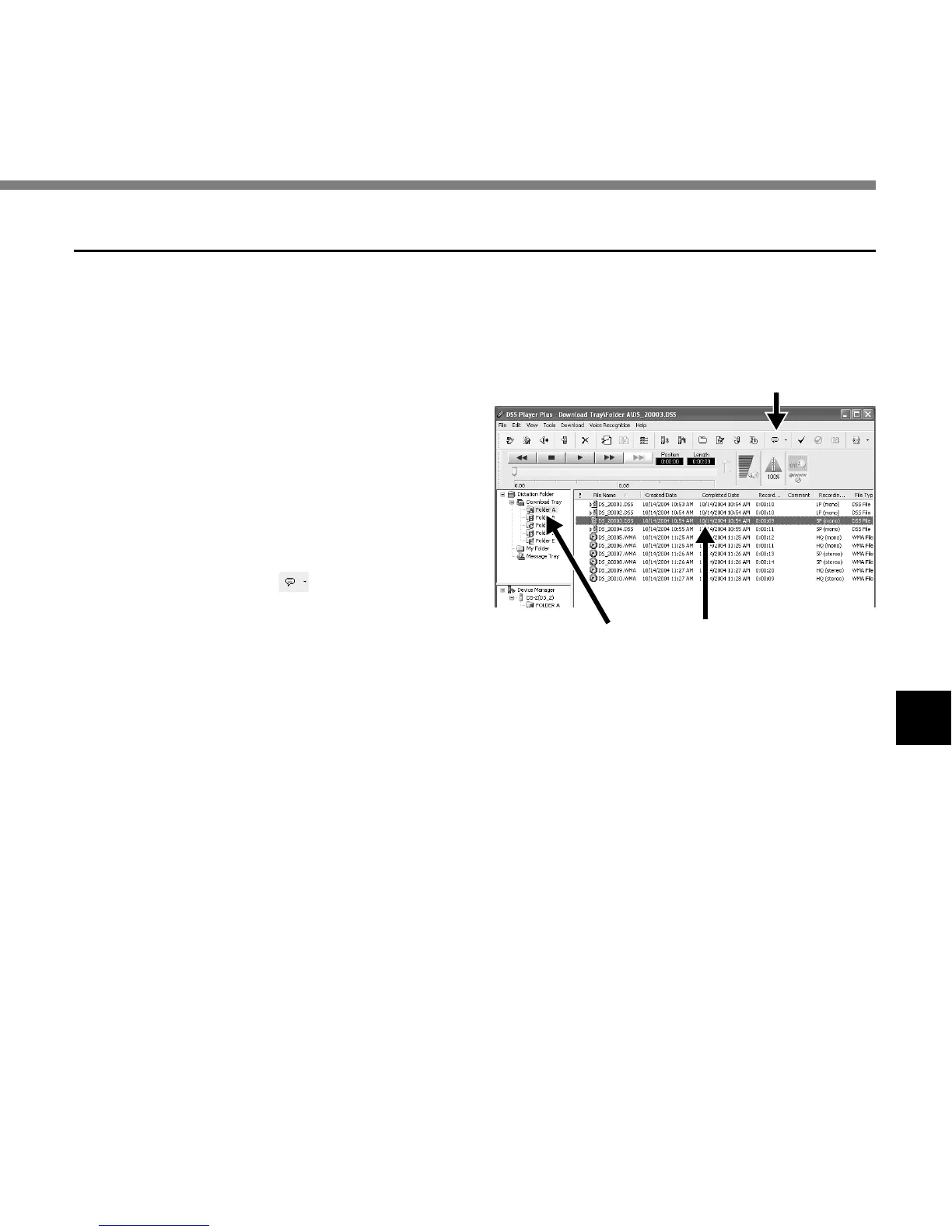
Select the folder.
From the Dictation Folder Window, select
the folder in which the file to be converted
to text is stored.
2
Select the voice file.
From the Voice File List Box, select the
file to be converted to text.
3
Start of voice recognition.
Clicking the arrow at the right side of the
voice recognition icon displays the voice
recognition software. Select and click
ViaVoice or Dragon NaturallySpeaking as
the software to be used.
Executing Voice Recognition
Using Voice Recognition Software
3
21



 To Next Page