107
8
4
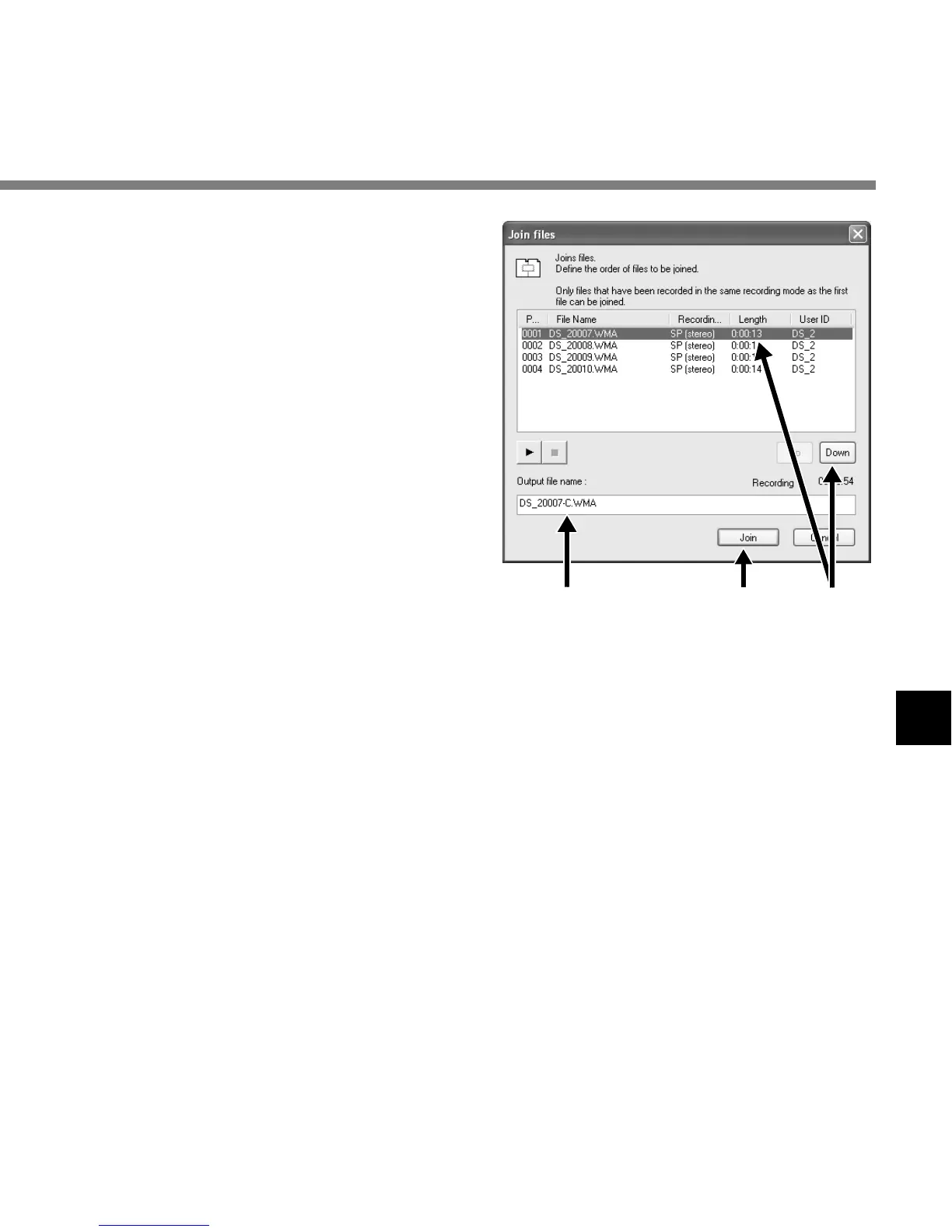
Set the order of files.
After joined, the playback order of the files
can be changed. Select a file, and move
the file to its appropriate position in the order
using the [Up] and [Down] buttons.
5
Input File Names.
The file name is created automatically after
joining and also, it enables input optionally.
6
Press the [Join] button.
The resulting file is saved under the name
specified in step 5, and stored in the
selected folder.
....................................................................................................................................................
Note
If the files to be joined have different recording modes, the mode of the file listed at the top is selected.
Joining Files
546



 To Next Page