29
3
Timer Recording (TIMER REC)
6
6
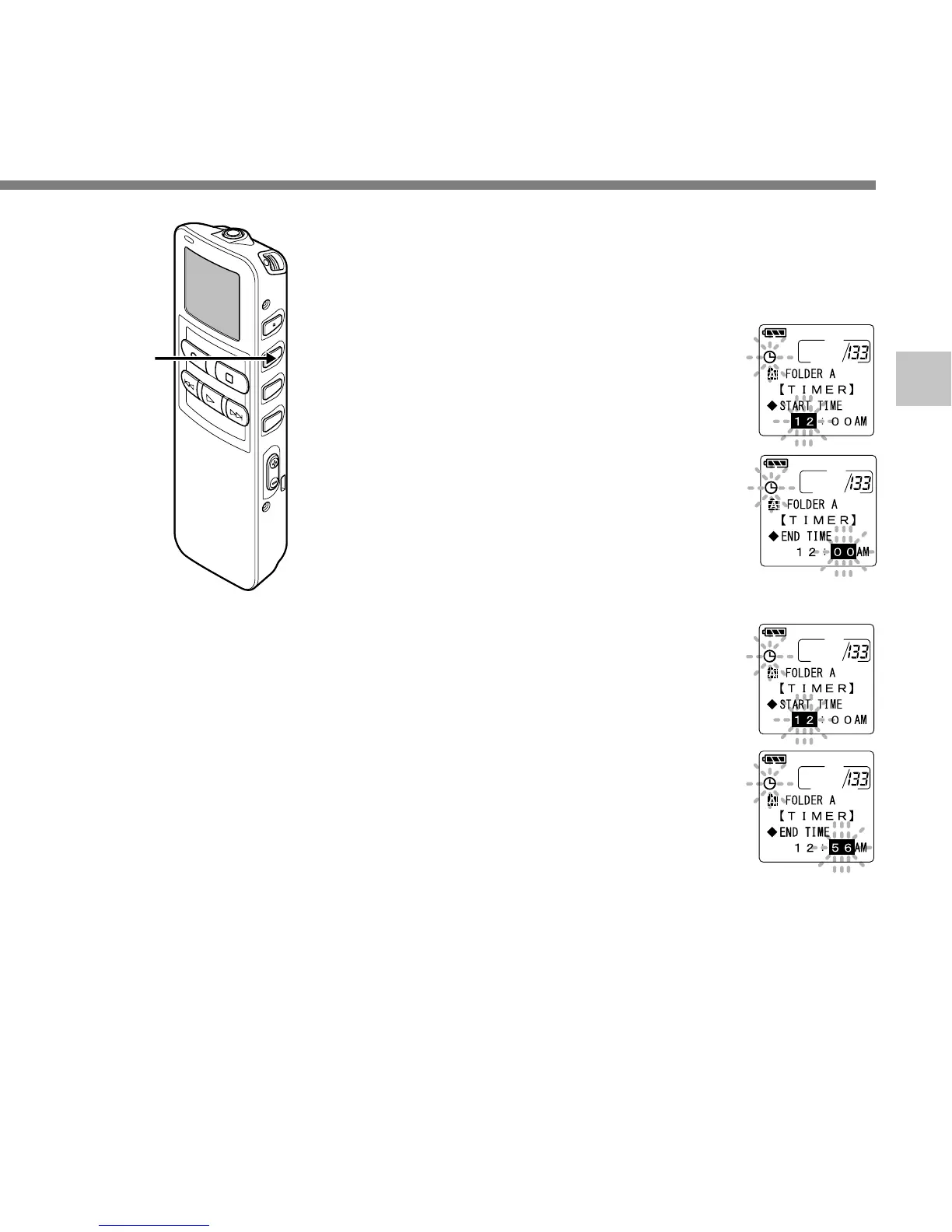
Press the MENU/SET button.
Start time setting will begin.
7
Start time setting.
1 Press the 3 button or 2 button to
set the hour.
2 Press the MENU/SET button to
accept the hour.
3 Press the 3 button or 2 button to
set the minute.
4 Press the MENU/SET button to
apply the minute setting and it will
move to the end time setting.
8
Setting end time.
1 Press the 3 button or 2 button to
set the hour.
2 Press the MENU/SET button to
accept the hour.
3 Press the 3 button or 2 button to
set the minute.
4 Press the MENU/SET button to
apply the current minute setting and
move to the recording mode.



 To Next Page