84
EN
Menu functions (Custom menus)
4
AEL/AFL
MENU c R [AEL/AFL]
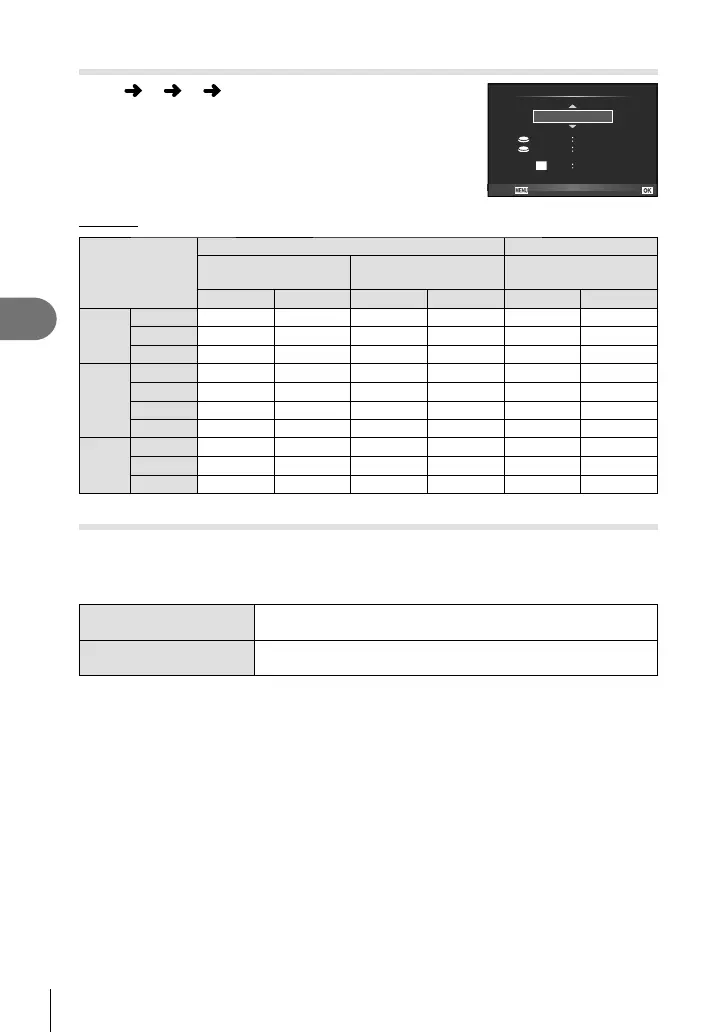
Autofocus and metering can be performed by pressing the
button to which AEL/AFL has been assigned. Choose a
mode for each focus mode.
AEL/S-AF
AEL
AEL
AFL
mode1
S-AF AEL/AFL
ExposureFully
Half Way
Back Set
AEL/AFL
Mode
Shutter button function Button function
Half-press Full press
When holding down
AEL/AFL
Focus Exposure Focus Exposure Focus Exposure
S-AF
mode1 S-AF Locked – – – Locked
mode2 S-AF – – Locked – Locked
mode3 – Locked – – S-AF –
C-AF
mode1 C-AF start Locked Locked – – Locked
mode2 C-AF start – Locked Locked – Locked
mode3 – Locked Locked – C-AF start –
mode4 – – Locked Locked C-AF start –
MF
mode1 – Locked – – – Locked
mode2 – – – Locked – Locked
mode3 – Locked – – S-AF –
MF Assist
This is a focus assist function for MF. When the focus ring is rotated, the edge of the
subject is enhanced or a portion of the screen display is magnifi ed. When you stop
operating the focus ring, the screen returns to the original display.
Magnify Magnifi es a portion of the screen. The portion to be magnifi ed
can be set in advance using AF target. g [AF Area] (P.40)
Peaking Displays clearly defi ned outlines with edge enhancement. You
can select the enhancement color. g [Peaking Settings] (P.79)
$ Notes
• [Magnify] and [Peaking] can be displayed using button operations. The display is switched
every time the button is pressed. Assign the switching function to one of the buttons in
advance using [Button Function] (P. 85).
# Cautions
• When Peaking is in use, the edges of small subjects tend to be enhanced more strongly.
This is no guarantee of accurate focusing.


 To Next Page