EasyManua.ls Logo

Olympus IX81 - User Manual

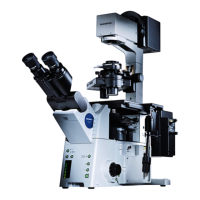
Olympus IX81
68 pages
Print Icon
To Next Page IconTo Next Page
Loading...
INSTRUCTIONS
IX81
MOTORIZED INVERTED
RESEARCH MICROSCOPE
A X 7 3 2 0
This instruction manual is for the Olympus Motorized Inverted Research Microscope Model IX81.
To ensure the safety, obtain optimum performance and to familiarize yourself fully with the use of
this microscope, we recommend that you study this manual thoroughly before operating the
microscope. Retain this instruction manual in an easily accessible place near the work desk for
future reference.

Table of Contents

Questions and Answers

  • T
    Thomas OrrJul 31, 2025
    How to fix Olympus IX81 Microscope bulb that does not light?
    • N
      nicholashernandezJul 31, 2025
      If the Olympus Microscope bulb does not light, check the following: * Ensure the IX2-UCB power cord is plugged into a power outlet. * Make sure the main switch of the IX2-UCB is set to “I” (ON). * Verify the transmitted lamp ON/OFF switch on the IX81 frame is ON. * If the above steps don't work, the bulb may be burnt out and require replacement.
  • C
    Christina BatesAug 20, 2025
    What to do if the field of view is obscured on Olympus IX81 Microscope?
    • D
      Douglas WhiteAug 21, 2025
      If the field of view is obscured or not evenly illuminated on your Olympus Microscope, check the following: * The light path selector knob of the trinocular tube may be set to an intermediate position. Set the light path selector button to a click position according to the purpose. * You might be using an objective that falls outside the condenser’s illumination range. Use a condenser that matches the objective. * The field iris diaphragm may not be properly centered. Center the field iris diaphragm correctly. * The field iris diaphragm might be stopped down too far. Open the field iris diaphragm sufficiently. * The light path selector knob may be in an intermediate position. Turn the knob as far as it will go or engage it at the click stop according to the observation method.
  • S
    Sara MejiaNov 9, 2025
    Why is the field of view dark on my Olympus IX81?
    • K
      Katrina Valentine DVMNov 9, 2025
      If the bulb lights but the field of view is dark on your Olympus Microscope, consider these possibilities: 1. The lamp voltage may be too low. Increase the light intensity to an optimum voltage. 2. The condenser may not be well positioned. Adjust the condenser height until the field iris diaphragm image is formed in the specimen plane and center the condenser so that the field iris diaphragm image is centered in the field of view. 3. The revolving nosepiece may not be in a click position. Ensure it clicks properly into place. 4. The light path selector knob may be set for the side port light path. Set the knob to the binocular eyepiece light path position or increase the light intensity. 5. Too many filters may be used. Reduce the number of filters to the minimum required. 6. The st...

Summary

Transmitted Light Brightfield Observation Procedure

Using the Controls

Other Observation Methods

Phase Contrast Observation

Guide to phase contrast optical elements and applicable objectives.

Differential Interference Contrast Observation

Details DIC optical elements, applicable objectives, and sliders.

Photomicrography and TV Observation

Photomicrography

Covers attaching photo tubes, eyepieces, and photomicrographic systems.

TV Observation

Explains attaching cameras and parfocal adjustment for TV observation.

Troubleshooting Guide

Optical System Problems

Addresses issues like bulb not lighting, dark field, and obscured view.

Image Quality Issues

Covers blurred images, poor visibility, and contrast problems.

Assembly

Assembly Diagram Overview

Shows the sequence of assembly for various microscope modules.

Z-Board Setup and Mounting

Instructions for setting up and mounting the Z-board.

Illumination Column and Bulb Assembly

Procedures for mounting the illumination column and replacing the halogen bulb.

Olympus IX81 Specifications

General IconGeneral
TypeInverted Research Microscope
Optical SystemUIS2 (Universal Infinity System)
Objective LensesPlan Apochromat
Objective Turret6-position motorized turret
StageMotorized and manual stages available
IlluminationLED or Halogen illumination options
Focusing MechanismMotorized focus with coarse and fine adjustment
Observation TubesTrinocular or binocular options
Filter SlotsMultiple filter slots available
Camera PortC-mount camera port
Camera CompatibilityCompatible with various digital cameras
Software CompatibilityCompatible with Olympus software
ApplicationsLive cell imaging, fluorescence
Magnification1.25x - 100x (depending on objective and observation tube)
AutomationFully automated microscope with motorized objective turret, Z-drive, stage, filter wheels, and shutters. Controlled via software.

Related product manuals