EasyManua.ls Logo

Olympus IX73 - User Manual

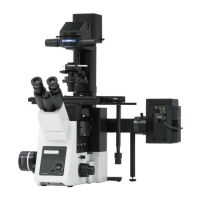
Olympus IX73
76 pages
Print Icon
To Next Page IconTo Next Page
Loading...
IX73
INSTRUCTIONS
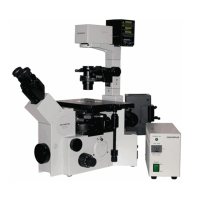
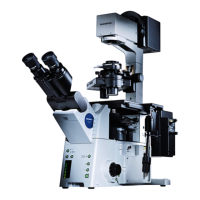
RESEARCH INVERTED MICROSCOPE
This instruction manual is for the Olympus research inverted microscope model IX73.
To ensure the safety, obtain optimum performance and to familiarize yourself fully with the use
of this microscope, we recommend that you study this manual thoroughly before operating the
microscope.
Retain this instruction manual in an easily accessible place near the work desk for future reference.
A X 8 1 5 7

Table of Contents

Questions and Answers

  • W
    wandersonAug 15, 2025
    Why is my Olympus IX73 bulb not lighting?
    • T
      Thomas HendersonAug 15, 2025
      The bulb may not be lighting due to several reasons: * The power cord might be unplugged. Ensure it's securely plugged into a power outlet. * The main switch might not be turned on. Set the main switch to the “I” (ON) position. * The bulb itself could be burnt out, requiring a replacement.
  • A
    Amanda EdwardsAug 18, 2025
    What to do if the field of view is dark on my Olympus IX73 Microscope?
    • G
      Geoffrey WoodsAug 18, 2025
      If the bulb lights but the field of view is dark, consider these potential causes and solutions: * The lamp voltage may be too low. Try increasing the light intensity to an optimum voltage. * The condenser might not be well-positioned. Adjust the condenser height until the field iris diaphragm image is formed in the specimen plane. * The light path selector knob may be set for the left side port light path. Change the light path. * Too many filters may be in use. Reduce the number of filters to the minimum required. * The stage center plate may be engaged in the light path. Move the stage and place the specimen again. * The field iris diaphragm may not be opened wide enough. Open the field iris diaphragm sufficiently.
  • M
    Matthew PughAug 25, 2025
    How to fix uneven illumination on my Olympus IX73 Microscope?
    • P
      Patrick LiuAug 26, 2025
      Uneven or obscured illumination in the field of view of your Olympus Microscope can be due to: * Using an objective that falls outside the condenser’s illumination range. Use a condenser that matches the objective. * An improperly centered field iris diaphragm. Center the field iris diaphragm correctly. * A field iris diaphragm stopped down too far. Open the field iris diaphragm sufficiently. * A filter stopped in an intermediate position. Set the filter at the appropriate position.
  • K
    Karen NelsonAug 28, 2025
    Why does my Olympus IX73 Microscope image become defocused over time?
    • T
      Teresa OrtegaAug 28, 2025
      Defocusing over time with your Olympus Microscope can occur because: * Thermal drift occurs due to fluctuations in room temperature. Keep the room temperature as constant as possible. * When using IX3-SVR, the thermal drift could be small by loosening the holder fixing screws (4 pcs.) once and tightening them lightly.
  • M
    Mrs. Chelsey ChurchAug 31, 2025
    What causes glare in my Olympus Microscope image?
    • R
      Rose GuerreroAug 31, 2025
      Image glare in your Olympus Microscope can be caused by: * The condenser being raised too high. Lower it to the proper position. * The aperture iris diaphragm being stopped down too far. Open the aperture iris diaphragm.
  • S
    Sandra WeaverSep 3, 2025
    Why do I see dirt in my Olympus IX73 Microscope's field of view?
    • M
      Mason LewisSep 3, 2025
      Visible dirt or dust in the field of view of your Olympus Microscope may be due to: * Dirt/dust on the specimen. Clean the specimen thoroughly. * The condenser not being correctly positioned, focusing the frost filter or another filter. Adjust the condenser height until the field iris diaphragm image is formed in the specimen plane.
  • C
    Courtney CochranSep 7, 2025
    Why is one side of my Olympus Microscope field of view blurred?
    • S
      Stephen MichaelSep 7, 2025
      A blurred part or side of the field of view in your Olympus Microscope is likely because the specimen is tilted with respect to the stage. Place the specimen correctly on the stage and secure it with the stage clip.
  • J
    Joshua SchwartzSep 12, 2025
    Why do the fields of view not match in my Olympus IX73 Microscope?
    • C
      Calvin MartinSep 12, 2025
      Mismatching fields of view between eyes on your Olympus Microscope can result from: * Incorrect interpupillary distance. Adjust the interpupillary distance. * Incorrect diopter adjustment. Adjust the diopter. * Not being accustomed to parallel optical axis. When looking into the eyepieces, do not stare at the image from the beginning but see the overall field of view. It is sometimes recommended to turn your eyes away from the eyepieces, look far off and look into the eyepieces again.
  • L
    lopezcraigNov 20, 2025
    Why is the image blurry on my Olympus IX73?
    • V
      Veronica MorganNov 20, 2025
      Poor image visibility, sharpness, contrast, or detail on your Olympus Microscope can stem from: * Using an objective not designed for UIS2 series. Replace it with one designed for UIS2 optics. * An unadjusted correction collar. Adjust the correction collar to acquire the best contrast. * A dirty front lens on the objective. Clean the objective. * Using the wrong immersion oil. Use Olympus immersion oil with the oil immersion objective, Olympus silicone oil with the silicone immersion objective, and water with the water immersion objective. * Bubbles in the immersion oil. Remove the bubbles. * Using an inappropriate slide or cover glass thickness. Replace with glass of appropriate thickness. * Dirty glass components (condenser, objective, eyepieces, culture vessels, etc.). Cl...

Summary

Important Safety and Handling Information

Intended Use of the Microscope

Defines the designed purpose of the microscope for routine work and research.

System Conformity and Restrictions

Details module compatibility and usage restrictions for the IX73 system.

Handling Precautions

Essential guidelines for safely handling the precision instrument and its components.

Maintenance and Storage Guidelines

Procedures for cleaning, maintaining, and storing the microscope to ensure longevity.

Module Nomenclature and Identification

Module Nomenclature Overview

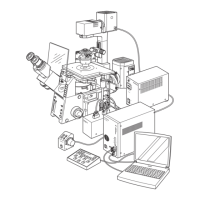
Lists and illustrates the basic modules compatible with the IX73 microscope system.

Microscope Nomenclature Diagram

Identifies key components and controls of the microscope via a labeled diagram.

Transmitted Light Brightfield Observation

Using Microscope Controls and Components

Power Supply Unit and Microscope Frame Operation

Instructions for operating the power supply unit and the main microscope frame.

Focusing Block Adjustments

Details on adjusting focus knobs, tension, and using the pre-focusing lever.

Stage Operation and Specimen Handling

Procedures for placing, moving, and securing specimens on the microscope stage.

Observation Tube Adjustments

Guides for adjusting interpupillary distance, diopter, and using eye shades.

Illumination Column Setup

Instructions for tilting the illumination column and mounting filters.

Condenser Setup and Adjustment

Procedures for centering the condenser and adjusting the aperture iris diaphragm.

Oil and Water Immersion Objectives

Guidelines for using oil or water immersion objectives, including handling oil.

Objectives with Correction Collar

Instructions for adjusting objectives equipped with a correction collar for optimal performance.

Advanced Observation Methods

Phase Contrast Observation Procedures

Details on optical elements, setup, and centering for phase contrast observation.

Differential Interference Contrast (DIC) Observation

Guides for DIC optical elements, sliders, polarization, and observation methods.

Simplified Polarized Light Observation

Instructions for attaching analyzer/polarizer and performing simplified polarized observation.

Reflected Light Fluorescence Observation

Reference to a separate manual for reflected light fluorescence observation.

Relief Contrast Observation

Reference to a separate manual for relief contrast observation.

Camera Recording Setup and Operation

Camera Adapter Installation

Procedures for attaching and installing camera adapters for image acquisition.

Light Path Selection for Camera

Guides for changing the light path to the eyepiece or camera port.

Selecting Camera Adapter Magnification

Information on how adapter magnification affects image pickup area.

Troubleshooting Guide

Microscope Specifications

Microscope Assembly Procedures

Assembly Diagram Overview

Diagram showing the sequence of assembling microscope modules.

Detailed Assembly Steps

Step-by-step instructions for assembling various microscope components.

Connecting Cables and Wiring

Instructions for connecting power cords and other cables to the microscope system.

Lamp Housing Inspection Sheet

Power Supply Cord Selection Guidelines

Olympus IX73 Specifications

General IconGeneral
TypeInverted Microscope
Optical SystemUIS2 optical system
Power Supply100-240V AC, 50/60Hz
IlluminationReflected and transmitted light
Objective Mount6-position revolving nosepiece
StageMechanical stage
FocusCoarse and fine focus knobs
Observation TubeBinocular or trinocular tube options
Observation MethodsBrightfield, Phase contrast, Fluorescence, DIC
Light SourceLED or Halogen
CondenserLong working distance condenser (with swing-out top lens)

Related product manuals