30
2
1
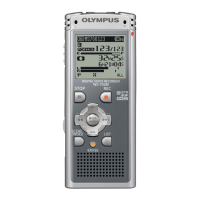
Press the FOLDER button to
choose a folder.
Every time the FOLDER button is pressed,
folders will switch.
2
Press the + or
–
button to choose
the file that you want to play.
In the list display, use the + and – buttons
to place the cursor on the desired file.
Press the 9 button in the list display to
change the screen to the file display.
In the file display, press the 9 or 0
button to select a file.
If you want to return from the file display
to the list display, press the FOLDER
button.
3
Press the PLAY or OK button to
start playback.
The record/play indicator light glows
green.
a Play position bar indicator
b Current playback time
c File length
You can change the playing speed by
pressing the PLAY button while the
recorder is playing back (☞ P. 84).
4
Press the + or
–
button to select
the proper sound volume.
The display shows the volume level. You
can choose between 0 and 30.
d Volume level meter
03
1
22
M
41
S
20
HQ
00
M
00
S
03
1
22
M41S
20
HQ
05
M
10
S
a
b
c
1
2
3
4
03
120
1 5
d
Volume Level
HQ
001 /12
WS
330001.
WMA
/ 5
WS
330002.
WMA
WS
330003.
WMA
WS
330004.
WMA
003 /12
WS
330001.
WMA
WS
330002.
WMA
WS
330003.
WMA
/ 5
WS
330004.
WMA
Playing
List display
File display
Playing



 To Next Page