73
5
1
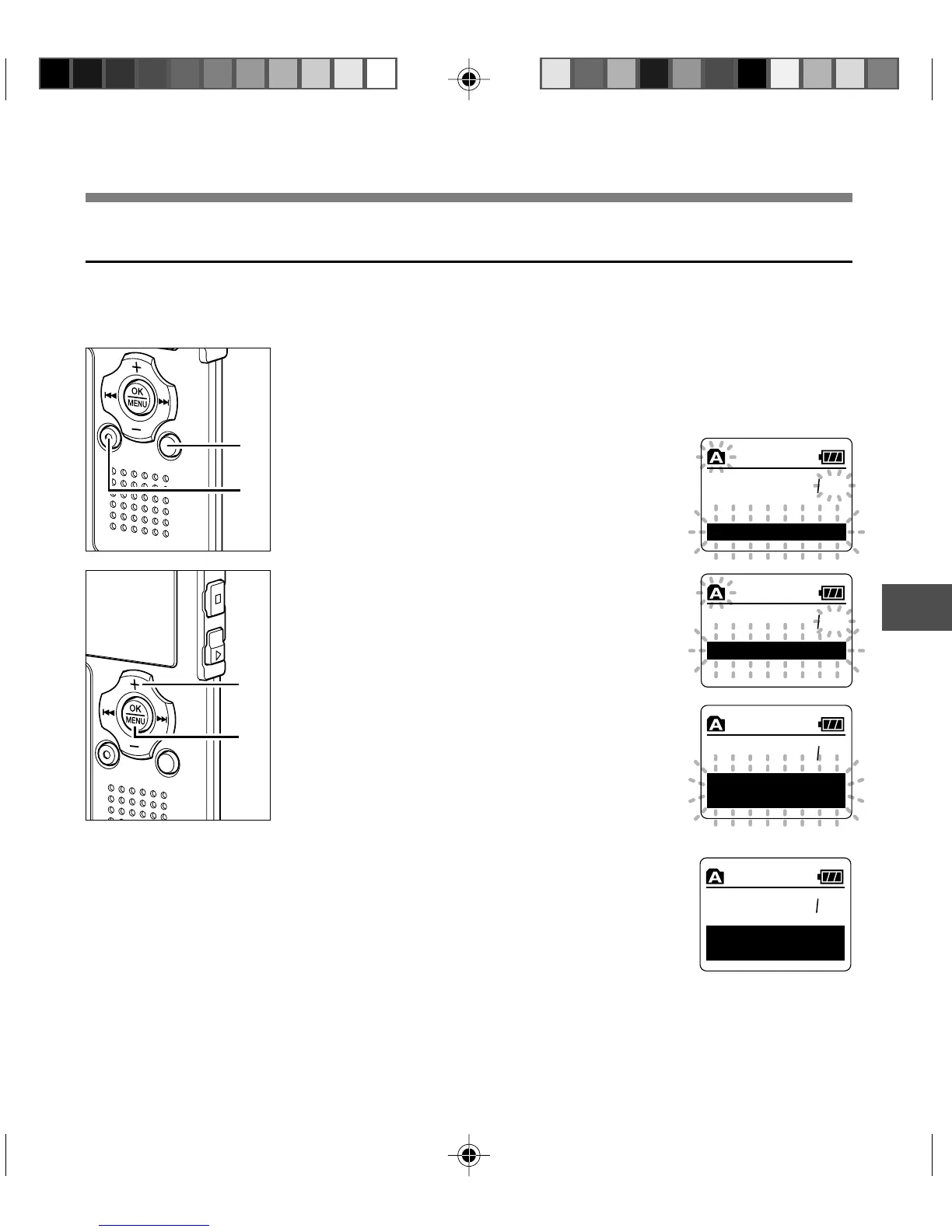
Press the FOLDER button to select
the folder in which you want to
erase all files.
2
Press the ERASE button twice.
The “Cancel” indicator flashes.
3
Press the + button to choose “All
Erase”.
4
Press the OK button.
The display changes to “All Erase!” and
erasing will start.
“Erase Done” is displayed when the files are
erased. The locked files and read-only files
are reassigned the file numbers in ascending
order, starting from “1”.
{
1
2
4
3
120
XQ
C
an
c
el
lA E r s eal
120
ll
Er
a
se
A
!
120
C
an
c
el
lA E r s eal
00
00
XQ
E
ra
s
e
D
o
ne
Erasing
Erase All Files from a Folder
All files in a folder can be erased simultaneously.
The locked files (☞ P. 40) and the files set to read-only on the PC will not be erased.
Erasing



 To Next Page