88
5
1
While the recorder is stopped,
press the MENU button for 1
second or longer.
The “Menu” screen opens (☞ P. 42, P.70).
2
Press the + or
–
button to choose
“Beep & Display”.
3
Press the OK or 9 button.
The “Beep & Display” screen opens.
4
Press the + or
–
button to choose
“Backlight”.
5
Press the OK or 9 button.
The backlight setup process begins.
6
Press the + or
–
button to choose
between “On” and “Off”.
On: Backlight is enabled.
Off: Backlight is disabled.
7
Press the OK button to complete
the setup screen.
If the 0 button is pressed, the setting
will be canceled and it will return to the
“Beep & Display” screen.
8
Press the STOP button to close the
menu.
2
3
1
4
5
6
8
7
Beep
Backlight
Contrast
LED
Beep & Display
On
O
ff
Backlight
Backlight (Backlight)
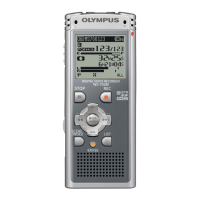
The recorder display backlight is On by default. The display will remain lit for about 10 seconds
when a button on the recorder is pressed.
Backlight (Backlight)



 To Next Page