22
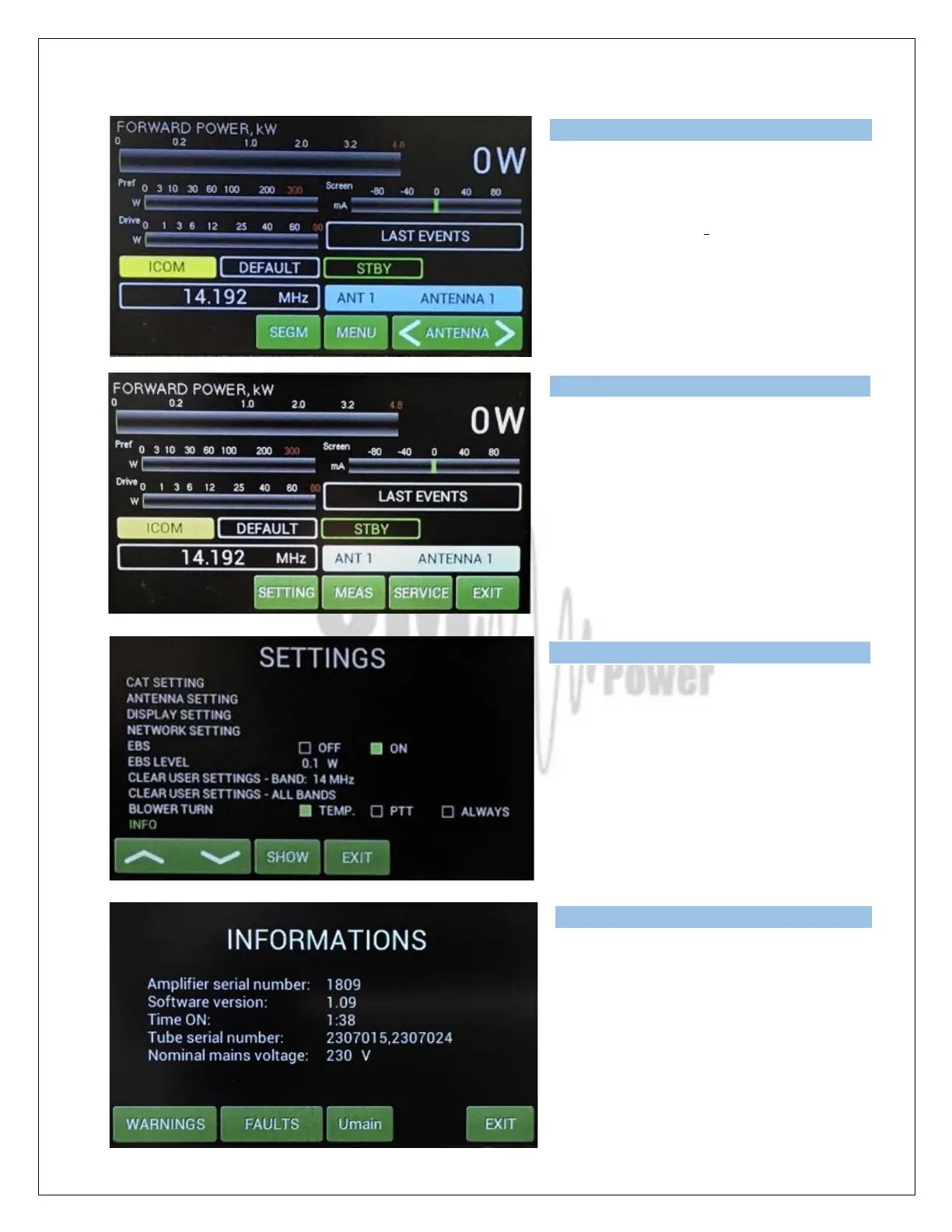
The Menu display allows the user to go
deeper into the SETTINGS mode,
MEASuring mode or SERVICE mode.
Press SETTING button.
We are in the settings mode again, but with
a new submenu called INFO.
Scroll to INFO and press SHOW.
A new button is visible – SET Umain.
Press it.
Type of supported TCVR and working
frequency are visible on the display.
AUTO LED is ON.
Type of supported TCVR and working
frequency are visible on the display.
AUTO LED is ON.
Type of supported TCVR and working
frequency are visible on the display.
AUTO LED is ON.
Type of supported TCVR and working
frequency are visible on the display.
AUTO LED is ON.



 To Next Page