23
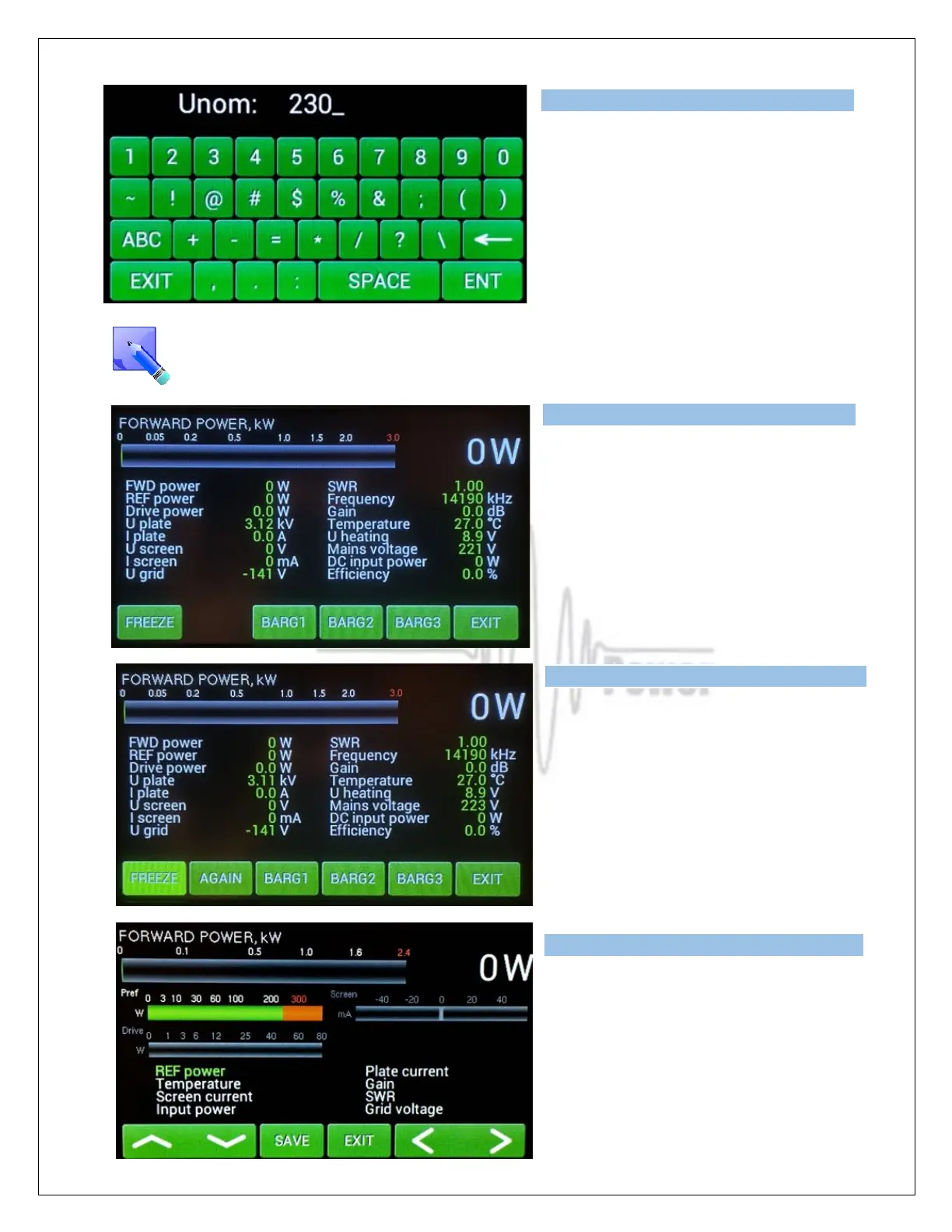
Type in the actual setting of the primary
voltage tap and press ENT.
Press EXIT twice to go back to the Menu
display.
This is the actual physical setting of the primary voltage tap. It is just information for the
processor, which protects the permitted limits ( up or down) for a given value of the primary
voltage (protection circuit).
Pressing MEAS displays this screen.
Instantaneous values of the basic amplifier
parameters are displayed.
NOTE: You can FREEZE the screen and/or
allow constant monitoring.
Three different bar graphs can be defined
using BARG1, BARG2 or BARG3 buttons.
Press BARG1.
Green graph may show one of the user
selectable 8 monitored parameters. Select
the wanted parameter from the list at the
bottom of the screen and press SAVE.



 To Next Page