46
Installation
O
eration and Maintenance Manual ManRE20en Rev.06/2022
OMC S.p.A: Via G. Galilei, 18 - 20060 - Cassina de Pecchi (MI) - ITALY - www.omcvalves.com - Tel.: (+39) 02.95.28.468
8.9.7 User Set Characterization 21 Points (U21)
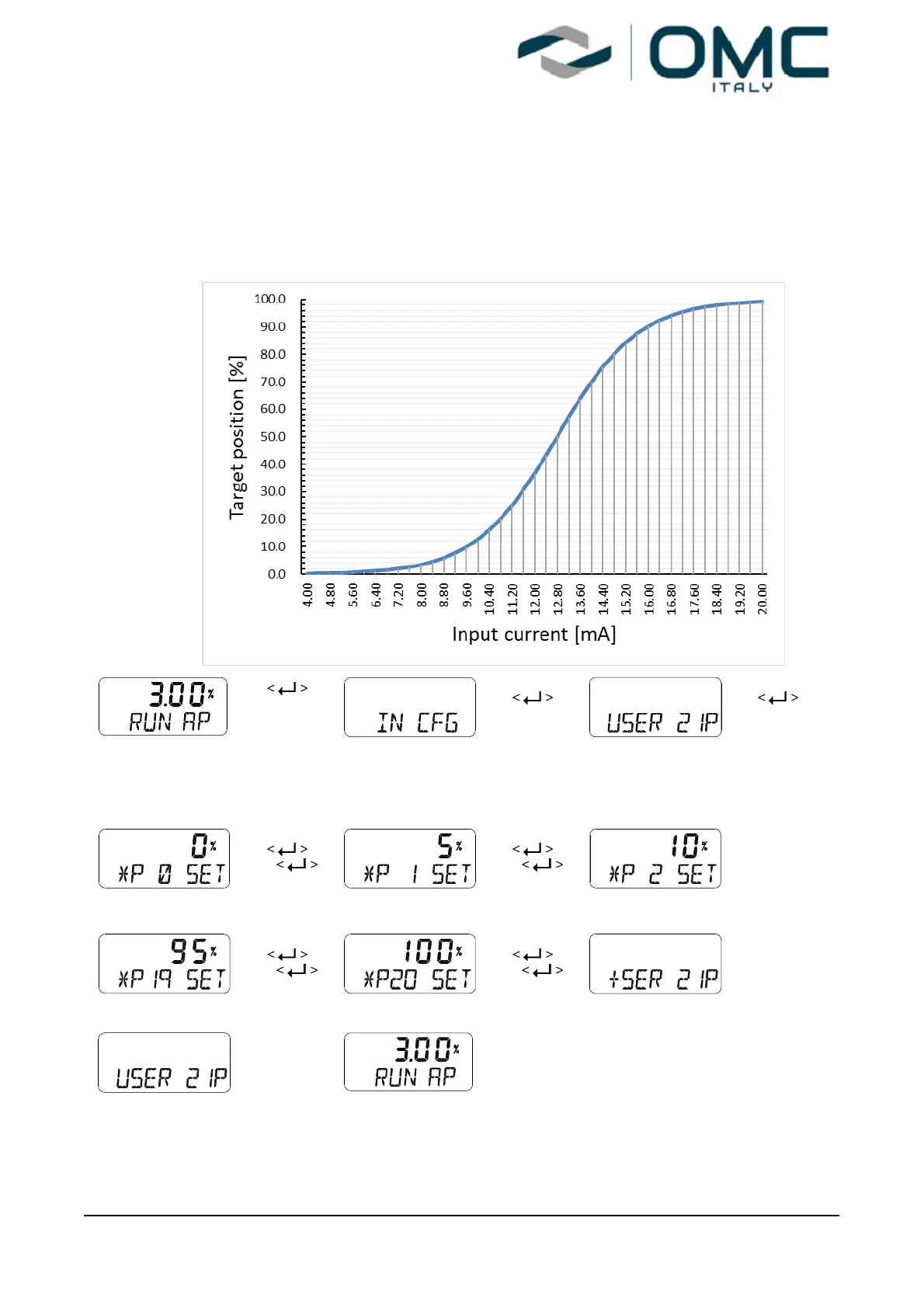
A total of 21 target points can be set every 0.8 mA intervals. When shipped from the factory, the initial
P0 (4mA, 0%), P1 (4.8 mA, 5%), P2 (5.6 mA 10%), - - -, P19 (19.2 mA, 95%), and P20 (20 mA,
100%). For example, a characteristic curve below can be made through the settings of P1 to P20.
User can change all 21 points or only change partially and exit the menu by pressing <ESC> button.
3 seconds
Press <UP> or
<DOWN> button
if the above is not
displayed.
Press <UP> or
<DOWN> button
if the above is not
displayed.
<UP>/<DOWN>
or
<UP>/<DOWN>
or
To repeat with
identical way.
<UP>/<DOWN>
or
<UP>/<DOWN>
or
To automatically
move after
several seconds.
<ESC>
2 times
This function is activated by saving the Valve Flow Characterization Curves (CHAR) of above Section
8.9.5 as “U21”.


 To Next Page