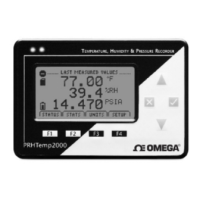
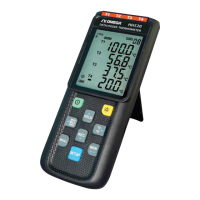
The OM-CP-OCTTEMP2000 is an 8-channel thermocouple datalogger with an LCD display, designed for process measurement and control applications. It is capable of monitoring and recording temperature data from multiple thermocouple types, as well as internal ambient temperature. The device is manufactured by OMEGA Engineering, Inc., and comes with a 5-year warranty, extended by an additional month for handling and shipping.
Function Description:
The primary function of the OM-CP-OCTTEMP2000 is to log temperature data from up to eight thermocouple channels and an internal ambient temperature channel. It features an LCD display that provides real-time readings, status indicators, and access to various device menus for configuration and monitoring. The datalogger can be started manually via a push-button or programmed for a delayed start through its software. It supports programmable stop times, either based on a set duration or when memory is full (with an option for memory wrap). The device stores statistical information, including minimum, maximum, and average values for each channel, which are generated while the datalogger is running. Time and date information are also recorded with each reading and are automatically synchronized with the computer's clock when connected.
Important Technical Specifications:
- Internal Temperature Channels:
- Range: -20 to +60°C
- Resolution: 0.1°C
- Accuracy: ±0.5°C (0 to +50°C)
- Thermocouple Channels:
- Types: J, K, T, E, R, S, B, and N
- Connection: Female sub-miniature (SMP)
- Cold Junction Compensation: Automatic, based on internal channel
- Maximum Thermocouple Resistance: 1000Ω (less than 1000Ω recommended)
- Ranges and Resolutions:
- J: -200 to +760°C, 0.1°C resolution, ±0.5°C accuracy
- K: -200 to +1370°C, 0.1°C resolution, ±0.5°C accuracy
- T: -200 to +400°C, 0.1°C resolution, ±0.5°C accuracy
- E: -200 to +980°C, 0.1°C resolution, ±0.5°C accuracy
- R: -50 to +1760°C, 0.1°C resolution, ±2.0°C accuracy
- S: -50 to +1760°C, 0.1°C resolution, ±2.0°C accuracy
- B: +50 to +1820°C, 0.1°C resolution, ±2.0°C accuracy
- N: -200 to +1300°C, 0.1°C resolution, ±0.5°C accuracy
- Dot-Matrix LCD:
- Dimensions: 2.5" x 1.375" (63mm x 35mm)
- Features: Configurable channel text size, power/status/memory indicators, configurable backlight with auto shut-off and contrast adjustment.
- Memory:
- 500,000 readings per channel with all channels enabled
- 4,000,000 total readings
- Software configurable memory wrap
- Reading Rate: 4 readings per second (4Hz) up to 1 reading every 24 hours
- Calibration: Digital calibration through software, with calibration date automatically recorded. NIST traceable certificate available.
- Power Supply:
- Primary: 9V lithium or alkaline battery (user replaceable)
- Secondary: 7.5 - 24V DC external, 100mA max
- Battery Life: 18 months typical with display off; 3 months typical with continuous display use.
- Data Format: Time and date stamped, °C, °F, K, °R, µV, mV, V
- Time Accuracy: ±1 minute per month
- Computer Interface: PC serial or USB (interface cable required); 115,200 baud
- Software: Windows 95/98/ME/NT/2000/XP/Vista based software
- Operating Environment: -20 to +60°C, 0 to 95%RH non-condensing
- Dimensions: 7.24" x 2.7" x 1.14"
- Weight: 15oz.
- Enclosure: Black anodized aluminum
Usage Features:
- Display Overview: The LCD shows a screen title, status indicators (for battery power, memory remaining, device running/stopped, delay start, push-button start, device reset, and external power), and screen content displaying channel readings.
- Keypad Functions: The device is operated via a keypad with OK, Cancel, Up/Down, and Left/Right directional keys for navigating menus and selecting options.
- Channel Options: Users can configure various options for each channel through the device's display screen menus and software.
- Show/Hide Channels: Channels can be individually shown or hidden on the main screen to customize the display.
- Change Channel Display Size: The display offers different font sizes (Small, Medium, Large) to view an overview of multiple channels or focus on one or two channels with larger text.
- Change Channel Units: Readings can be displayed in various units (°C, °F, K, °R, µV, mV, V) depending on the channel type. Note that changing display units does not affect logged data.
- View Channel Statistics: Minimum, maximum, and average values for each channel are calculated and can be viewed on dedicated statistics screens.
- Clear Channel Statistics: Statistics can be cleared and reset at any time through the device's main menu.
- Time and Date Information: Current time and date are displayed on the LCD and are synchronized with the computer's clock.
- Manual (Push-button) Start: Devices configured for manual start can be initiated directly from the device's display screens.
- Device Status Menu: Provides information on recording status (running, stopped, delay, manual), memory left, number of readings, reading rate, memory wrap setting, start/stop date/time, display options (auto/on), backlight options (auto/on/off), LED options (enabled/disabled), contrast setting, battery type, battery life, battery voltage, external power presence, and external voltage.
- Device Setup Menu: Allows configuration of home screen, display, and battery options, including channel size, update screen frequency, update after setting, auto-scroll, and device ID.
- Software Features:
- Enable/Disable Channels: Channels can be enabled or disabled via the software. Disabled channels will still be visible on the LCD but will not record data. Disabling a thermocouple channel also disables its corresponding ambient temperature channel.
- Name Channels: Each channel can be assigned a unique name for easy identification, which is displayed on the LCD and used throughout the software and data files.
- Change Device ID: A unique device ID can be assigned to the datalogger for easy identification among multiple devices. This ID is displayed on the Home Screen of the LCD.
Maintenance Features:
- Battery Replacement: The device uses a user-replaceable 9V lithium or alkaline battery. The battery status indicator on the LCD signals when replacement is needed. To replace, remove two 3/32 hex screws from the battery compartment cover, use the pull tab to remove the old battery, and insert a new 9V battery. Lithium batteries are recommended for longer life.
- Calibration: The device supports digital calibration through software, and the calibration date is automatically recorded within the device. OMEGA provides NIST traceable certificates and offers calibration services.
- Firmware Updates: OMEGA's policy is to make running changes and improvements, ensuring customers have access to the latest technology.
- Troubleshooting: The manual provides contact information for sales, service, and technical support in North America and Europe, including specific phone numbers and email addresses for different regions.
The OM-CP-OCTTEMP2000 is designed for robust performance in various industrial and laboratory settings, offering comprehensive temperature monitoring capabilities with flexible configuration and user-friendly interface options. It is important to note that these products are not designed for, and should not be used for, human applications.

 Need help?
 General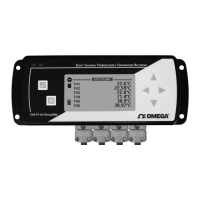

 To Next Page