Data Logger Manual
Page 13
Section 5: Software FeaturesSection 5: Software Features
This section details several features of the data logger software that are particularly useful with the This section details several features of the data logger software that are particularly useful with the
OM-CP-OCTTEMP2000 device. For further information regarding the software, please visit OM-CP-OCTTEMP2000 device. For further information regarding the software, please visit
www.omega.com.www.omega.com.
5.1 Enable and Disable Channels
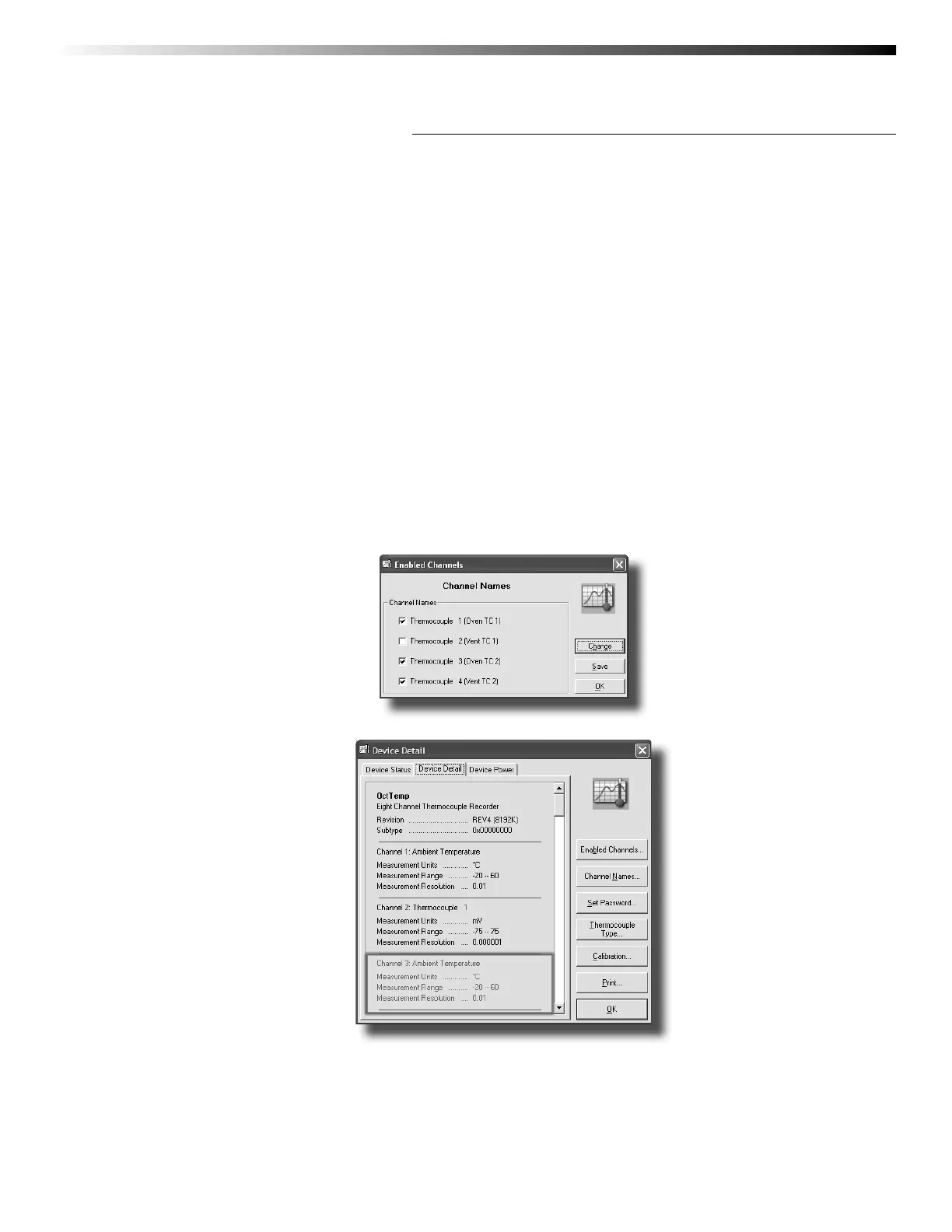
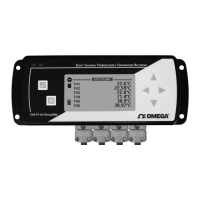
The user may choose to enable or disable channels using the software. Data from disabled channels will
be visible on the LCD, but readings will not be recorded to the device’s memory. Disabling a thermocouple
channel also disables it’s corresponding ambient temperature channel.
To enable/disable channels in the software:
1. In the Device drop down menu select Identify Device and Read Status to view the Device Status screen
2. Select the Device Detail tab
3. Click Enabled Channels to show the Enabled Channels Screen
4. To edit the enabled channels click Change
5. Check the boxes next to channels to be enabled
6. Click Save to save changes
7. Click OK to return to the Device Detail screen
8. Click OK to return to the software’s main screen
Notice that disabled thermocouple and ambient channels appear greyed-out on the Device Detail screen.


 To Next Page