Data Logger Manual
Page 17
Section 7: Computer Interface:
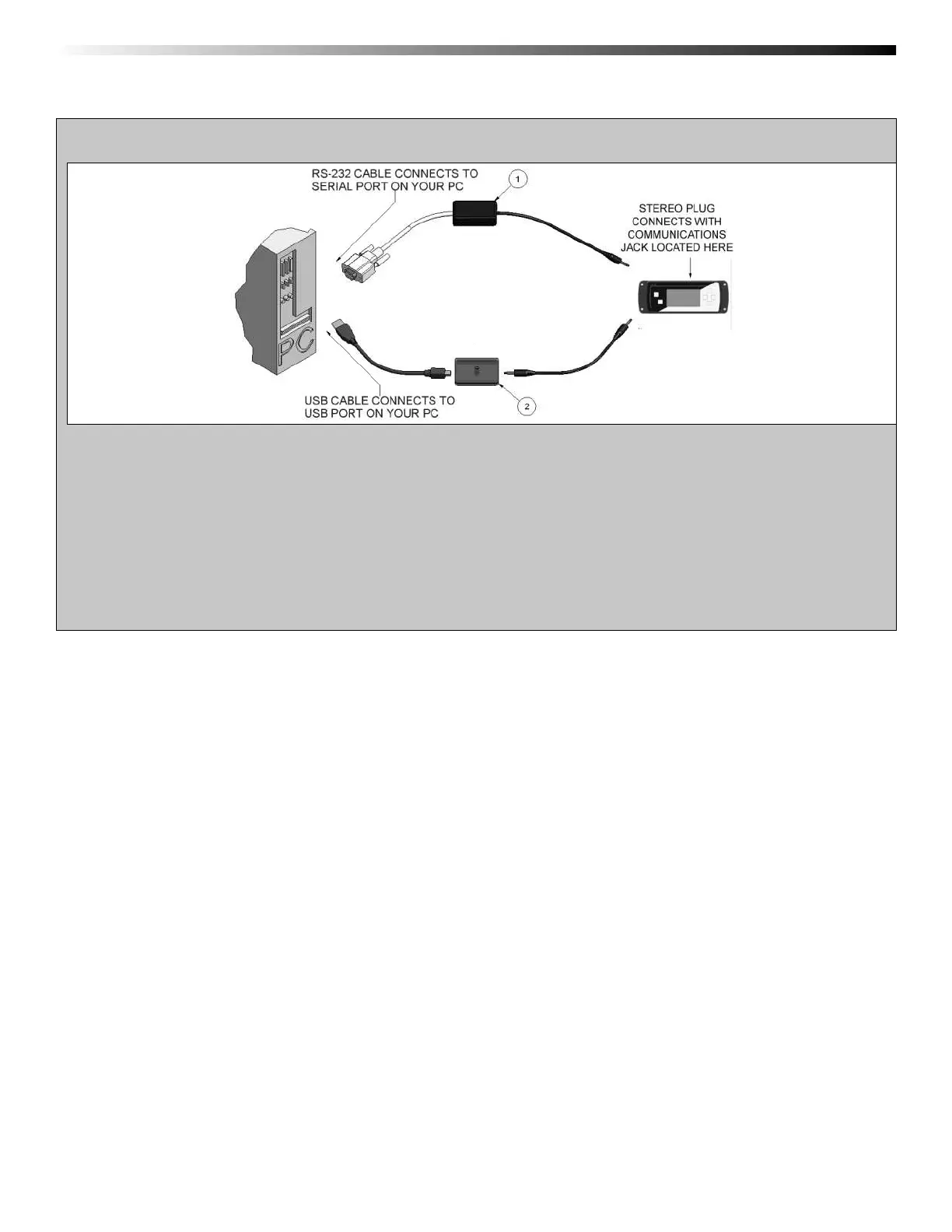
1. Fully insert the male connector of the OM-CP-IFC110 interface cable into the female receptacle of the data logger.
Insert fully the RS232 connector into the Serial Port.
OR
2. Fully insert the male connector of the OM-CP-IFC200 interface cable into the female receptacle of the data logger.
Fully insert the female USB connector into the USB. (Please see the OMEGA Datalogger Software
manual for further information)
Note: Most OMEGA data loggers can use both OM-CP-IFC110 and OM-CP-IFC200 interface cables. For interface cable data
logger clarifi cation contact technical support at 1-800-848-4286.
OM-CP-IFC110
OM-CP-IFC200


 To Next Page