Data Logger Manual
Section 4: Device MenusSection 4: Device Menus
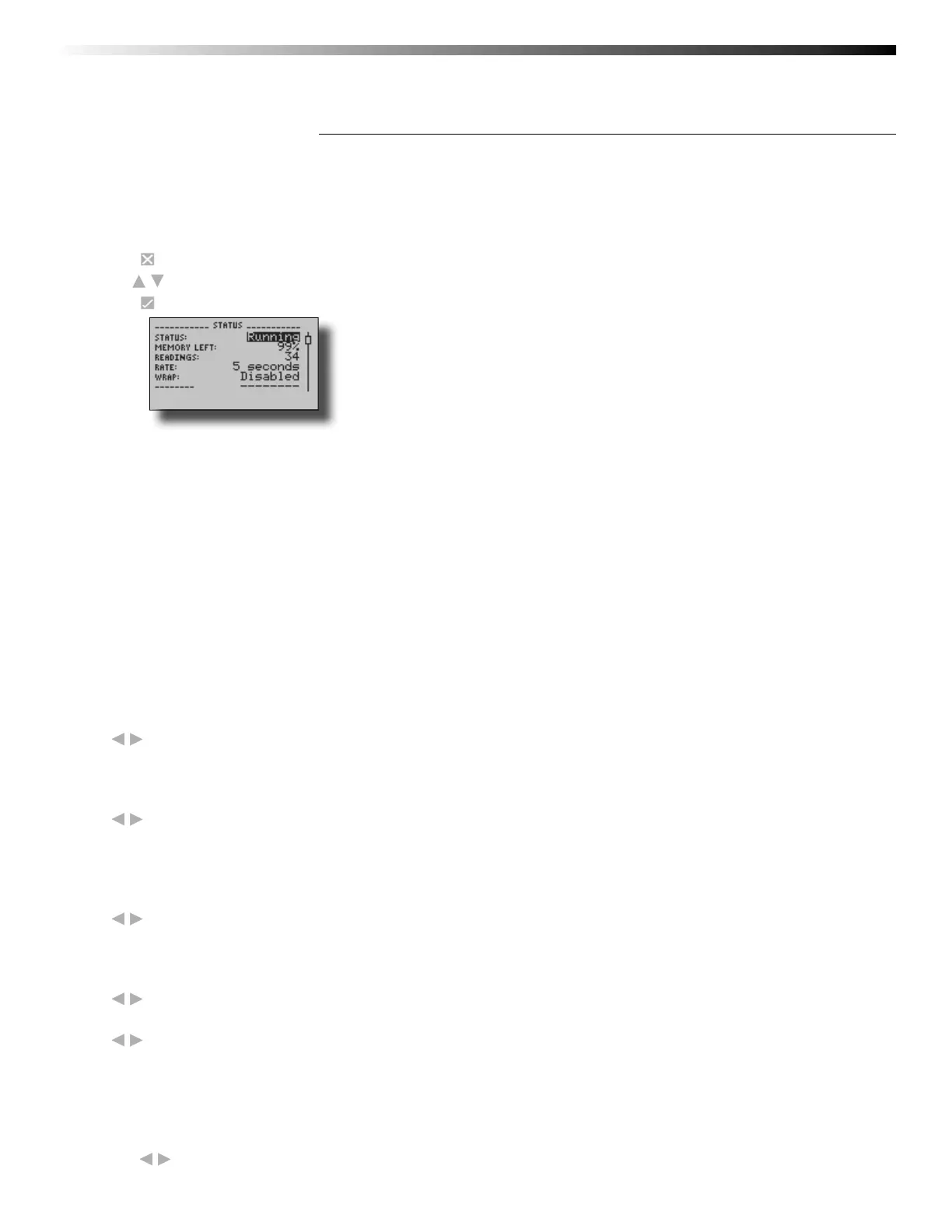
4.1 Device Status Menu
Information such as current recording status, reading rate, stop date and time, and calibration information can be
found in the Device Status Menu.
To access the Device Status Menu from the Home Screen:
1. Press to enter the Main Menu
2. Use to highlight Status
3. Press to enter the Device Status Menu
Status – Device’s current recording status.
Running - device is actively recording data
Stopped - device is not actively recording data
Delay - device is in Delay Start mode (start scheduled for future)
Manual - device is in Manual (push-button) Start mode
Memory Left – Percentage of memory available to store readings
Readings – Number of readings currently stored in device’s memory
Rate – Reading rate (confi gurable using data logger software)
Wrap – Memory wrap (confi gurable using data logger software)
Enabled - when memory is full device will overwrite oldest data
Disabled - when memory is full device will stop recording data
Start Date/Time – Date and time device began recording data
Stop Date/Time – Date and time device will stop recording data (due to full memory or other user confi gured
parameter)
Display – Options for display visibility
Use
to select
Auto - display turns off after two minutes of inactivity
On - display always on
Backlight – Options for use of display backlight
Use to select
Auto - backlight turns off after fi ve seconds of inactivity
On - backlight always on
Off - backlight always off
LED – Options for use of status LEDs
Use
to select
Enabled - status LEDs fl ash to indicate reading status
Disabled - LEDs off
Contrast – Set screen contrast value
Use to set desired contrast value
Battery Type – User defi ned based on the type of battery currently installed in the device
Use to select Lithium or Alkaline battery
Battery Life – Percentage of battery power remaining
Battery Voltage – Voltage supplied to the device by the battery
External Power – Presence of external power supply
External Voltage – Voltage supplied to the device by external power supply
Display – Options for display visibility
Use to select
Page 11


 To Next Page