Data Logger Manual
Page 7
Section 3: Device Function
3.1 Channel Options
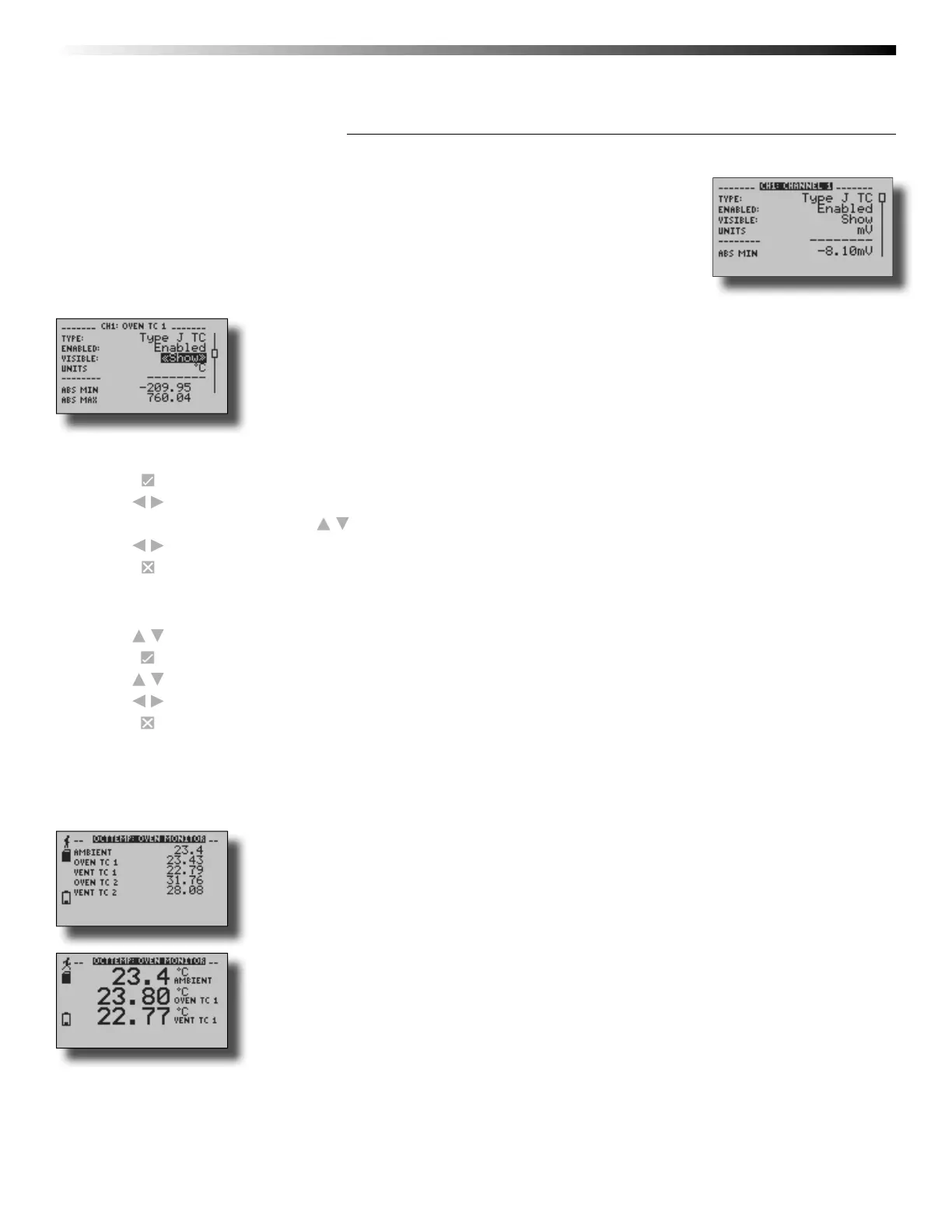
Each of the OM-CP-OCTTEMP2000’s channels have several options that are confi gurable
by the user through the device’s display screen menus and the software.
3.2 Show or Hide Channels on the Home Screen
The user may choose to either show or hide channels on the home screen.
To change channel visibility from the Home Screen:
1. Press to view fi rst channel screen
2. Use to view additional channels
3. On desired channel screen use to highlight Visible
4. Use to choose Show or Hide
5. Press to return to the Home Screen
—OR—
1. Use to highlight desired channel
2. Press to view channel screen
3. Use to highlight Visible
4. Use to choose Show or Hide
5. Press to return to the Home Screen
3.3 Change Channel Display Size
Channels may be viewed in a number of different sizes. The smallest size allows for an overview of several channels at once,
while the largest gives at-a-glance access to one or two channels.
Small Font
Medium Font



 To Next Page