OMEGA OM-CP-OCTTEMP2000
Page 8
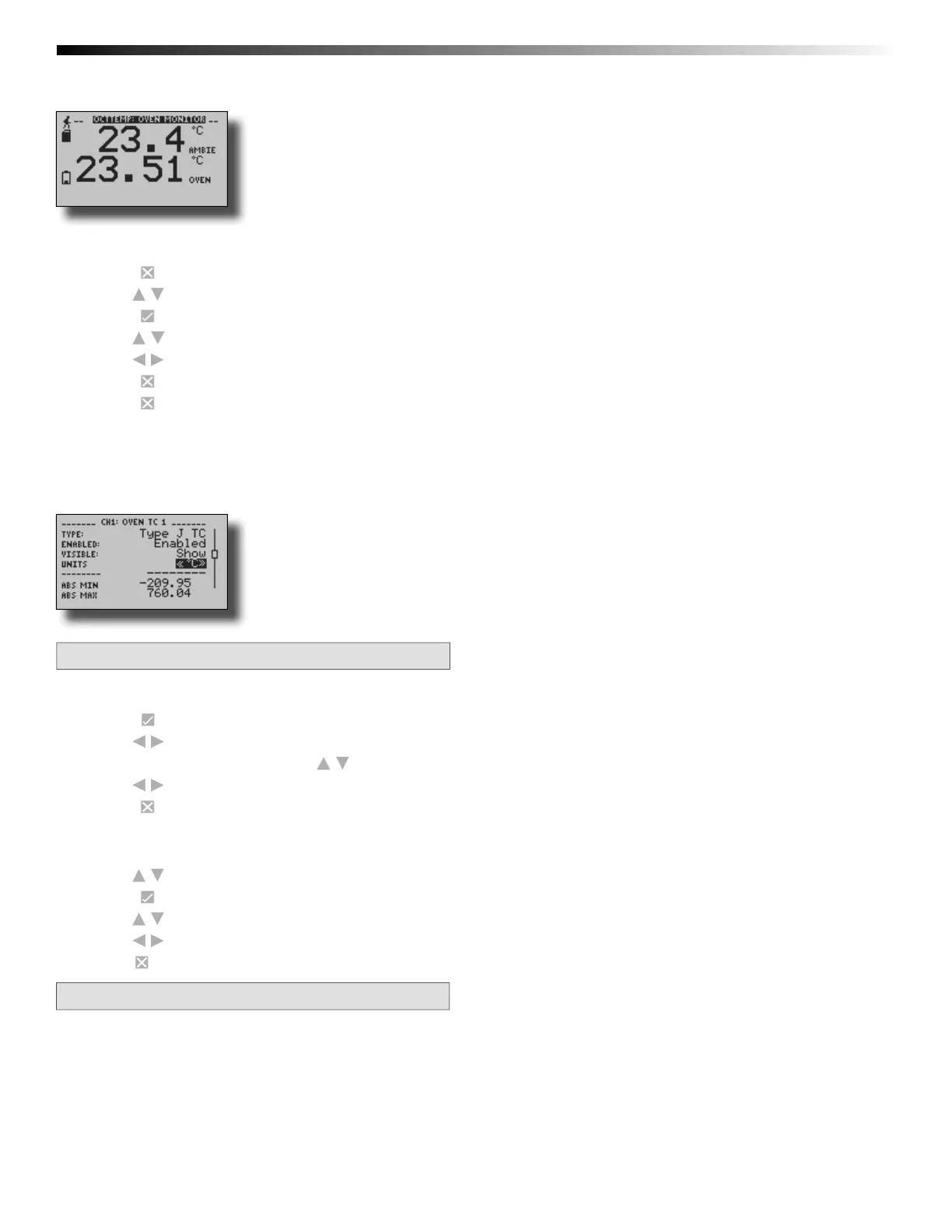
Large Font
To change channel display size from the Home Screen:
1. Press to enter the Main Menu
2. Use to highlight Setup Menu
3. Press to enter the Setup Menu
4. Use to highlight Channel Size
5. Use to choose the desired channel size
6. Press once to return to the Main Menu
7. Press again to return to the Home Screen
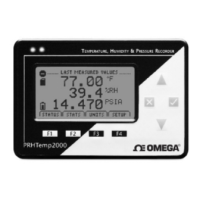
3.4 Change Channel Units
Channels can be customized to display readings in a variety of convenient units. Units available for selection will vary according
to channel type.
Note: Changing display units will not affect logged data.
To change channel display from the Home Screen:
1. Press to view fi rst channel screen
2. Use to view additional channels
3. On desired channel screen use to highlight Units
4. Use to choose the desired unit option
5. Press to return to the Home Screen
—OR—
1. Use to highlight desired channel
2. Press to view channel screen
3. Use to highlight Units
4. Use to choose the desired unit option
5. Press to return to the Home Screen
Note: Hit X to update all channels.


 To Next Page