© 2010 Omnicell, Inc. OmniRx Service Guide/67-2023 Rev D
Electronics Sled 1-9
Printer Removal
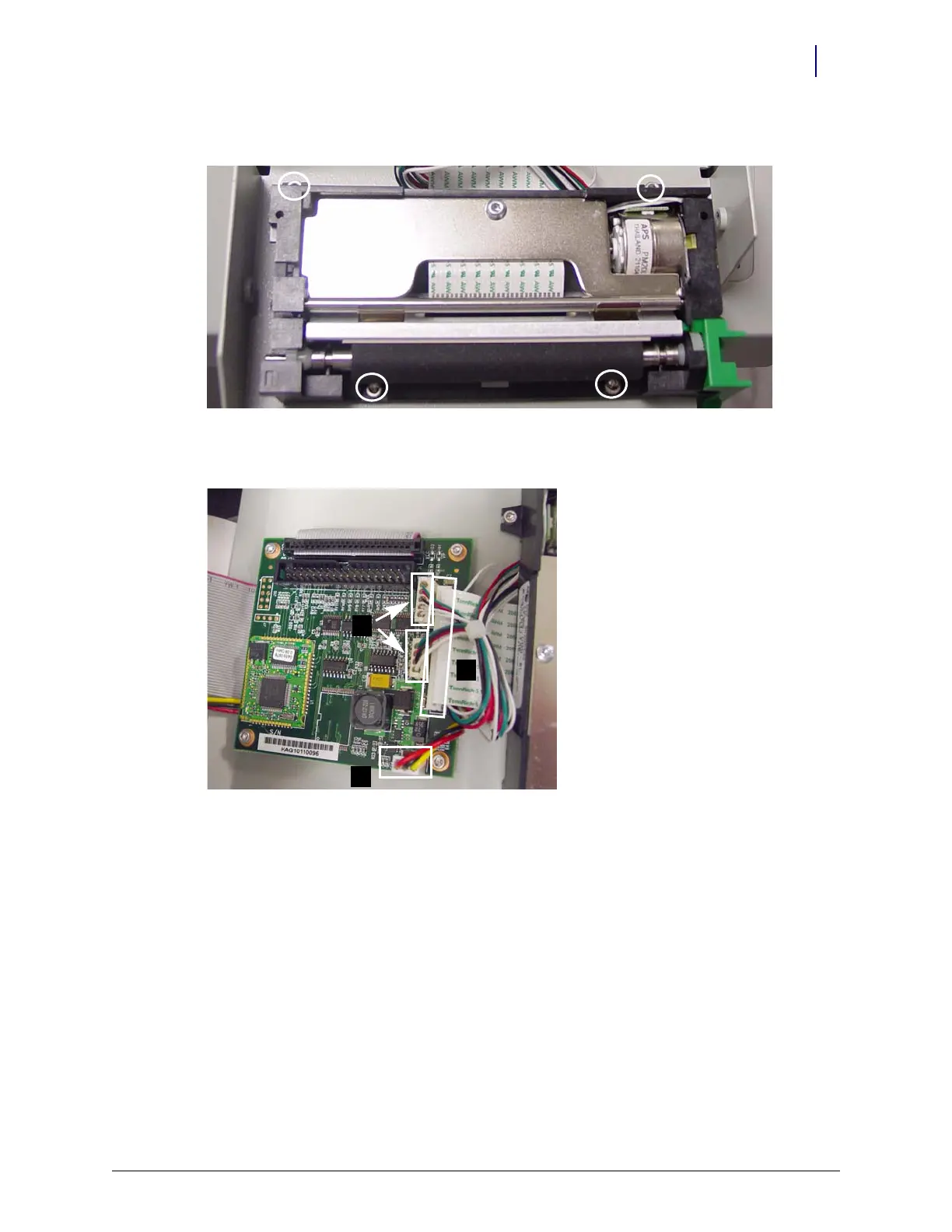
6. Remove the four screws that secure the lower assembly to the frame.
Figure 1-16. Remove the lower assembly screws (top screws partially hidden)
7. Disconnect the four printer cables from the printer PC Board.
Figure 1-17. Remove the printer cables: (a) ribbon cable (b) 2 data cables (c) power cable)



 To Next Page