© 2010 Omnicell, Inc. OmniRx Service Guide/67-2023 Rev D
Electronics Sled 1-13
Keyboard Service
USB Keyboard
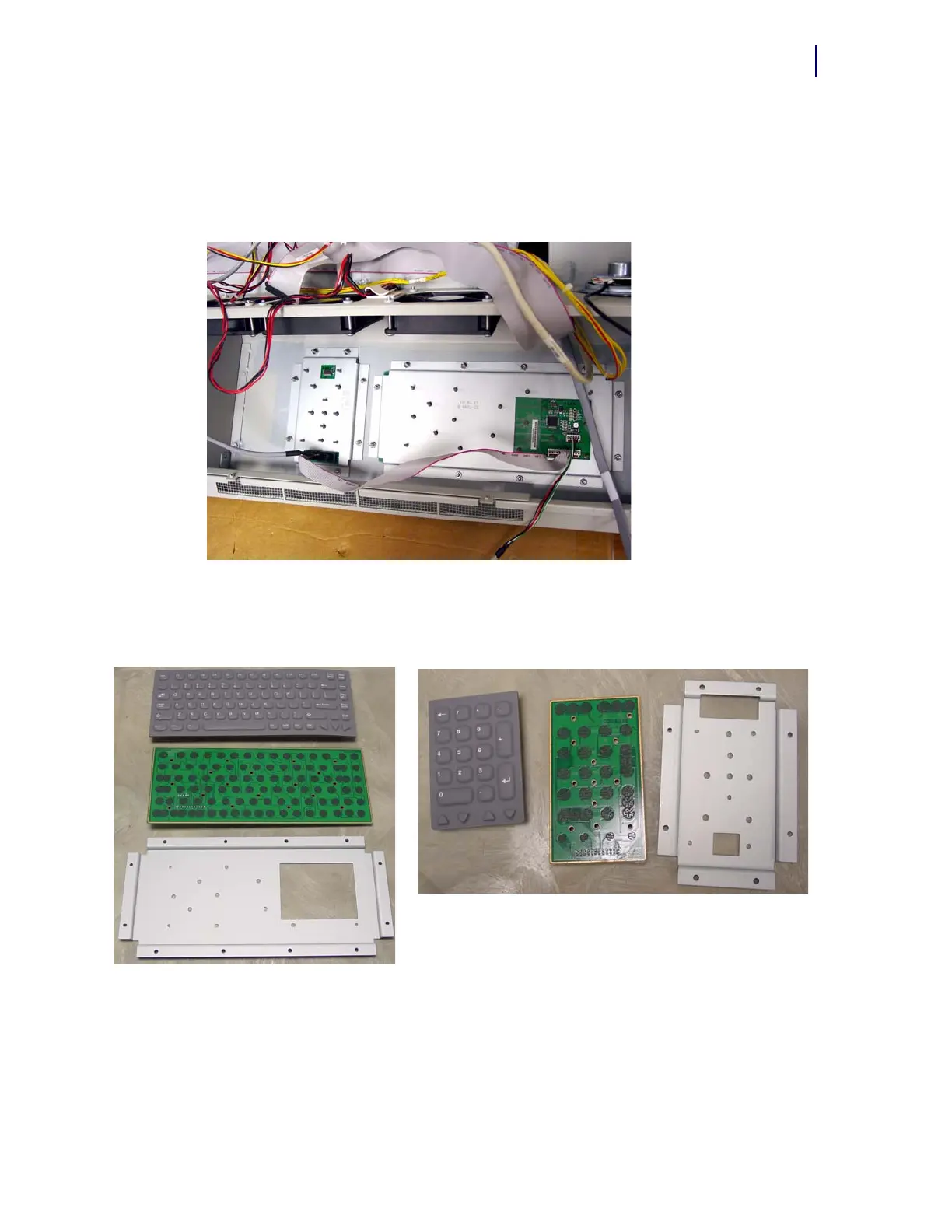
1. Disconnect the cables. The ribbon cable connects the numeric keypad with the keyboard. The
power cable connects the keyboard to the mother board.
2. Remove the 20 keyboard and keypad bracket nuts.
Figure 1-23. Keyboard and keypad bracket screws / cables
3. Remove the keyboard and keypad support bracket. Each contains a PC board and an overlay.
a. Separate parts and replace as needed.
Figure 1-24. Keyboard bracket, PC board, overlay and keypad bracket, PC board, overlay
b. Re-assemble the parts into the bracket.
4. Attach the bracket back on the console.
5. Attach the cables.
6. Set the console back in place, then prop it up.



 To Next Page