© 2010 Omnicell, Inc. OmniRx Service Guide/67-2023 Rev D
Electronics Sled 1-7
Printer Removal
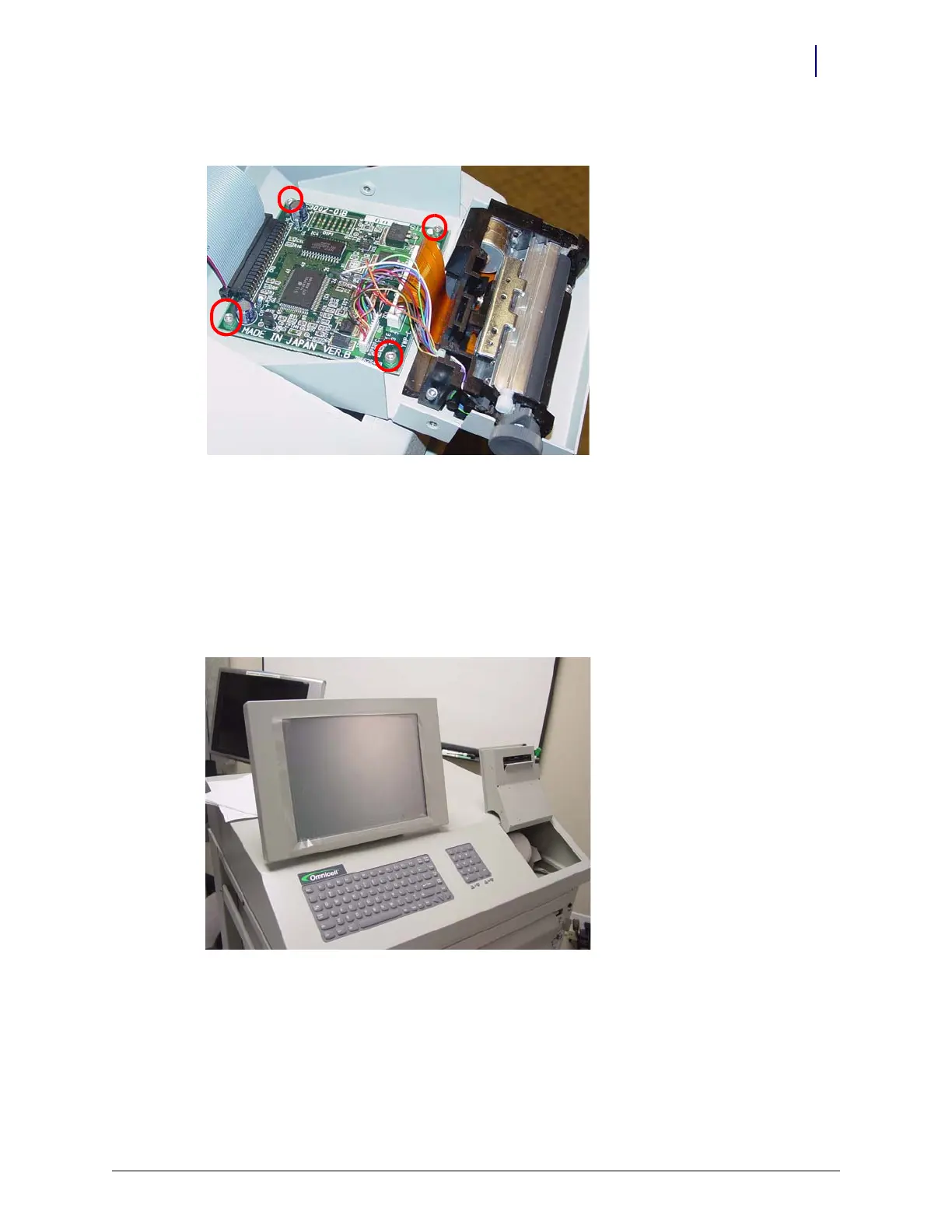
10. Remove the four screws that secure the PC card to the frame.
Figure 1-12. Remove printer PC card screws
11. Lift the card off the frame slightly, then remove the printer ribbon cable.
APS Printer
This service procedure is similar to the Seiko printer.
1. Open the printer cover by pushing the black release mechanism toward the rear of the
machine and lifting the cover.
Figure 1-13. Open the printer cover
2. Remove the paper from the printer.



 To Next Page