© 2010 Omnicell, Inc. OmniRx Service Guide/67-2023 Rev D
Electronics Sled 1-15
PC Tray Upgrade
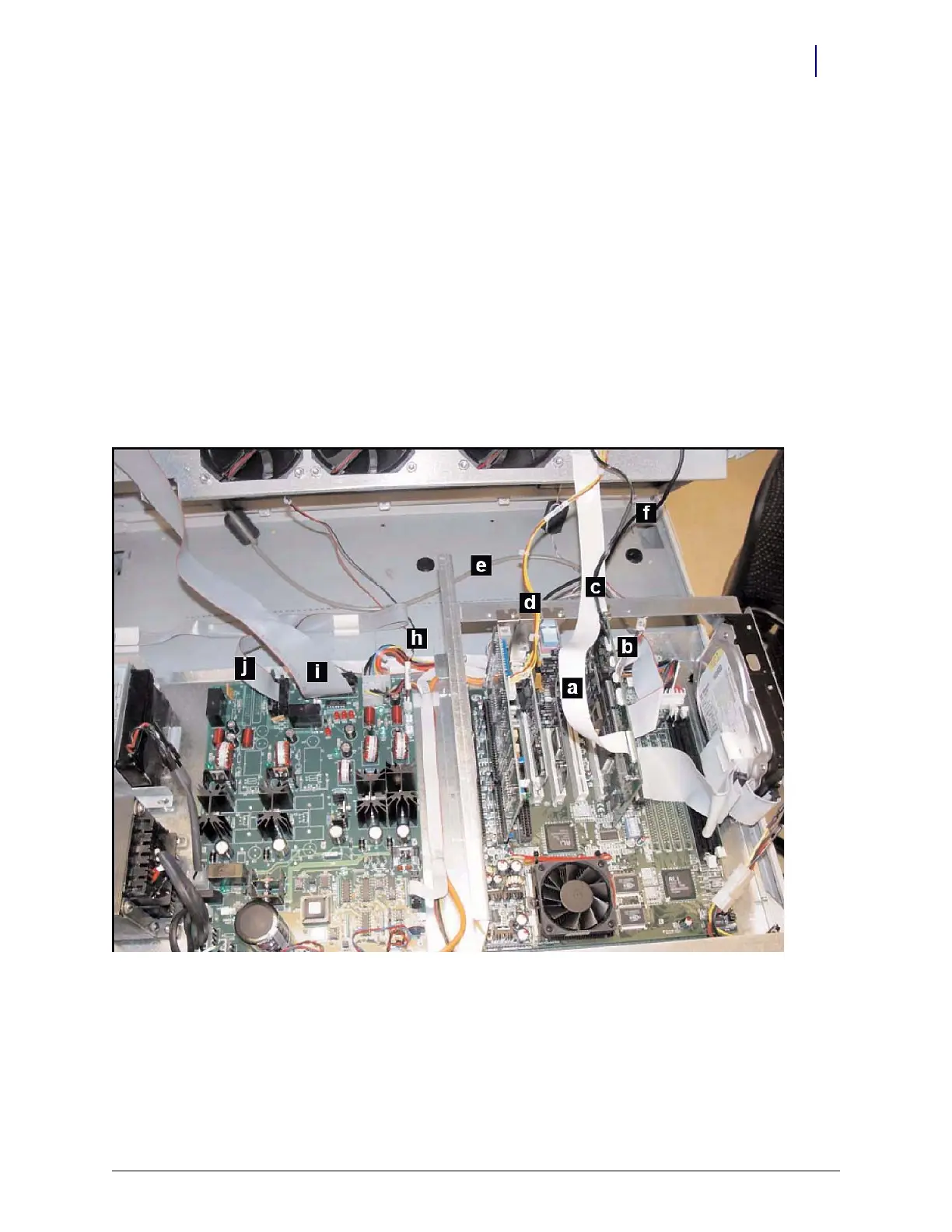
2. Disconnect the following cables from the electronics tray:
a. LCD cable
b. Contrast cable
c. Inverter (backlight) cable
d. Touch screen cable
e. Keyboard cable
f. Speaker cable
g. Card reader cable (if applicable–not shown)
h. Fan power cable (if applicable)
i. Printer cable (free cable from any clips)
j. Cabinet power/comm cable
k. wireway cable
Figure 1-26. Location of cables on the CT PC tray with PowerCom2 board



 To Next Page