7
Serial Communications Connection Procedure
7
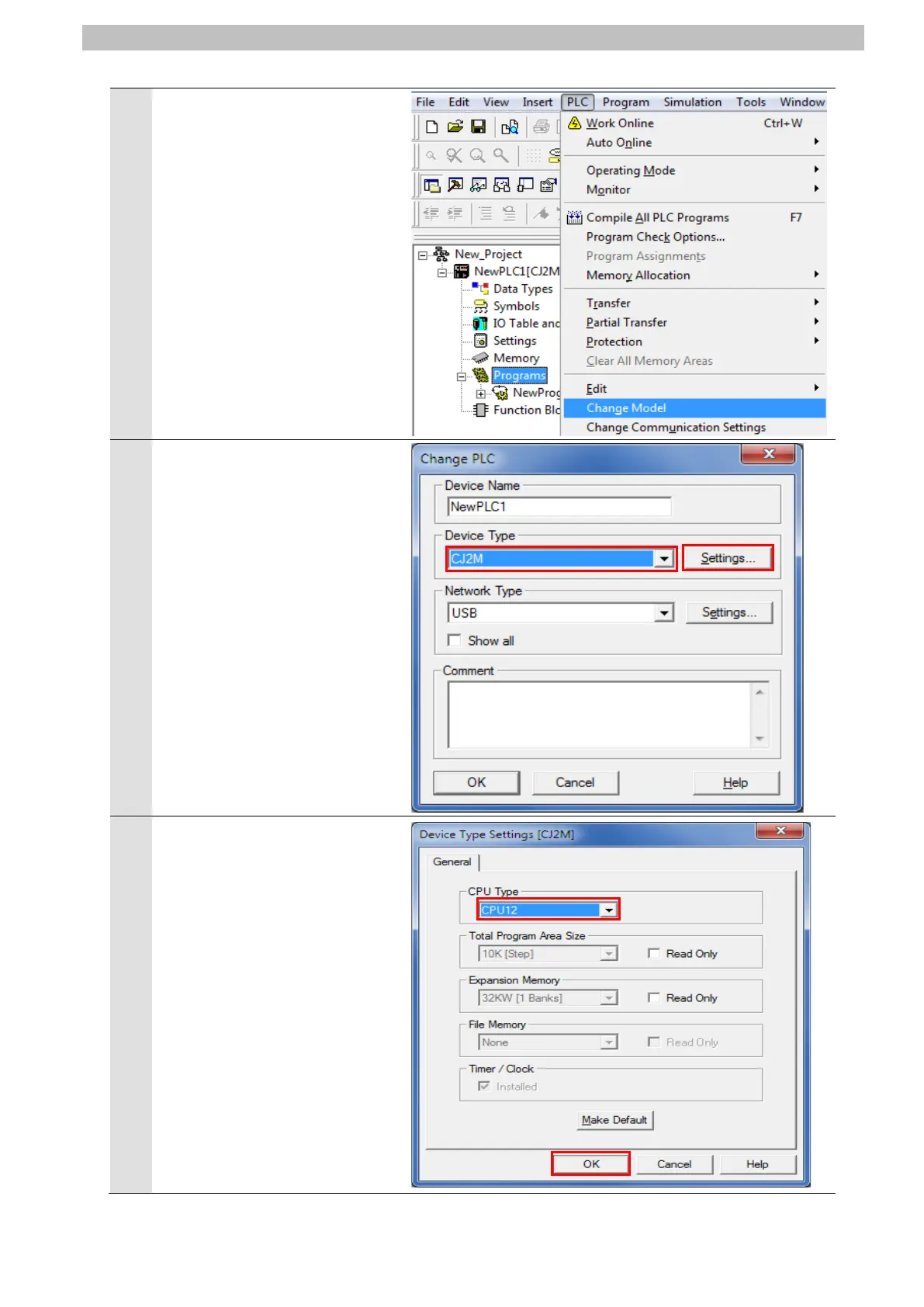
Select Change Model from the
PLC Menu.
The Change PLC Dialog Box is
displayed. From the pull-down
list of Device Type, select the
device type of PLC to use.
Click Settings.
*CJ2M is selected in this
document.
The Device Type Settings
Dialog Box is displayed.
From the pull-down list of CPU
Type, select the CPU type to
use. Click OK.
*CPU12 is selected in this
document.


 To Next Page
 Loading...




