EasyManua.ls Logo

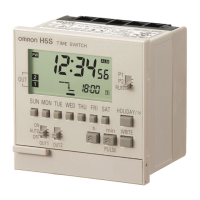
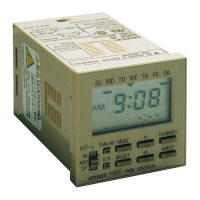
Omron H5F - User Manual

Omron H5F
36 pages
Print Icon
To Next Page IconTo Next Page
Loading...
INSTRUCTION MANUAL
MODEL
H5F
DIGITAL DAILY TIME SWITCH
■Safety   
Precautions
‥‥‥ P1
■Table of Contents
‥‥‥ P5
■Operation
‥‥‥ P7
■Installation
‥‥‥P29
© All Rights Reserved.
Thank you for purchasing this OMRON product. This INSTRUCTION
MANUAL describes the information such as function, performance, and
how to use the product required for using the product.
• Please operate the product by the qualified specialist having the
electrical know how.
• Read this instruction manual with enough, and use the product with
enough understanding.
• Keep this instruction manual close at hand and use it for reference
during operation.
1617398-8D
OMRON Corporation
English
H5F
T
IME
S
WIT
C
H
5
00
3
00
PW
ON
PM
PM
15A
10A
RE
S.
43
2
1
250V
A
C
24VDC
100 to
240V
AC
50/6
0Hz
2.4V
A m
ax.
H5F
TI
ME
S
W
I
T
C
H
5
00
3
00
PW
O
N
PM
PM
H5F
TIME SWITCH
5
00
3
00
PW
ON
PM
PM
R
E
S.
4
3
2
1
2.4V
A
m
ax.

Other manuals for Omron H5F

Questions and Answers

  • S
    Shannon DayAug 4, 2025
    What to do if Omron Timer does not operate according to the settings?
    • M
      Mrs. Cynthia CarterAug 5, 2025
      If your Omron Timer isn't operating according to the settings, here are a few things to check: * Make sure the present time is set correctly. * Verify that the Timer settings are accurate. * Ensure the Out ON/OFF switch is set to Auto. * Clear any Override and automatic return operation settings.
  • K
    Kevin PadillaAug 12, 2025
    Why is the time fast or slow on my Omron H5F Timer?
    • D
      Deanna WuAug 12, 2025
      If the time on your Omron Timer is running fast or slow, it may be due to ambient temperature affecting timing accuracy. Correct the present time in time adjustment mode. Also, check if the Timer is installed in a location with excessive noise, and if so, separate it from the noise sources.
  • A
    Amber NormanAug 19, 2025
    How to troubleshoot an Omron Timer that does not operate when turned on?
    • R
      Rachel BestAug 19, 2025
      If the Omron Timer isn't operating when you turn the power on, first, check the display to ensure the power is actually ON. Then, verify that the Timer is wired correctly.
  • D
    Diane TuckerAug 27, 2025
    What to do if the Omron H5F Timer display is incorrect?
    • M
      Matthew BensonAug 27, 2025
      If the display on your Omron Timer is incorrect, it's possible the device is experiencing interference from noise or surge. Try separating the Timer from any sources of noise.

Summary

Safety

Key to Warning Symbols

Explains the meaning of various warning symbols used in the manual.

Precautionary Information

Details critical safety precautions regarding electrical shock, fire, and product handling.

Precautions for Safe Use

Provides essential instructions for operating the time switch safely and preventing damage.

Precautions for Correct Use

Outlines specific guidelines for proper usage to ensure functionality and longevity.

Operation

Nomenclature

Overview of the time switch's front panel, display, and key functions.

Operating Functions

Describes various operational modes like Timer, Pulse-Output, Forced ON/OFF, and Override.

Selecting the Mode

Guide to navigating between Run, Time Adjustment, Operation Time, and Operation Date setting modes.

Setting the Time

Step-by-step instructions for setting the current date and time.

Setting Timer Operation

How to configure ON/OFF times for daily or weekly operation schedules.

Setting Pulse-Output Operation

Instructions for setting a fixed duration output pulse.

Setting Partial Operation on Specified Day

Configuring specific operation schedules for particular days of the week.

Changing (Confirming) Settings

Procedures for modifying existing programmed times and settings.

Clearing the Settings

Steps to clear individual programs or all settings to factory defaults.

Setting (Temporary) Holidays

How to temporarily disable operation for specific days.

Summer Time (DST)

Guide to adjusting the time for Daylight Saving.

Switching Display Modes

Instructions for switching between 12-hour (am/pm) and 24-hour time formats.

Override and Automatic Return Operation

Managing temporary ON/OFF states that revert to regular settings.

Program Check Function

How to review the programmed ON/OFF times and days for a week.

Operation While Power is OFF

Information on battery backup and operation during power interruptions.

Setting Precautions

Important considerations for setting up operations to avoid conflicts or data loss.

Troubleshooting

Installation

Dimensions and Mounting

Details physical dimensions and mounting methods for different models.

Connections

Wiring diagrams showing power supply and output terminal connections.

Wiring Guidelines

Essential advice for wiring, including surge absorption and terminal strip usage.

Power Supply Configurations

Diagrams illustrating separate and common power supply setups with relays or contactors.

Output Life Expectancy

Information on the expected mechanical and electrical lifespan of the built-in relay.

Ratings and Performance Characteristics

Technical specifications including voltage, operating range, environmental limits.

EN;IEC Standards

Details on compliance with relevant international electrical standards.

Record of Settings

A template for documenting important programmed settings for future reference.

Contact Address

Omron H5F Specifications

General IconGeneral
BrandOmron
ModelH5F
CategoryTimer
LanguageEnglish

Related product manuals