EasyManua.ls Logo

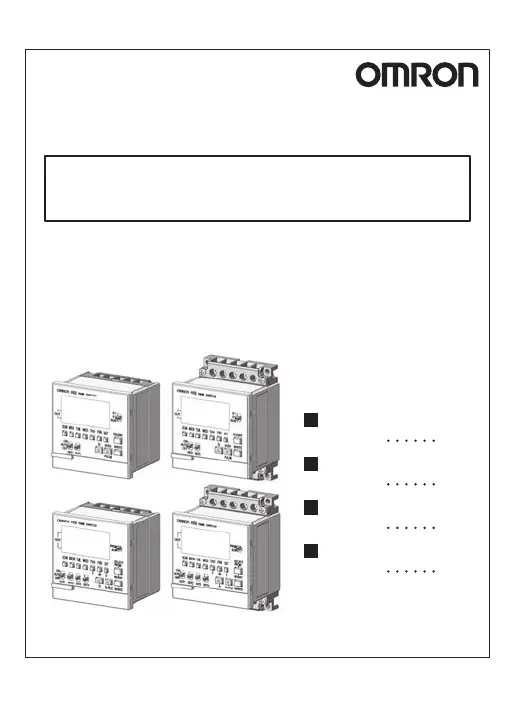
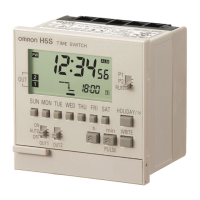
Omron H5S - User Manual

Omron H5S
72 pages
Print Icon
To Next Page IconTo Next Page
Loading...
INSTRUCTION MANUAL
H5S
DIGITAL TIME SWITCH
Safety Precautions
P.1
Table of Contents
P.5
Operation
P.9
Installation
P.60
Thank you for purchasing this OMRON product.
Please read this instruction MANUAL and
thoroughly familiarize yourself with the functions
and characteristics of the product before use.
Please retain this MANUAL for future reference.
9966572-0C
MODEL
© All Rights Reserved.
OMRON Corporation

Table of Contents

Other manuals for Omron H5S

Questions and Answers

  • M
    Matthew JacksonAug 16, 2025
    Why is the display incorrect on my Omron Timer?
    • J
      Joshua DunnAug 16, 2025
      If the Omron Timer displays an incorrect reading, it might be due to noise or surge interference. To resolve this, try separating the Timer from any potential sources of noise.
  • D
    Daniel SmithAug 19, 2025
    Why is my Omron Timer running fast or slow?
    • P
      Patricia FloydAug 19, 2025
      If the Omron Timer is running fast or slow, this can be because the time accuracy is influenced by the ambient temperature. Correct the present time in time adjustment mode. Also, check if the Time Switch is installed in a location subject to excessive noise, and if so, separate the Time Switch from any sources of noise.
  • E
    ericagordonAug 22, 2025
    How to troubleshoot an Omron H5S Timer that doesn't operate when powered on?
    • J
      Jeffery SuttonAug 22, 2025
      If the Omron Timer does not operate when the power is turned ON: * Ensure the power is actually ON and the indicator is lit. * Verify the Time Switch is wired correctly. * Check that the OUT ON/OFF switch is set to AUTO. * Confirm the Time Switch is set correctly and not in holiday, override and automatic return, day override (weekly type only), or yearly operation (yearly types only) modes. * For weekly types, ensure banks are set correctly; for yearly types, ensure seasons are set correctly.
  • J
    Justin LoweryAug 25, 2025
    What to do if the Omron H5S output doesn't turn on with the OUT ON/OFF switch?
    • D
      dennismartinezAug 26, 2025
      If the output of your Omron Timer does not turn ON when the OUT ON/OFF switch is set to ON, verify that the power is actually ON and that the indicator is illuminated.
  • D
    Daniel SaundersAug 27, 2025
    Why does the display not appear on my Omron H5S?
    • J
      Justin HarrisAug 27, 2025
      If the display of your Omron Timer does not appear, it may be because the display turns off if no key input is entered within 2 minutes when the power is OFF.
  • J
    Jennifer DodsonAug 30, 2025
    What is the black spot on my Omron H5S LCD display?
    • C
      chloe81Aug 30, 2025
      If you notice a black spot on the LCD display of your Omron Timer, it may be due to static electricity. This spot should disappear after a while.
  • J
    joycelisaSep 2, 2025
    What to do if Omron Timer display is incorrect?
    • B
      Bradley MartinezSep 2, 2025
      If the Omron Timer display is incorrect, it may be due to noise or surge affecting the Time Switch. Try separating the Time Switch from any sources of noise. Alternatively, the built-in battery may be exhausted, in which case you should contact the dealer from which you purchased the product.
  • J
    Jasmine RodriguezSep 4, 2025
    Why my Omron H5S Timer does not operate according to settings?
    • J
      James JohnstonSep 5, 2025
      If the Omron Timer does not operate according to the settings, check the following: Ensure the Time Switch is wired correctly, the OUT ON/OFF switch is set to AUTO, the Time Switch is set correctly and not set for holiday, override and automatic return, day override (weekly type only), or yearly operation (Yearly types only). Also, confirm that banks (weekly type only) or seasons (yearly types only) are set correctly.
  • R
    Robyn VelazquezSep 7, 2025
    What to do if the display does not appear on Omron Timer?
    • B
      blake00Sep 7, 2025
      If the Omron Timer display does not appear, it might be because the display turns off if no key input is entered within 2 minutes with the power off. Also, the built-in battery may be exhausted, in which case you should contact the dealer from which you purchased the product.
  • I
    iwashingtonSep 10, 2025
    What to do if output does not turn ON when the OUT ON/OFF switch is set to ON on Omron Timer?
    • S
      Shane GonzalesSep 12, 2025
      If the output does not turn ON when the OUT ON/OFF switch is set to ON for your Omron Timer, check that the power is actually ON and that the indicator is turned ON.

Summary

Safety Precautions

Suitability for Use

Defines manufacturer's responsibility for product suitability in customer applications.

Warning Symbols and Safety Advice

Explains warning symbols and provides critical safety precautions for operation.

Usage Precautions

Lists detailed instructions for safe and correct operation of the Time Switch.

Operation

Key Operations and Nomenclature

Covers operating functions, device layout, and basic operational procedures.

Advanced Features and Settings

Details convenient functions, advanced operations, and initial setting modes.

Troubleshooting and Maintenance

Lists common problems, their causes, and recommended solutions for the Time Switch.

Installation and Specifications

Mounting and Connections

Provides physical dimensions, mounting specifications, and terminal connection details.

Technical Specifications

Lists technical specifications including voltage, power, operating conditions, and performance data.

Accessories and Settings Record

Lists optional accessories and provides charts for recording important settings.

Omron H5S Specifications

General IconGeneral
OutputRelay
Contact ConfigurationSPDT
Contact Rating5 A at 250 VAC
Number of Digits4
Control OutputRelay
TypeDigital Timer
Operating Temperature-10°C to 55°C
Supply Voltage100 to 240 VAC
Operating ModesFlicker, Interval
Time Range0.1 s to 9999 h
Power Supply Voltage100 to 240 VAC, 12 to 24 VDC
Time Setting Range0.1 s to 9999 h
Power Supply100 to 240 VAC, 12 to 24 VDC

Related product manuals