11
4.
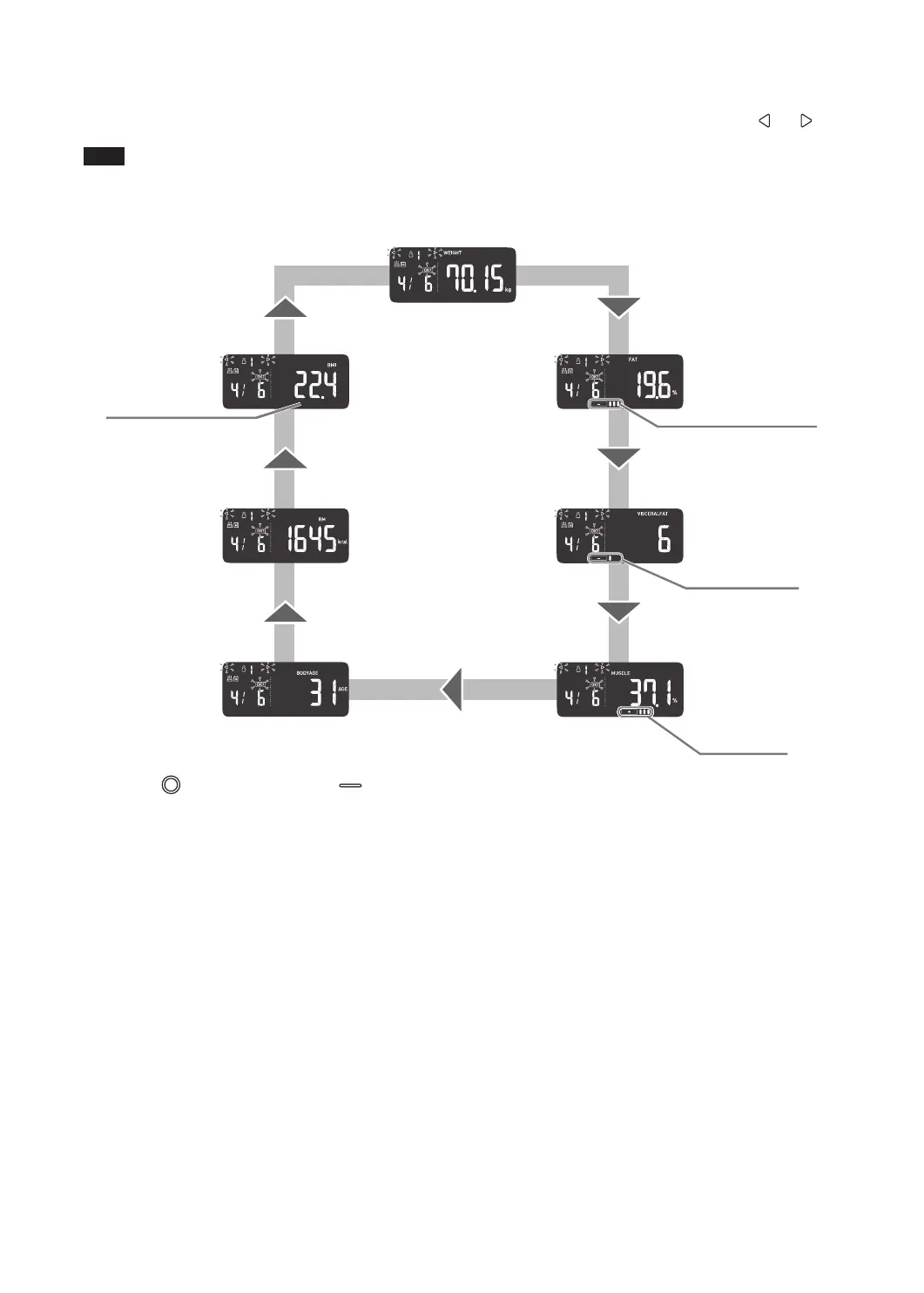
Check the measurement results.
The results display rotates automatically as shown below.
Once you conrm your personal number, you can switch it to a measurement result you want to view with the
and button.
Note
• Use Body Fat Percentage, Visceral Fat Level, Skeletal Muscle Percentage, and BMI classication indicator as a guide to
measurement.
• To better understand your measurement results, refer to the information and diagrams in Section 19 and 20.
WEIGHT
BODY AGE
BMI
RESTING
METABOLISM
BODY FAT
PERCENTAGE
Body Fat Percentage
Classification
VISCERAL
FAT LEVEL
SKELETAL
MUSCLE
PERCENTAGE
Skeletal Muscle
Percentage
Classification
BMI Classification
Visceral Fat Level
Classification
5.
Press the OFF button or touch button (3 seconds or longer) to turn off the power.



 To Next Page