28
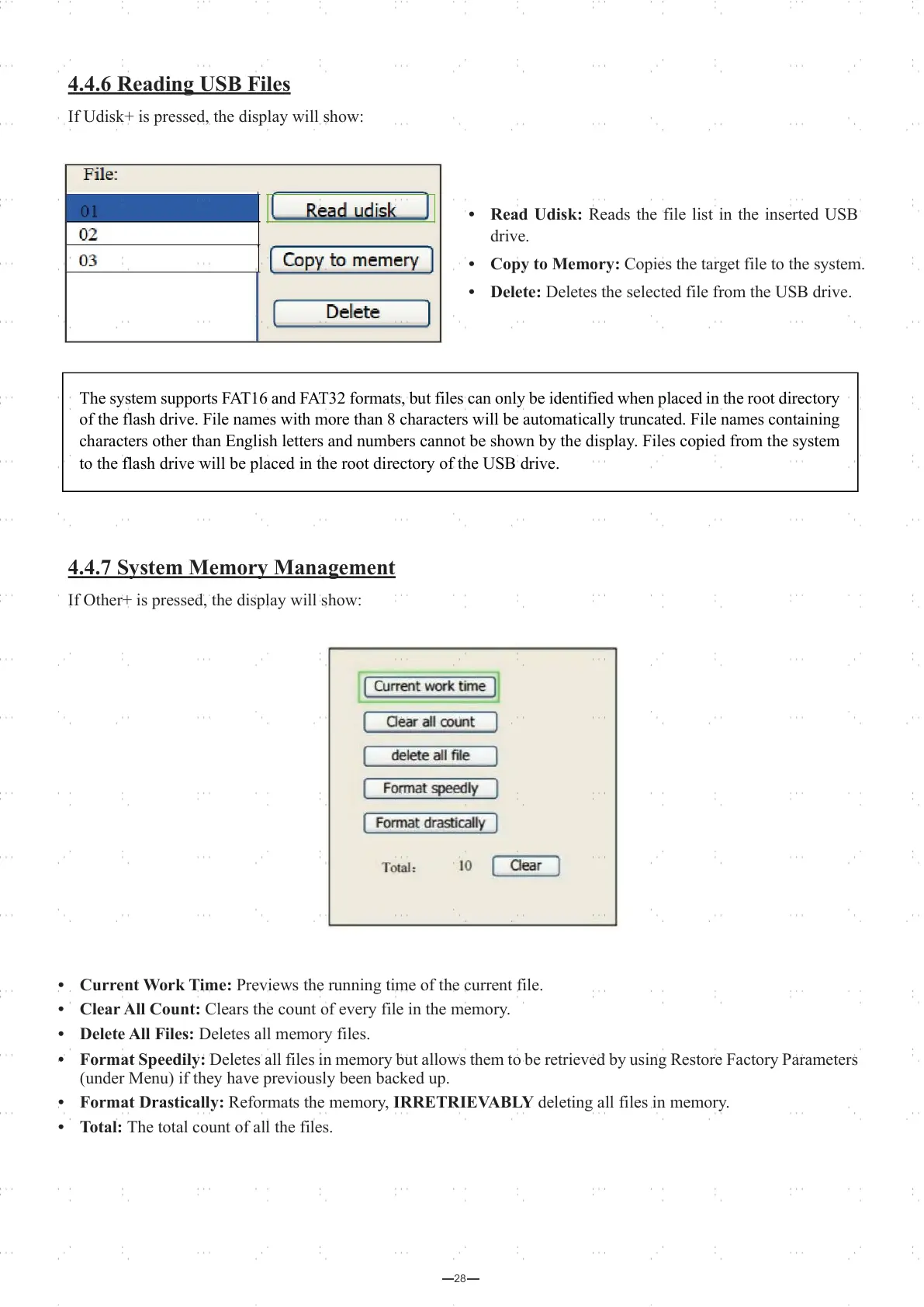
• Current Work Time: Previews the running time of the current file.
• Clear All Count: Clears the count of every file in the memory.
• Delete All Files: Deletes all memory files.
• Format Speedily: Deletes all files in memory but allows them to be retrieved by using Restore Factory Parameters
(under Menu) if they have previously been backed up.
• Format Drastically: Reformats the memory, IRRETRIEVABLY deleting all files in memory.
• Total: The total count of all the files.
4.4.6 Reading USB Files
If Udisk+ is pressed, the display will show:
4.4.7 System Memory Management
If Other+ is pressed, the display will show:
• Read Udisk: Reads the file list in the inserted USB
drive.
• Copy to Memory: Copies the target file to the system.
• Delete: Deletes the selected file from the USB drive.
The system supports FAT16 and FAT32 formats, but files can only be identified when placed in the root directory
of the flash drive. File names with more than 8 characters will be automatically truncated. File names containing
characters other than English letters and numbers cannot be shown by the display. Files copied from the system
to the flash drive will be placed in the root directory of the USB drive.



 To Next Page