36
If the water remains visibly clean at all times, it is still recommended that you clean the water tank about once a month as
a precaution, changing the water as you do so. Also follow any further maintenance requirements as described in the
chiller’s separate manual.
5.3.2 Cleaning the Main Bay and Engraver
Check at least once a day whether dust has accumulated in the main engraving bay. If so, it must be removed. The exact
cleaning interval and requirements strongly depend on the material being processed and the operating time of the device.
A clean machine guarantees optimal performance and reduces service costs, as well as reducing the risk of fire or injury.
Clean the viewing window with mild cleansers and a lens or cotton cloth. DO NOT use paper towels as they can scratch
the acrylic and reduce the cover's ability to protect you from laser radiation. Clean the interior of the main bay thoroughly,
removing any debris particles or deposits. Paper towels and window cleaner are recommended. When necessary, clean the
cover of the laser tube after it has been allowed to cool completely. Allow any fluid used in any cleaning to dry completely
before further use of the engraver.
5.3.3 Cleaning the Focus Lens
The lens has a durable coating and won't be damaged by correct and careful cleaning. You should check the lens and the
3rd mirror daily and clean them if there is any debris or haze on their surface. Your laser will be less efficient and heat
buildup on the oil or dust itself can damage the lens.
1. Move the engraving table to a distance approximately 10 centimetres (4″) under the lens holder.
2. Move the laser head into the centre of the workbed and put a cloth under the lens holder so that the lens will not be
damaged if it accidentally falls from its holder.
3. Unscrew the lens holder, rotating to the left.
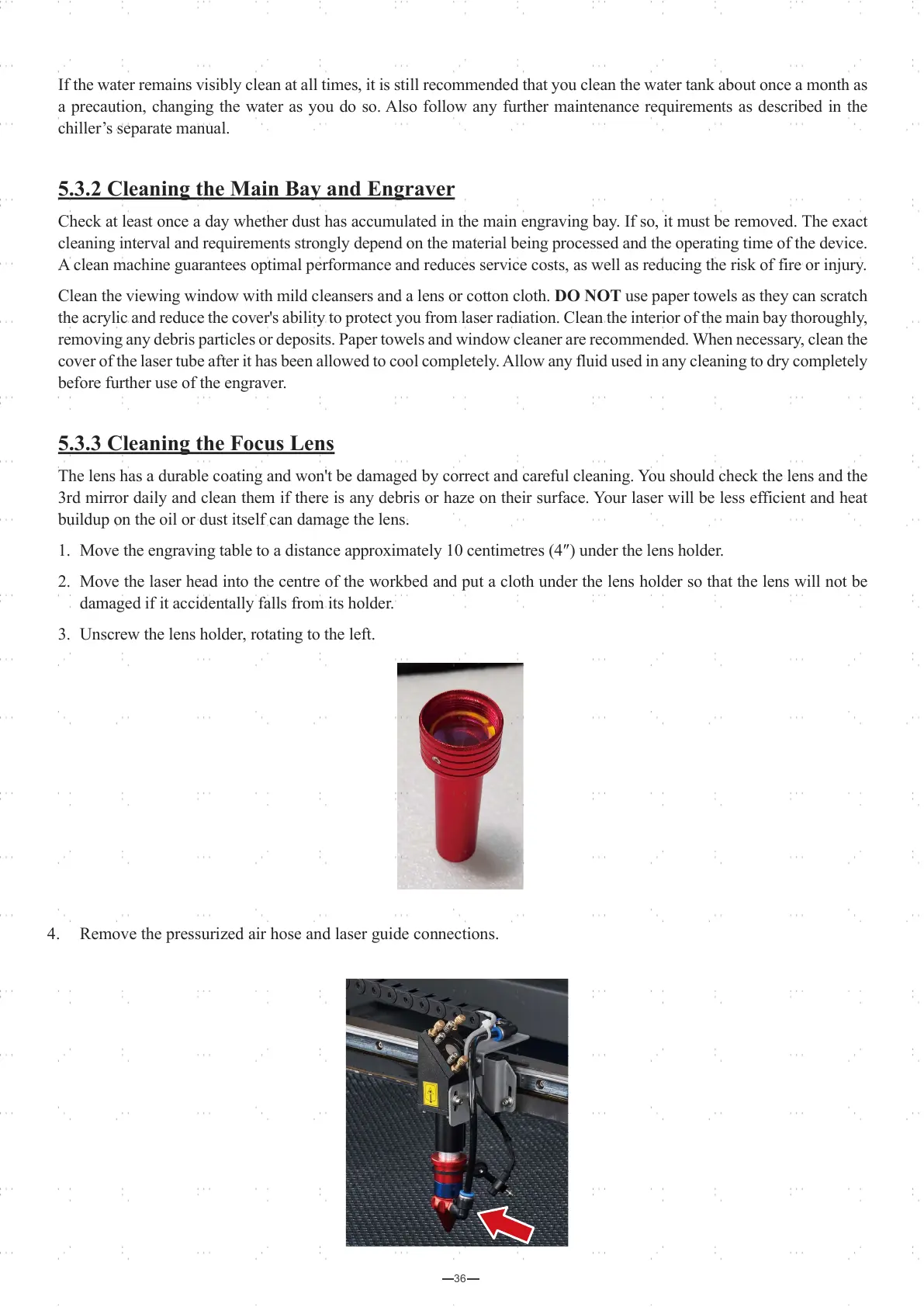
4. Remove the pressurized air hose and laser guide connections.



 To Next Page