30
4.4.14 Adjusting the Laser Pulse Mode
When Laser Set+ is selected, press Enter and the display will show:
The operation method is the same as the previous setting. When
Continue is selected, press Pulse to fire the laser, and release the key
to finish firing. When Manual is selected, pushing Pulse will fire the
laser for precisely the period shown beside Laser Set in this screen.
4.4.13 Adjusting the Laser Movement Mode
When Manual Set+ is selected, press Enter and the following will be displayed:
When Mode is selected, push ◄ or ► to choose between the two
modes Continue and Manual. Push Fn to move the cursor. When the
cursor is on Manual, push ◄ or ► and ▲ or ▼ to change the parame-
ters. If the continuous mode is selected, release this button and the laser
stops. If the continuous mode is selected when Pulse is pressed, the
laser head will move continuously as long as the direction arrows are
held down. If the manual mode is selected, each time the direction
arrows are pressed, the laser head will move by precisely the distance
shown beside Manual in this screen.
4.4.11 Adjusting the U Axis
When U Move is selected, push ◄ or ► to control the movement of the U axis. This can be used to control the
rotational position of a rotary axis or the linear position of an automatic feed (both sold separately) if either is
installed.
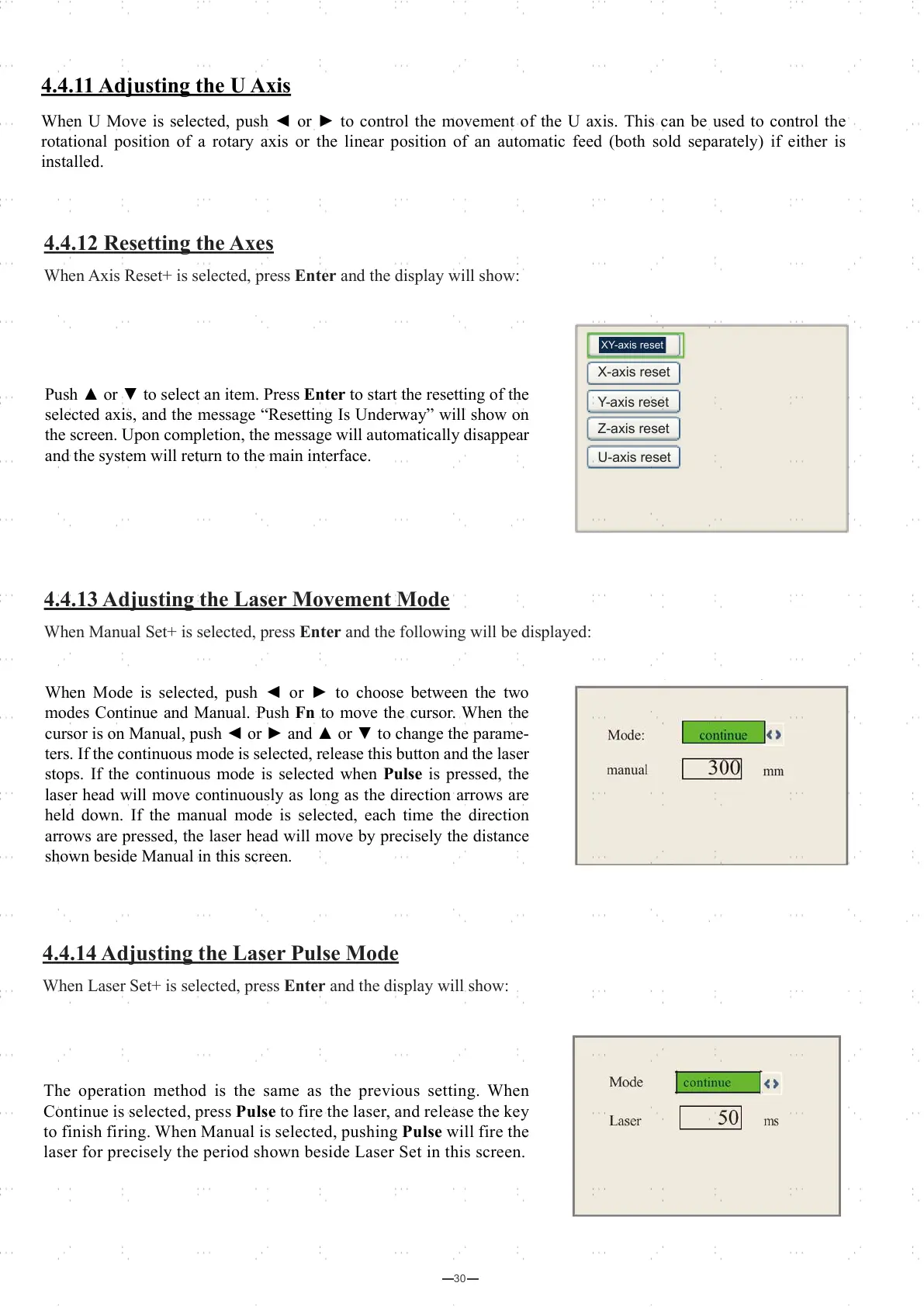
Push ▲ or ▼ to select an item. Press Enter to start the resetting of the
selected axis, and the message “Resetting Is Underway” will show on
the screen. Upon completion, the message will automatically disappear
and the system will return to the main interface.
X-axis reset
Y-axis reset
Z-axis reset
U-axis reset
XY-axis reset
4.4.12 Resetting the Axes
When Axis Reset+ is selected, press Enter and the display will show:



 To Next Page