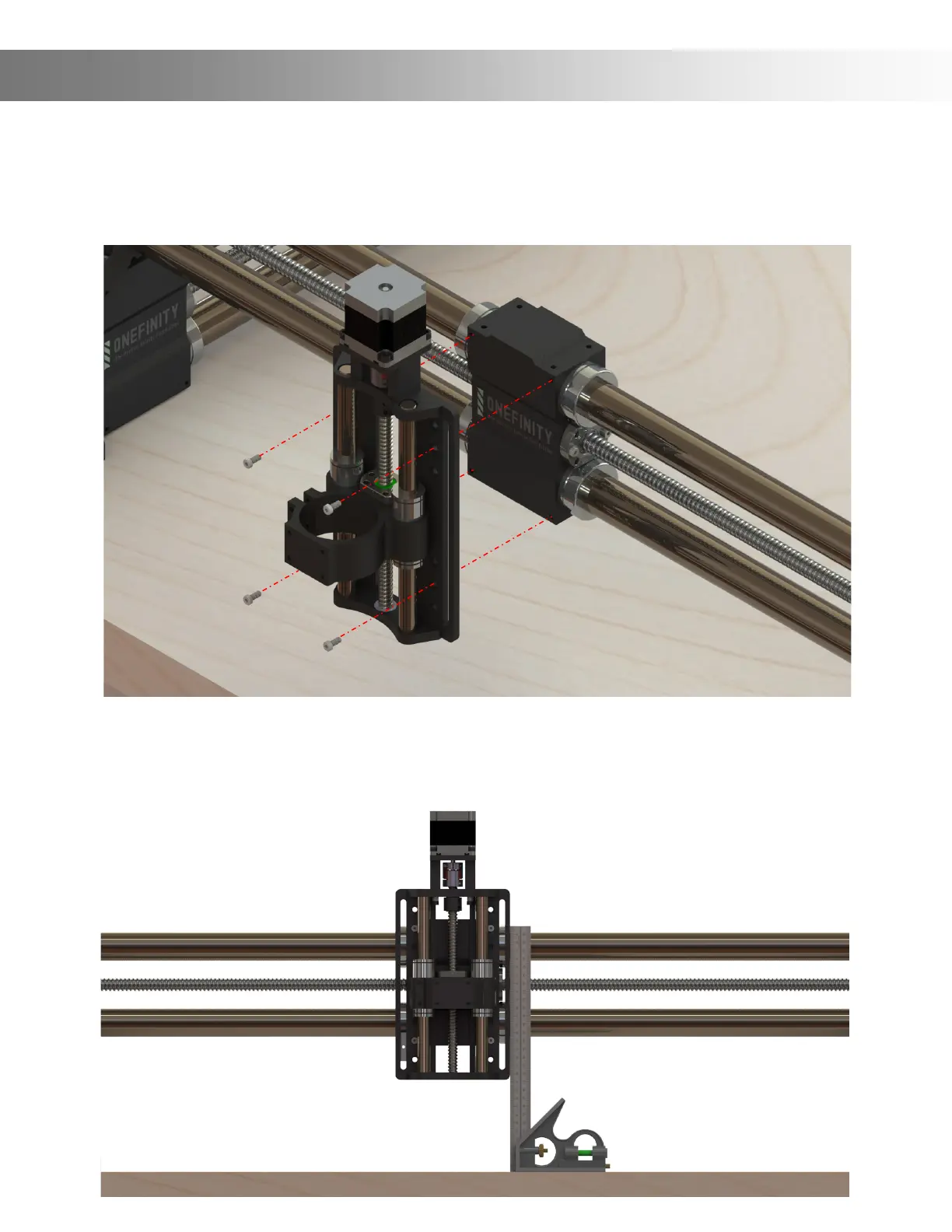
Step 11: Attach the Z-Slider to the X-Axis Gantry Block using the four (4) Z-Slider Mounting
Screws. Do not tighten them all the way just yet, you’ll do that in the next step. To gain access
to the mounting holes you may need to manually turn the ball screw to raise and/or lower the
spindle mount. Note: In the event you have the Stiy attached, ensure you do not use the holes
in the Stiy Block to attached the Z-Slider.
Assembly Instructions
Step 12: Square the Z-Slider to your table then tighten the Z-Slider Mounting Screws. Next,
plug the Z-Sliders stepper motor into the Curly Cable. Congratulations, you have nished
assembling your new Onenity CNC Machine!


 To Next Page