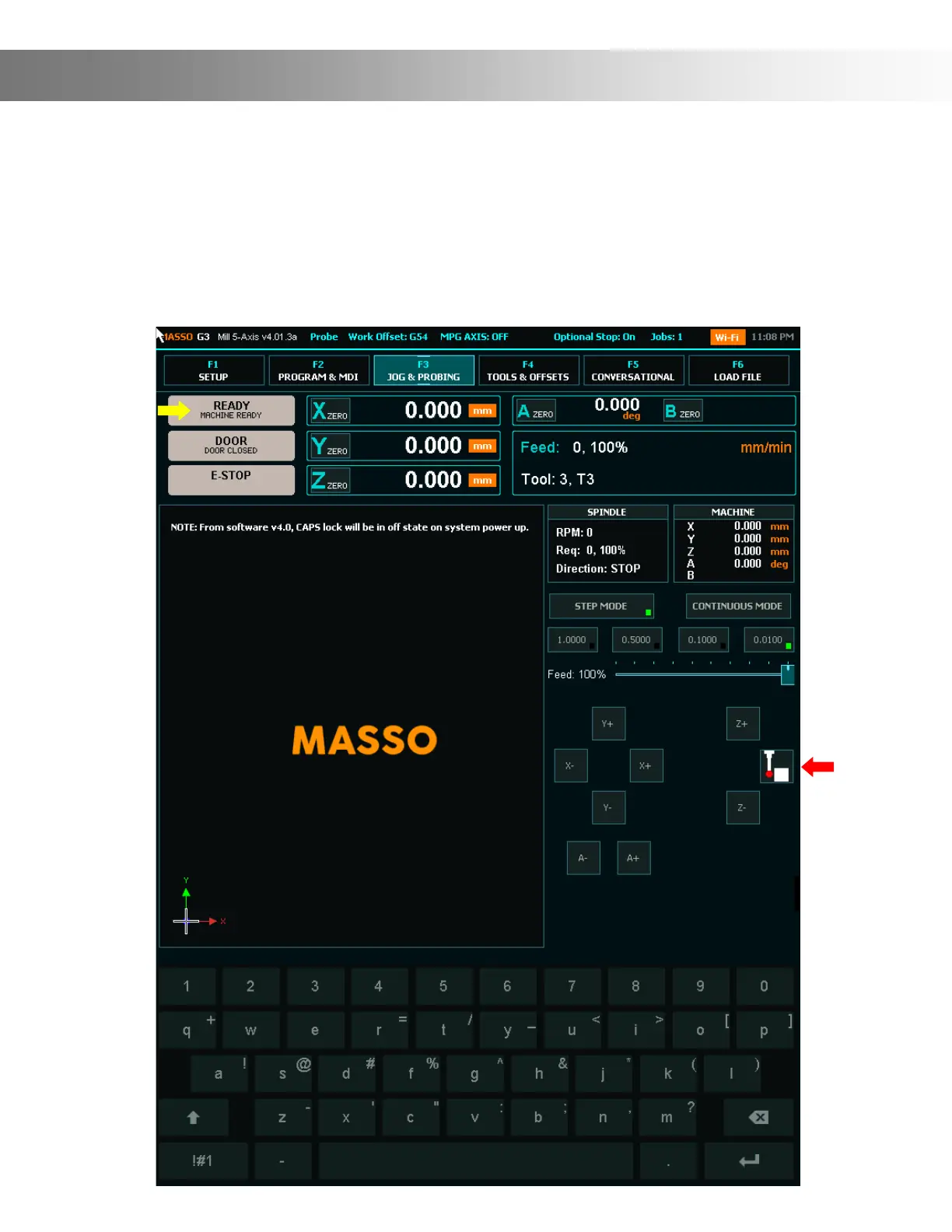
F3 Screen
The F3 Screen is the Jog Screen. From this screen you can Home, Jog and probe your machine.
You can access MASSO probing functions by pressing the probing button on screen (Red Arrow)
To Home, double tap the Home Button (Yellow Arrow)
Please refer to page 44 for detailed info on jogging. To Jog use the Axis + & - Buttons. Select
continuous or step jog mode as well as step distance. Use the Slider to set continuous jog speed.


 To Next Page