Homing the Elite Onenity
The Onenity Elite machine come standard with infrared Homing sensors.
To home the machine, rst make sure you are on the F2 or F3 screens and that no alarms such
as E-Stop are ashing on the screen.
Next check that its safe to run the homing cycle on the machine and the tool, work piece or
clamps will not be hit.
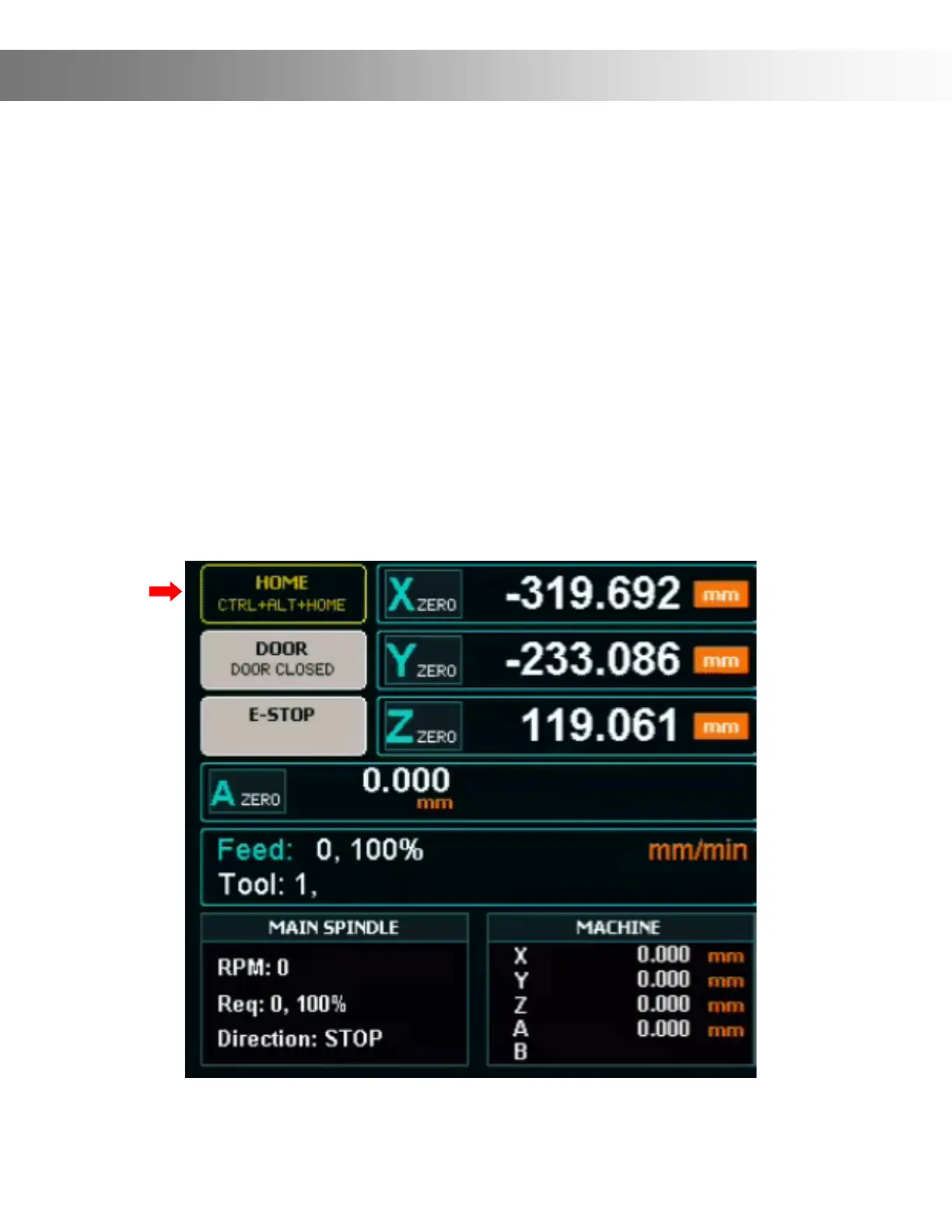
Once you are ready to home the machine, Double click the HOME button at the top of the F2
or F3 screen (Red Arrow).


 To Next Page