Running G-Code
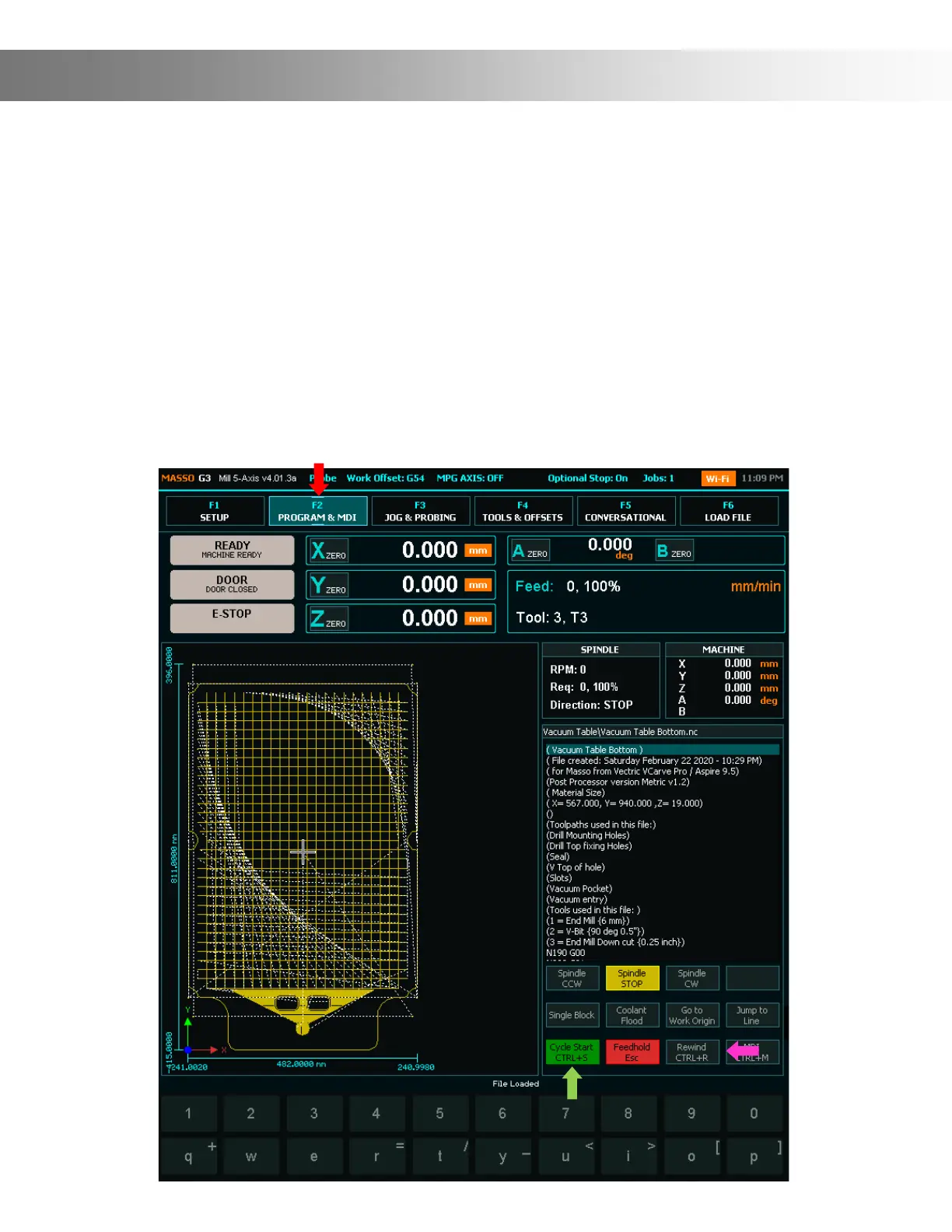
To run your G-Code you need to be on the F2 screen. Tap the F2 Tab (Red Arrow) This is the Run
screen where you run your GCode les and monitor progress. When you enter this screen you will
be prompted for the User Password. Default Password is: HTG
Follow the below steps to run your G-Code:
Step 1: Ensure your machine has been homed, your material is solidly secure to your wasteboard,
the proper bit is install in the Router and your have zeroed the X,Y, Z axis to your material.
Step 2: Tap the Rewind button (Pink Arrow) Important: Before running your G-code you must
press the Rewind button to ensure the G-Code starts from the beginning
Step 3: Tap the Cycle Start button to start your program (Green Arrow)



 To Next Page