Spindle/Router Installation
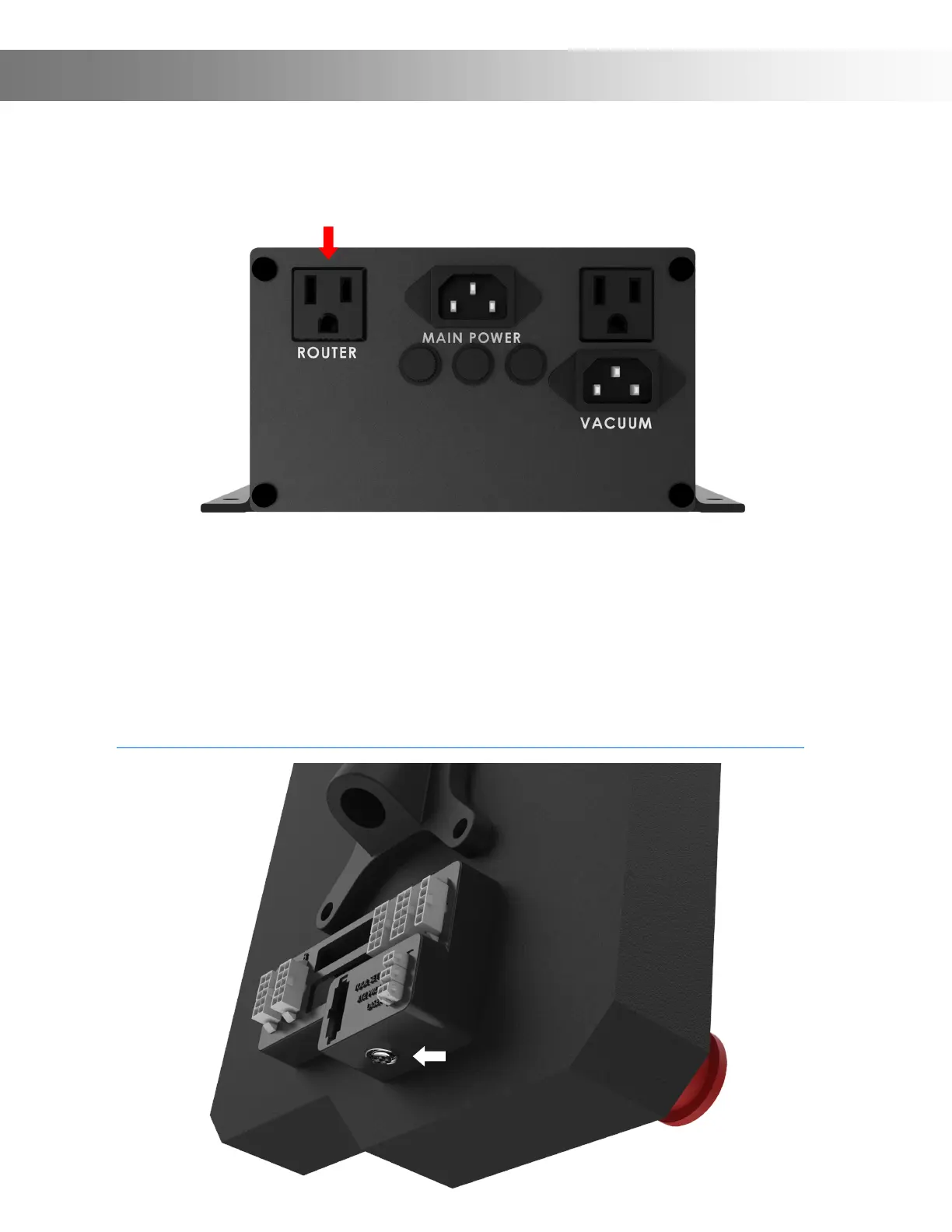
Step 7: If you are using a router you can plug it into the back of the Power Supply Controller.
Doing so with allow your Router to automatically turn on when you start a carve. Note: Do
not plug in a Spindle here, this is only for Routers.
Spindle Users: Your Onenity Elite Machine comes with a GX12 (6 pin) connector pre-wired to
allow for easy Spidle connection and set-up. If you have purchased a Spindle Kit that is pre-wired,
simply connector your GX12 Spidle Cable to the Onenity Elite GX12 Connector (White Arrow).
Note: Ensure your VFD is plug into a separate circuit to your Onenity Elite Machine to prevent an
overload.
If you have purchased a Spindle kit that is not pre-wired to work with your Onenity Elite ma-
chine, please visit the below link for info on wiring your specic Spindle::
https://docs.masso.com.au/wiring-and-setup/setup-and-calibration/spindle-vfd-examples


 To Next Page