Need help?
Do you have a question about the Onkyo A-9210 and is the answer not in the manual?
Crucial safety instructions for operating the appliance properly and safely.
Advises on installation, care, electrical safety, and handling of the unit.
Step-by-step instructions for connecting a turntable, including ground wire.
Guide for connecting speaker systems, noting impedance and wiring best practices.
Steps to safely connect the amplifier to the power supply and turn it on.
How to select input sources, speakers, and adjust playback volume.
Procedures for recording audio from various sources to tapedecks.
Solutions for common problems encountered with the amplifier.
Detailed technical data, performance metrics, and dimensions of the unit.
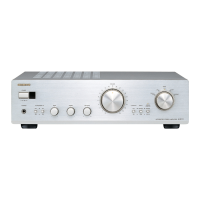
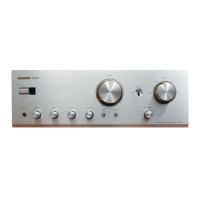
The Onkyo A-9210 is an integrated stereo amplifier designed to deliver high-quality audio performance. It features a robust power output, discrete amplifier design, and a focus on direct signal paths to minimize noise and interference. The amplifier is also equipped with Onkyo's RI (Remote Interactive) remote control system, allowing for integrated control with other compatible Onkyo components.
The A-9210 serves as the central hub for an audio system, connecting various source components and driving speakers. Its primary function is to amplify audio signals from sources like turntables, CD players, tuners, and tape decks, delivering them to speakers at a listenable volume. The amplifier supports connections for up to five audio inputs, including a dedicated phono input for turntables. It can drive two separate pairs of speakers (A and B) simultaneously or individually, with a minimum impedance of 4 ohms per speaker pair (or 8 ohms when both A and B are used). A headphone jack is also provided for private listening.
The amplifier incorporates several controls for sound customization. The INPUT SELECTOR knob allows users to switch between different audio sources. A VOLUME control knob adjusts the overall output level. For tone adjustment, the A-9210 includes BASS and TREBLE control knobs, which can boost or attenuate low and high frequencies, respectively. A LOUDNESS button is available to enhance bass and treble at low listening volumes, enriching the sound. The BALANCE control knob allows users to adjust the relative volume between the left and right speaker channels. For the purest possible sound reproduction, a SOURCE DIRECT knob bypasses the bass and treble controls, routing the audio signal directly to the power amplifier circuitry.
The A-9210 also facilitates recording. Users can connect up to two tape decks (TAPE-1/DAT and TAPE-2) and record from any selected input source. Tape dubbing from TAPE-1 to TAPE-2 is also supported. The TAPE-2 MONITOR button allows users to monitor the sound being recorded or to integrate a graphic equalizer into the signal path.
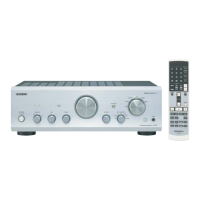
The A-9210 is designed for ease of use, both through its front panel controls and the included RI remote control.
The remote control provides convenient access to major functions of the A-9210 and other compatible Onkyo RI components.
The manual provides clear instructions for connecting various audio components:
The A-9210 allows for recording from any selected input source to a connected tape deck. Users select the source, insert a blank tape, and initiate recording via the tape deck's controls. Tape dubbing from TAPE-1 to TAPE-2 is also possible.
The amplifier offers flexible tone adjustment. The BASS and TREBLE controls allow users to tailor the sound to their preference. The LOUDNESS function boosts bass and treble at lower volumes to compensate for the human ear's reduced sensitivity to these frequencies. The BALANCE control ensures an even soundstage. For purists, the SOURCE DIRECT mode bypasses these tone controls for an uncolored audio signal.
The manual provides essential guidelines for maintaining the A-9210 and ensuring its longevity:
 Power
Power| power output | 40 watts per channel at 8 ohms |
|---|---|
| power output (DIN) | 2 x 60 watts at 4 ohms, 2 x 50 watts at 8 ohms |
 Audio Performance
| total harmonic distortion | 0.08% at rated power |
|---|---|
| IM distortion | 0.08% at rated power |
| damping factor | 150 at 8 ohms |
Frequency and Sensitivity| frequency response | 15 Hz—50 kHz +1 dB |
|---|---|
| phono input sensitivity/impedance | 2.5 mV/50 kohms |
| tuner/CD/line input sensitivity/impedance | 150 mV/25 kohms |
Controls| bass control | +8 dB at 100 Hz |
|---|---|
| treble control | +8 dB at 10 kHz |
| loudness control | +8 dB at 100 Hz, +3 dB at 10 kHz |
Signal to Noise Ratio| phono SNR | 84 dB (5 mV input) |
|---|---|
| source direct SNR | 104 dB (0.5 V input) |
General Specifications| power supply (European and Australian models) | AC 230 V, 50 Hz |
|---|---|
| power supply (Worldwide models) | AC 120 V and 220 V switchable, 50 Hz/60 Hz |
| dimensions | 455 (W) x 120 (H) x 332 (D) mm |
Remote Control| transmitter | Infrared |
|---|---|
| signal range | Approx. 5 meters |
| power supply | Two “AA” batteries (1.5 V x 2) |
 Weight and Dimensions
| weight | 7.1 kg |
|---|---|
| remote control dimensions | 55 (W) x 18 (H) x 194 (D) mm |
| remote control weight | 100 grams |

 To Next Page