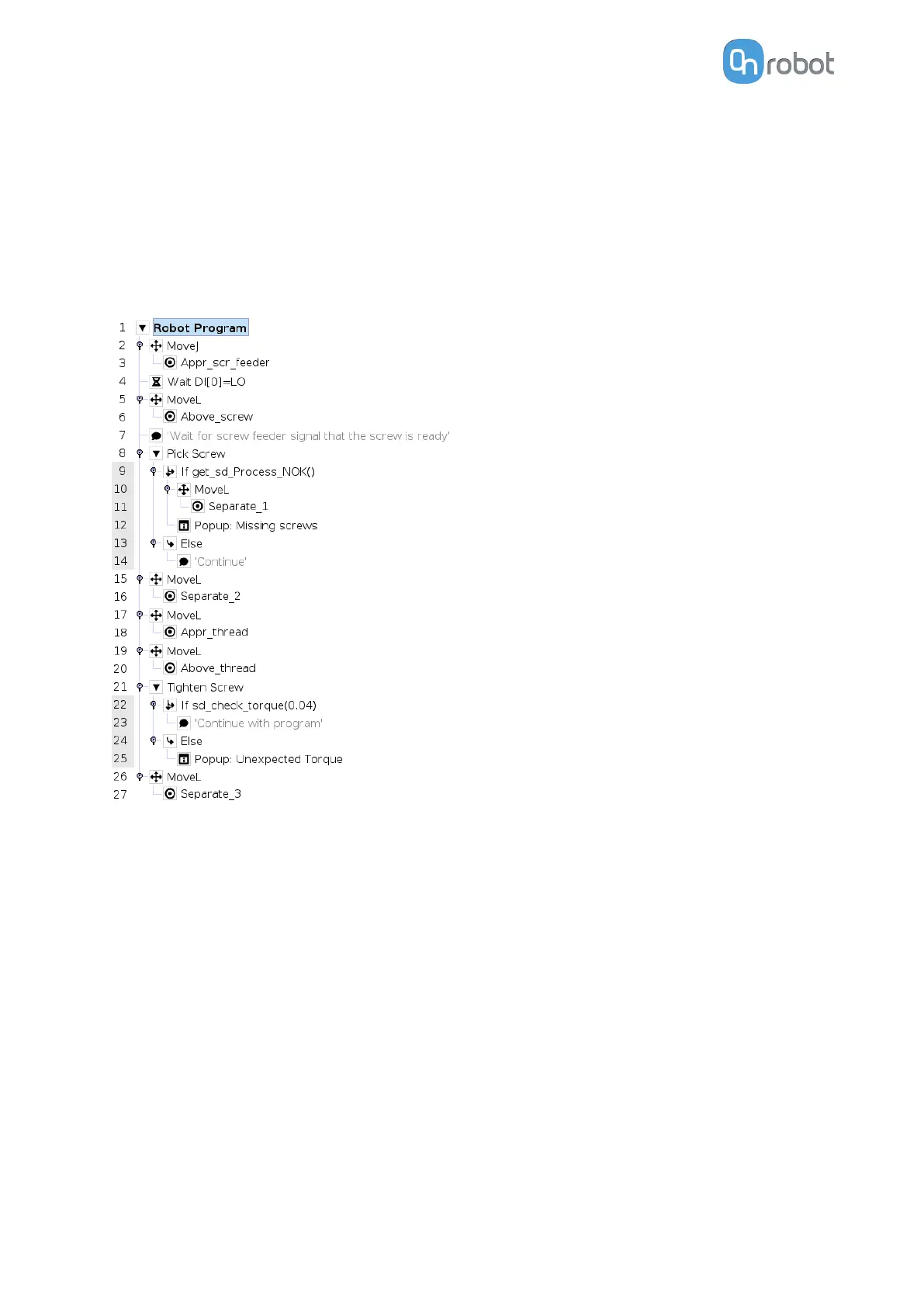
Lines 8 -14: the Pick Screw command is executed. If the command is not successful, the
robot will move to separate from the screw feeder and a popup will be displayed saying
“Missing screws”. Else the robot program will continue.
Lines 15 - 22: the robot moves form the screw feeder to the thread
Lines 21 - 27: the Tighten Screw command is executed. An if statement will check that the
achieved torque is within the range of the target torque +/- the tolerances. The tolerances in
this case are 0.04 Nm. If the achieved torque is within range, the condition will return true and
the program will continue. Else a popup will be displayed saying “Unexpected Torque”.
OPERATION
141



 To Next Page