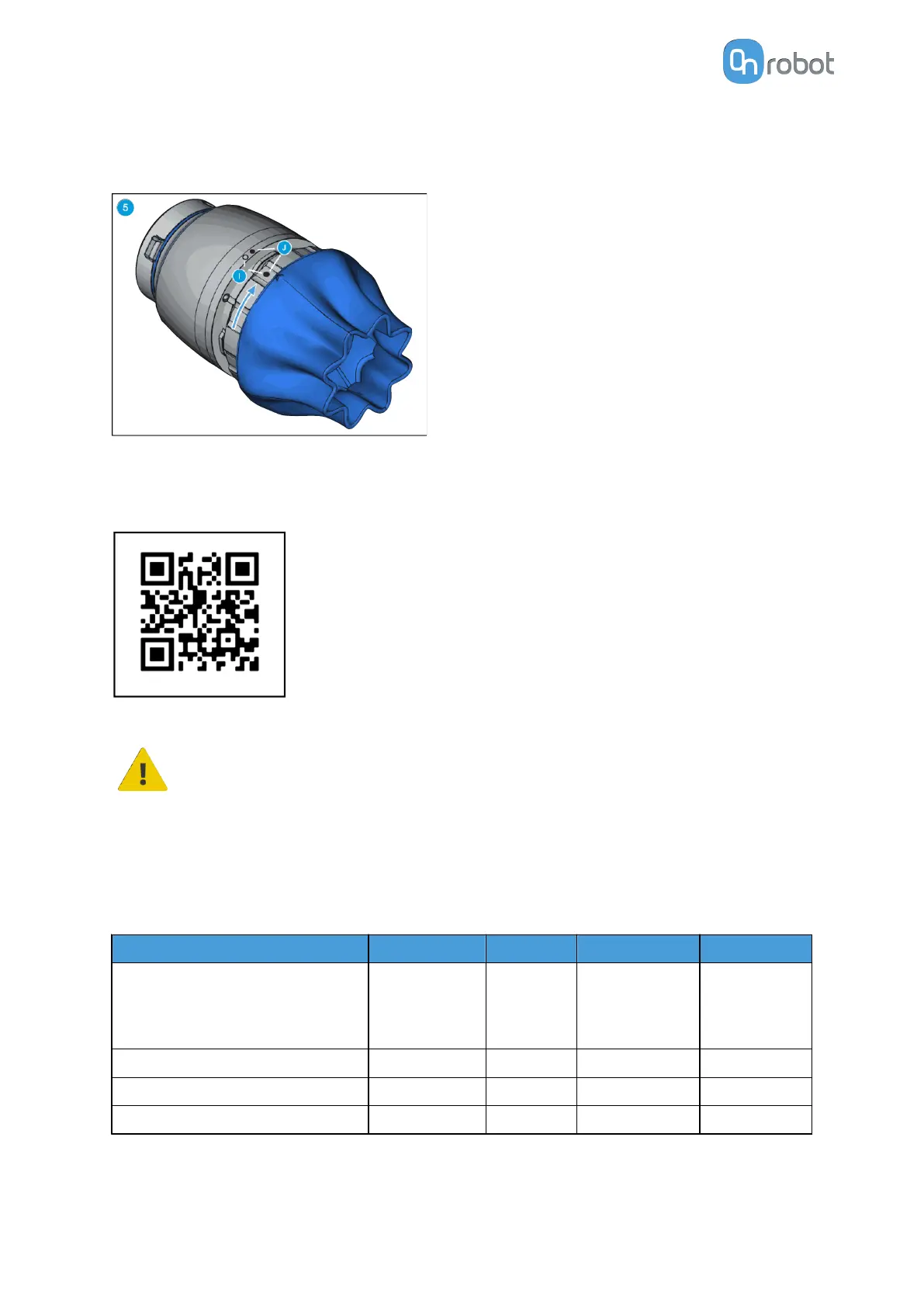
Use your thumbs to press the inside of the SG tool (E). This will make the smart lock female
(F) visible. Locate the marking on the ring as described in step 1. Slide the SG tool smart lock
female (F) and the smart lock male (G) together.
Align the markings (I). Press the SG tool into the SG Base Part and rotate CW to align the two
markings (J).
Scan for mounting guide video.
WARNING:
When working with the SG, please make sure that the grippers inward/outward
motion is not obstructed, otherwise the positioning system may get out of sync.
If that were to happen, move the grip/release point away from the workpiece,
and reinitialize the gripper.
8.1.10. VG10
General Properties
Minimum Typical Maximum Unit
Vacuum
5 %
-0.05
1.5
-
-
-
80 %
-0.810
24
[Vacuum]
[Bar]
[inHg]
Air flow 0 - 12 [L/min]
Arms adjustment 0 - 270 [°]
Arm holding torque - 6 - [Nm]
HARDWARE SPECIFICATION
207



 To Next Page