35
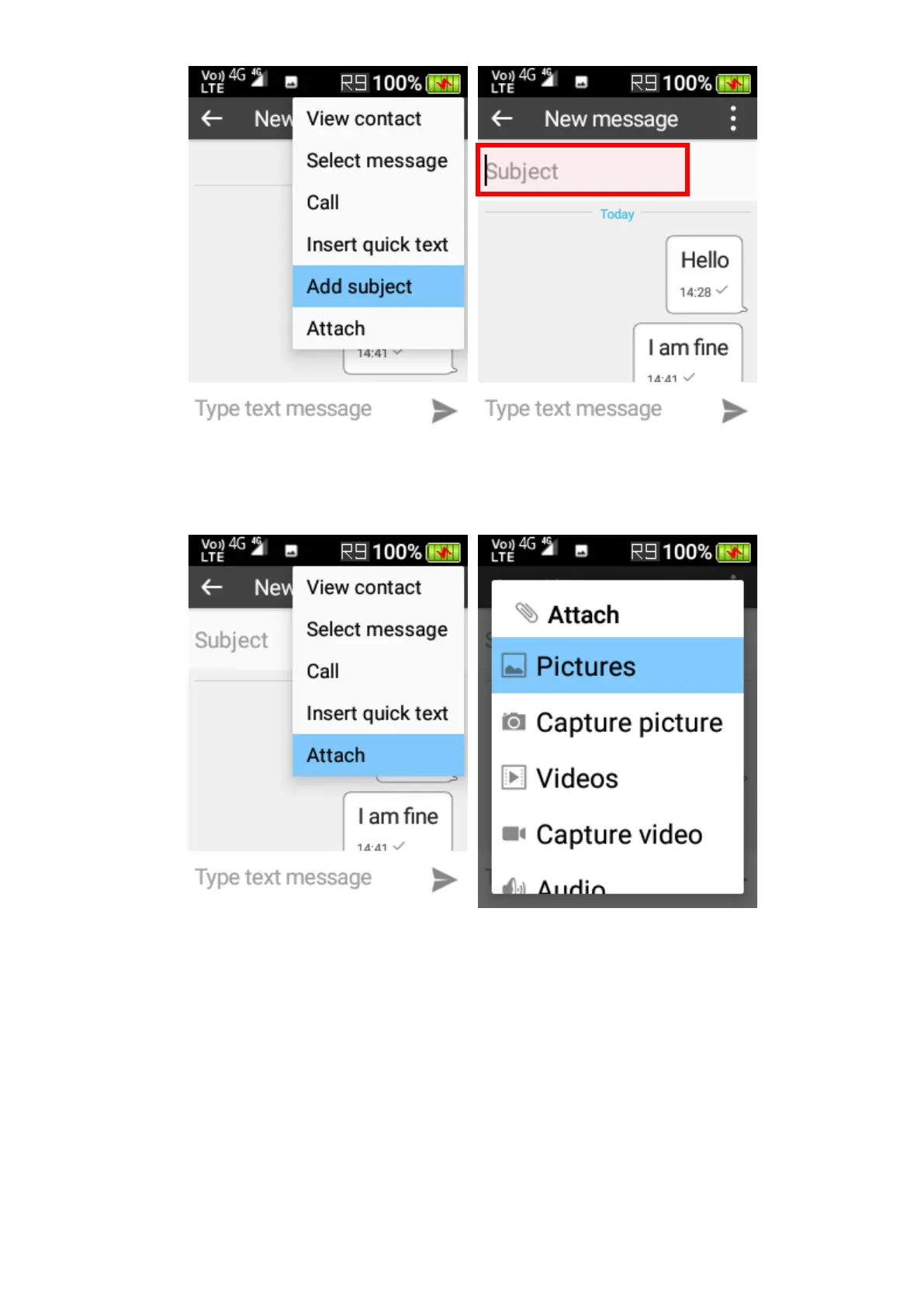
3. Attach – Attach a picture, video or record an audio clip, or capture a picture/video for attaching
to the message. The maximum size of an attached object is 300KB (network dependence).
Message settings
To open message settings, while at the main interface of messages, press the left selection key
to open the menu and select Settings.















 To Next Page