36
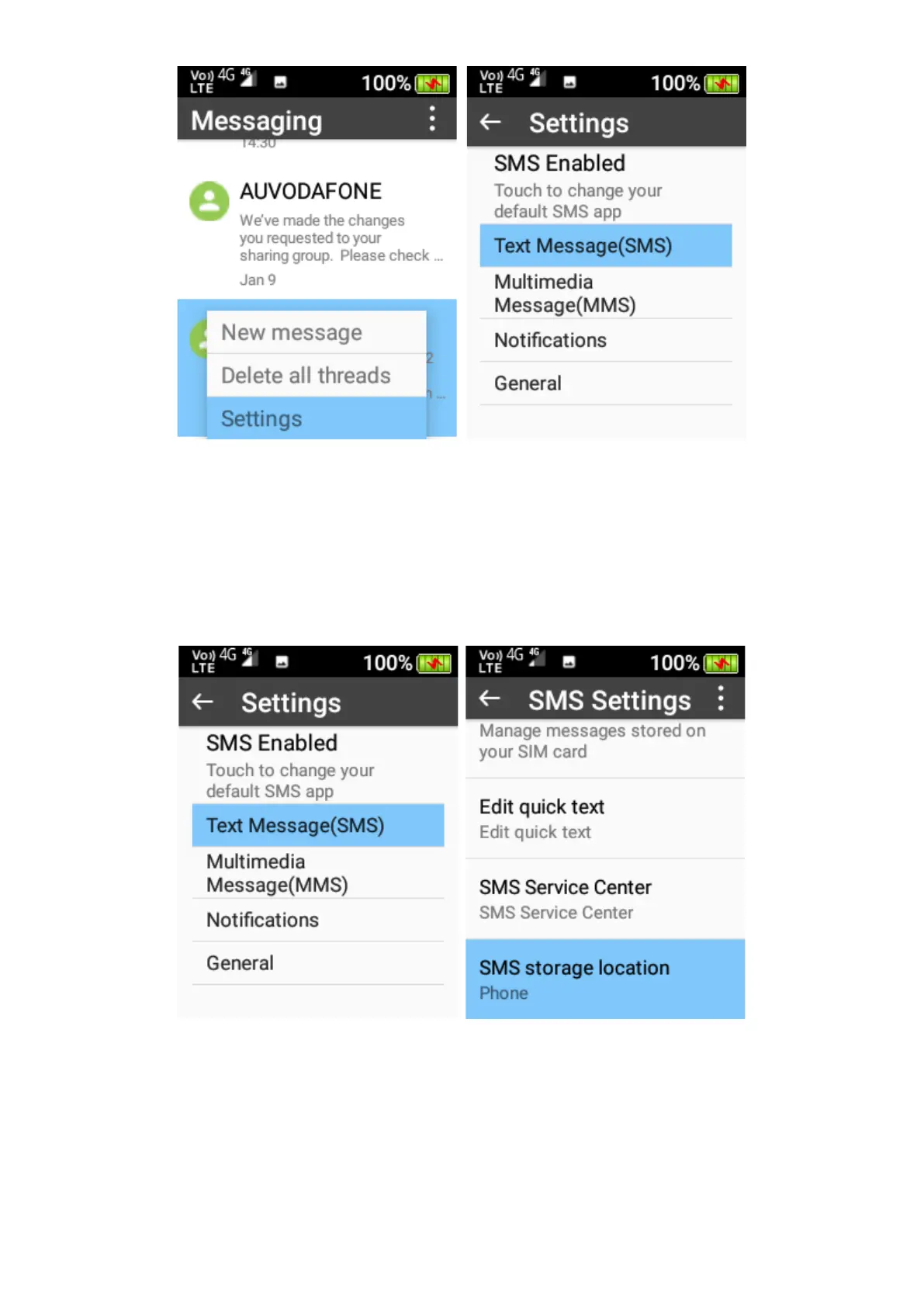
You can adjust the SMS and MMS settings, change the notification options, message font size
options and configure cell broadcast.
1. Settings – Text Message (SMS) – You can turn on and request a delivery report for each
message you send, manage your SIM card messages, edit, and add quick text options (to add
just type in the quick text you want to add and click Add icon), and change the SMS storage
location.















 To Next Page